Think of Core Web Vitals as Google’s way of measuring the feeling of using your website. They’re a specific set of metrics that grade your site’s real-world user experience, focusing on three key areas: loading speed, interactivity, and visual stability.
It’s like walking into a brick-and-mortar shop. A great experience means the doors open fast, you can easily grab what you need off the shelf, and the aisle signs don’t suddenly shift around as you’re walking. Core Web Vitals apply that same common-sense logic to your website, making sure the experience is smooth and frustration-free for your visitors.
These aren’t just abstract technical terms. They have a direct impact on how users see your brand and, just as importantly, how Google decides to rank you. A clunky, slow, or jumpy site leads to people leaving in frustration (higher bounce rates), which can mean lost customers and missed opportunities. That’s why getting a handle on Core Web Vitals is a must for any serious website owner.
The Three Pillars of User Experience
Back in May 2020, Google rolled out these metrics to give everyone a clear, standardized way to measure a site’s performance from a user’s point of view. They focus on three core questions every visitor subconsciously asks:
- How fast does it load? This is measured by Largest Contentful Paint (LCP).
- How quickly can I interact with it? This is measured by Interaction to Next Paint (INP).
- Is the layout stable, or does it jump around? This is measured by Cumulative Layout Shift (CLS).
These vitals are a crucial piece of the bigger SEO puzzle. For a deeper dive into other important terms, our guide on demystifying the lingo for website owners is a great place to start. And to see how these metrics fit into a broader strategy, you can explore various key website performance optimization techniques.
To make it easier to remember what each metric does, here’s a quick breakdown.
Core Web Vitals At a Glance
| Core Web Vital | What It Measures | Good Score |
|---|---|---|
| LCP (Largest Contentful Paint) | Loading Performance: How long it takes for the largest image or text block to become visible. | 2.5 seconds or less |
| INP (Interaction to Next Paint) | Interactivity: How quickly the page responds to user actions like clicks, taps, or key presses. | 200 milliseconds or less |
| CLS (Cumulative Layout Shift) | Visual Stability: How much the page layout unexpectedly shifts while loading. | 0.1 or less |
These thresholds give you clear targets to aim for. Hitting these numbers tells Google—and more importantly, your users—that your site offers a solid, high-quality experience.
Google’s goal is to reward sites that provide a satisfying experience. A good page experience, measured by Core Web Vitals, doesn’t override great content, but it can give you a significant competitive edge when all other factors are equal.
Breaking Down The Three Core Vitals
To really understand what Core Web Vitals are all about, it helps to ditch the technical jargon for a minute and think about them from a human perspective. Each metric—Largest Contentful Paint (LCP), Interaction to Next Paint (INP), and Cumulative Layout Shift (CLS)—is designed to measure a specific, critical moment in a user’s experience on your site. Let’s pull back the curtain on these three pillars with some simple analogies.
This diagram gives you a quick snapshot of the three core metrics we’re about to unpack.
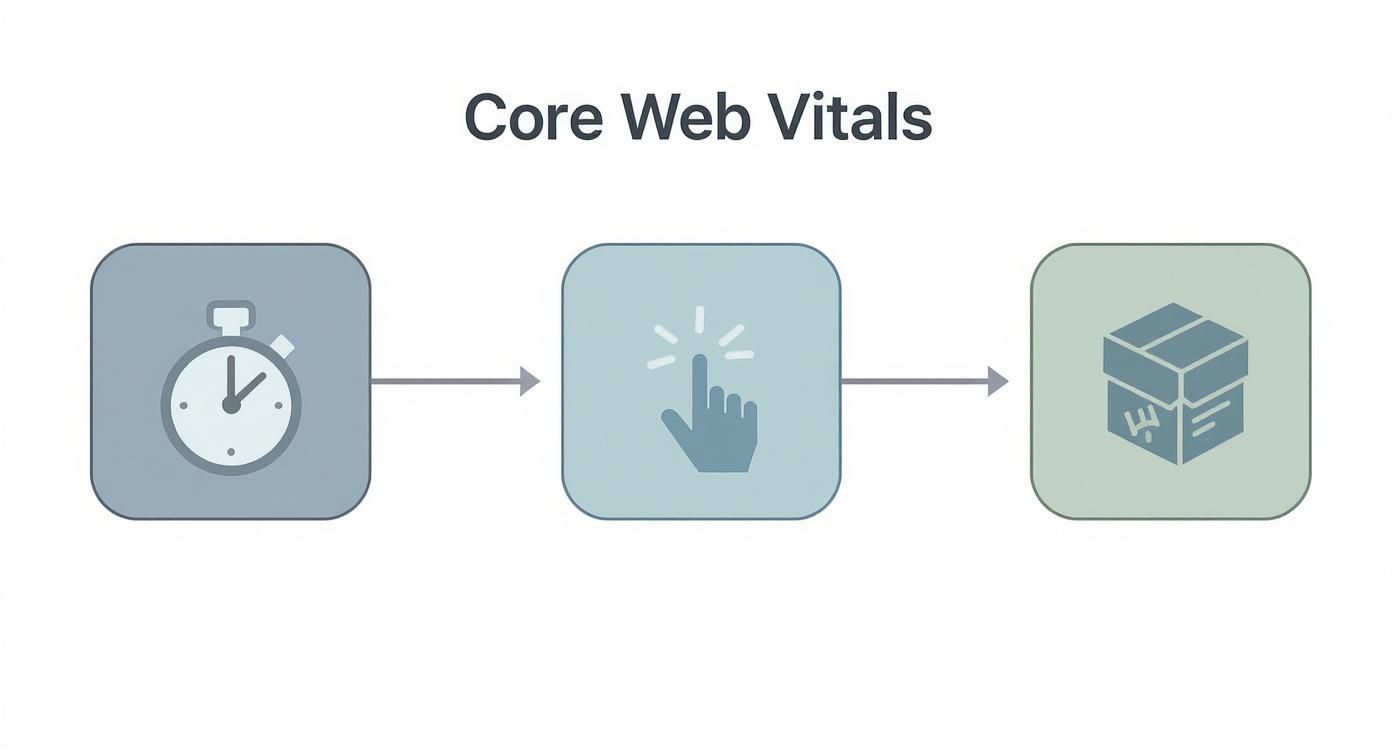
Think of each icon as answering a fundamental user question: How fast does it load (LCP)? How quickly can I actually use it (INP)? And does it stay put while I’m trying to read it (CLS)?
Largest Contentful Paint (LCP): The Main Attraction
Picture yourself at a concert. The lights go down, the crowd is buzzing, but the stage is still empty. You’re waiting for the headliner—the main reason you showed up. Largest Contentful Paint (LCP) is that exact moment. It measures how long it takes for the most important piece of content, like that big hero image or the main block of text, to appear on the screen.
This metric is a huge deal because it marks the point when a user finally feels like the page has arrived and is ready to use. Before that, the page just feels broken or incomplete. A slow LCP makes visitors impatient, and an impatient visitor is just one click away from leaving.
For a good user experience, your LCP should happen within 2.5 seconds of the page starting to load. If it’s creeping over 4 seconds, Google considers that a poor experience that needs urgent attention. The usual suspects? Huge, unoptimized images and sluggish server response times. For a deeper dive, our guide on why image optimization is a must is packed with useful tips.
Interaction to Next Paint (INP): The Instant Response
Think about flipping a light switch. You expect the room to light up instantly, right? Interaction to Next Paint (INP) measures that same expectation on your website. It tracks how quickly your site gives visual feedback after someone interacts with it—like clicking a button, opening a menu, or typing in a search bar.
A low INP score makes your site feel snappy and responsive. When a user clicks “Add to Cart,” they want to see that little confirmation pop up right away. Any delay, even a tiny one, creates a feeling of uncertainty and frustration. It makes the site feel clunky, or worse, broken.
INP doesn’t just measure the first click. It keeps an eye on all interactions during a user’s visit and reports the single longest delay, giving you a real-world picture of your site’s overall responsiveness.
To feel responsive, your site’s INP should be 200 milliseconds or less. Anything above 500 milliseconds is a sign of a sluggish experience that can tank conversions and erode user trust.
Cumulative Layout Shift (CLS): The Stable Foundation
Have you ever tried to tap a link on a mobile site, only for a big ad to suddenly load above it, pushing everything down and making you tap the wrong thing? That infuriating experience is exactly what Cumulative Layout Shift (CLS) is built to measure.
CLS quantifies how visually stable your page is by scoring any unexpected movement of on-screen elements while the page is loading. We’re not talking about slick animations or things that move when a user clicks them. This is all about those jarring, unwelcome shifts that break a user’s concentration and lead to misclicks. The most common culprits are images without defined size attributes, custom fonts loading in late, or ads being injected without a reserved space.
A low CLS score is the key to a smooth, predictable user experience. To pass Google’s assessment, you need a CLS score of 0.1 or less. A score above 0.25 points to significant visual instability that you’ll definitely want to fix.
Why Core Web Vitals Are Crucial For Your Business
Let’s get straight to the point: Core Web Vitals are much more than technical jargon for developers. They are a direct line to your bottom line. These metrics take the vague concept of “user experience” and turn it into hard data that shows how people actually behave on your website.
When a site feels fast, responsive, and stable, people stick around. They engage more. And most importantly, they are far more likely to become customers.
Put yourself in a customer’s shoes for a moment. A snappy load time (good LCP) means they can start browsing right away, without a second of frustrating delay. A responsive interface (good INP) ensures that when they click “Add to Cart,” something happens instantly, building confidence in your site. A stable layout (low CLS) prevents them from accidentally clicking the wrong thing during checkout—a surefire way to lose a sale.
Every one of these moments shapes a visitor’s journey. A hiccup at any point can lead to frustration and a clicked back button. For an e-commerce store, that’s an abandoned cart. For a service business, it’s a potential client giving up on your contact form because the page elements keep jumping around.
Connecting Performance to Profit
This link between user experience and business outcomes isn’t just a theory; it’s backed by solid data. The impact is real and significant. Websites with strong Core Web Vitals scores consistently see higher conversion rates and better user engagement.
One analysis of e-commerce sites found that those with ‘good’ scores saw:
- An average increase of 35% in form submission rates
- Bounce rates plummet from 68% down to 41%
- An average session duration that was extended by 2 minutes
This reframes optimization not as a technical chore, but as a direct investment in customer satisfaction and business growth. A seamless user experience is a powerful tool for building trust and encouraging conversions.
SEO and The Bigger Picture
Beyond keeping users happy, Core Web Vitals are a huge deal for SEO. Google uses them as a key part of its ranking algorithm because a great user experience is a strong signal of a high-quality, valuable website. Better scores can lead to better visibility in search results. If you want to dive deeper, it’s worth understanding Google’s algorithm updates and their impact on SEO.
At the end of the day, a slow or clunky website creates friction, and friction costs you money. You can learn more about how slow websites are annoying and what to fix in our detailed guide. Here at Raven SEO, we specialize in turning these technical challenges into business opportunities, making sure your site is built to perform for both your customers and the search engines.
How To Measure and Diagnose Your Core Web Vitals
Knowing your Core Web Vitals scores is the first step, but how do you actually get them? Luckily, Google gives us a whole suite of free tools to diagnose our websites’ performance. Think of it like a doctor’s kit for your site—each tool is designed to check a different aspect of its health.
Before we dive into the tools themselves, it’s critical to understand the two different types of data they provide. Getting this right is half the battle.
- Field Data: This is the good stuff. It’s real-world information collected from actual users who visit your site on their own devices, with their own network speeds. It’s the most important data because it tells you what people are actually experiencing.
- Lab Data: This is data gathered in a controlled, simulated environment. It’s fantastic for debugging and testing specific changes in real-time, but it doesn’t always capture the unpredictable nature of real-world user conditions.
Google PageSpeed Insights for Quick Audits
For a fast and comprehensive check-up, your first stop should be Google PageSpeed Insights (PSI). Just pop in your website’s URL, and PSI will spit out a detailed report with both field and lab data. Having that dual perspective is incredibly useful.

The report gives you a clear pass or fail on your Core Web Vitals assessment and breaks down the specific scores for LCP, CLS, and INP. This lets you immediately see where the problems are.
Google Search Console for Site-Wide Trends
While PageSpeed Insights is perfect for looking at a single page, Google Search Console is where you go to zoom out and see the big picture. Its Core Web Vitals report is a game-changer because it groups pages with similar issues together, helping you spot site-wide problems that are dragging everything down.
For example, Search Console might flag all of your product pages for having a poor LCP score. Right away, you know there’s likely a shared problem—like unoptimized product images—that you can fix once for all those pages. If you really want to get the most from this tool, check out these powerful Google Search Console tips for your free SEO toolbox.
The Search Console report is your strategic overview. It helps you prioritize fixes by showing which issues are impacting the largest number of URLs on your site, ensuring your efforts have the greatest possible impact.
Lighthouse for Real-Time Debugging
Ready to roll up your sleeves and get your hands dirty? Lighthouse is an essential tool built right into the Google Chrome browser. You can fire it up through Chrome DevTools to run real-time performance audits on any page you’re currently viewing.
Because Lighthouse runs locally on your machine, it provides lab data. This makes it the perfect companion for developers and site owners who want to test changes on the fly. After you compress an image, you can immediately run a new Lighthouse report to see if your LCP score improved. It’s all about getting that instant feedback.
Choosing the Right Core Web Vitals Tool
With a few different tools at your disposal, it can be tricky to know which one to use and when. Each has a specific job and gives you a different piece of the puzzle. This table breaks down the best use case for each one.
| Tool | Best For | Data Type | Key Feature |
|---|---|---|---|
| PageSpeed Insights | Quick, comprehensive audits of a single URL. | Lab & Field | Provides both simulated data and real-user data from the past 28 days. |
| Search Console | Identifying site-wide trends and prioritizing fixes. | Field | Groups URLs with similar issues to show the biggest problem areas. |
| Lighthouse | Real-time debugging and testing changes as you make them. | Lab | Runs directly in your browser for instant performance feedback. |
Ultimately, you won’t use just one of these tools; you’ll use all of them together. Start with Search Console to identify the biggest opportunities, use PageSpeed Insights to diagnose a specific example page, and then use Lighthouse to test your fixes before you push them live. It’s a workflow that gives you a complete view of your site’s performance, from a 30,000-foot overview down to the code itself.
How to Fix Poor Core Web Vitals Scores
Alright, you’ve got your Core Web Vitals scores. Now for the fun part: actually fixing what’s broken. This is where we roll up our sleeves and turn those diagnostic reports into real-world improvements on your site.
When you see a poor score, it’s usually not one giant problem but a handful of specific culprits slowing things down. The good news? Most websites suffer from the same handful of issues, like bloated images or clunky code. With a clear plan, we can knock them out one by one.

Tackling Poor LCP Scores
A slow Largest Contentful Paint (LCP) is often the first thing a user notices—or rather, doesn’t notice, as they sit there waiting. It makes your site feel sluggish from the get-go. Luckily, the fixes are usually pretty straightforward.
Most LCP problems come down to a few usual suspects:
- Unoptimized Images: Huge, high-resolution images are the number one cause of slow load times. You need to compress them and serve them up in modern formats like WebP. This can slash their file size without any noticeable drop in quality.
- Slow Server Response Times: If your server takes forever to even start sending the page, everything else gets held up. This is a hosting issue. Upgrading your plan or using a Content Delivery Network (CDN) can make a massive difference by bringing your content physically closer to your users.
- Render-Blocking Resources: Some CSS and JavaScript files demand to be loaded before anything else on the page can appear. You can fix this by deferring scripts that aren’t critical for the initial view and inlining the most essential CSS so the main content shows up fast.
Improving Your INP Responsiveness
Interaction to Next Paint (INP) is all about speed and feedback. When a user clicks a button, how fast does something happen? A delay here makes a site feel broken and unresponsive, which is a surefire way to frustrate visitors.
Most INP issues are caused by JavaScript overload.
A high INP is often a signal that your website’s main thread—the part of the browser that handles user interactions—is overworked. When it’s busy with long-running scripts, it can’t respond to a user’s click or tap right away.
The solution is to break up long JavaScript tasks into smaller, more manageable chunks. This stops a single script from hogging all the browser’s attention. It’s also a good idea to take a hard look at any third-party scripts you’re running for things like ads or analytics—they are often the hidden culprits behind a sluggish interface.
Solving High CLS and Layout Shifts
You know that infuriating experience where you go to click a button, and at the last second, an ad loads and pushes it down the page? That’s Cumulative Layout Shift (CLS). It looks unprofessional and makes your site a nightmare to use.
The main reason for a high CLS is elements loading in without any space being saved for them.
- Images Without Dimensions: This is the most common cause. Always, always specify the
widthandheightattributes for your images in your HTML. It’s like telling the browser, “Hey, an image is coming, save a spot for it right here.” - Dynamically Injected Content: Ads, cookie banners, or other pop-ups that appear out of nowhere are notorious for causing layout shifts. You need to reserve a fixed-size container for these elements so they don’t shove your other content around when they finally decide to show up.
- Web Font Loading: When a custom font loads, it can cause a flash of plain text or a sudden change in text size, which shifts the layout. Preloading your key font files can solve this by making sure they’re ready to go before the text even appears.
Fixing these technical hiccups is a fundamental part of maintaining a healthy, high-performing website. For a more structured approach, you might want to run through our guide on 5 essential technical checks for a new website.
Let’s Turn Your Core Web Vitals into a Competitive Advantage
You now have the roadmap—the what, why, and how behind Core Web Vitals. But knowing the path is one thing; walking it is another challenge entirely, especially when you’re busy running a business.
At Raven SEO, we live and breathe this stuff. We specialize in digging into complex performance data, finding the real reasons behind sluggish scores, and implementing fixes that not only satisfy Google but also delight your users.
Our team translates those confusing technical roadblocks into a clear, prioritized action plan that makes sense for your business goals. Whether it’s squashing a stubborn LCP issue by optimizing your image delivery or fine-tuning JavaScript to nail your INP score, we handle all the heavy lifting. This leaves you free to focus on what you do best.
We believe a high-performing website is the non-negotiable foundation of digital success. Our approach isn’t just about technical tweaks; it’s about connecting every optimization to measurable results—more traffic, better engagement, and higher conversion rates.
Ready to stop worrying about your site’s performance and start climbing the rankings? Let’s connect. Together, we can build a faster, more successful website that works as hard as you do.
Got Questions About Core Web Vitals? We’ve Got Answers.
After digging into Core Web Vitals, a few common questions always seem to surface. Let’s clear them up so you can get back to optimizing your page experience.
Do Core Web Vitals Affect Local SEO?
Absolutely. A killer user experience is a big deal for any search, but it’s especially critical for local queries. Most “near me” searches happen on a phone, where users are impatient and expect things to just work.
If your site is slow or jumpy on mobile, that potential local customer is gone—they’ll just hit the back button and try your competitor down the street. So yes, great Core Web Vitals scores directly fuel your local SEO efforts by making sure mobile users have a smooth, positive experience.
How Often Should I Check My Vitals?
It’s a good habit to check in on your Core Web Vitals report in Google Search Console at least once a month. This rhythm helps you catch any downward trends before they snowball into bigger problems.
On top of that, you should always run a check after making any significant changes to your website. Think installing a new plugin, switching themes, or adding a new third-party script. Your scores can and will fluctuate, so keeping a regular eye on them is key.
Can My Site Rank Poorly Even With Good Vitals?
Yes, it happens. Core Web Vitals are just one piece of a very large and complicated SEO puzzle. While they’re certainly important for user experience, they don’t give you a free pass to ignore the fundamentals of high-quality, relevant content.
Think of it like this: a fast, technically sound website is the foundation. But what you build on that foundation is what truly matters. Things like content that actually answers a user’s question, site authority, and strong backlinks are still absolutely essential for snagging those top rankings.
Ready to turn your Core Web Vitals from a headache into a real competitive advantage? The experts at Raven SEO specialize in deep-dive performance audits and implementing lasting fixes that boost user experience and search rankings. Let us handle the technical stuff so you can get back to running your business. Schedule your no-obligation consultation today!