A robots.txt file is a simple text file that lives on your website, but its job is anything but small. It acts as a set of instructions for search engine crawlers, gently guiding them on which pages they should visit and which areas are best left alone.
Think of it as a friendly but firm doorman for your website.
Your Website’s Doorman
Imagine your website is a big, bustling hotel. You absolutely want guests—and search engine bots—to see the beautiful lobby, the five-star restaurant, and the luxurious suites. But you probably don’t want them wandering into the kitchen during the dinner rush or poking around the staff-only breakroom. A robots.txt file is simply the set of directions you give to these automated visitors, telling them where the public areas are and which doors are marked “private.”
This little file is a key tool for managing what’s known as your “crawl budget.” Search engines like Google only have so much time and so many resources to spend crawling any given site. By using robots.txt to block off low-value or duplicate pages, you make sure their time is well spent.
Common pages to block include:
- Admin login pages
- Internal search result pages
- Shopping cart or checkout pages
- “Thank you” or confirmation pages
When you steer crawlers away from these areas, you’re essentially encouraging them to focus their attention on the content that actually matters—your blog posts, service pages, and product catalogs. This helps your most important pages get discovered, indexed, and ranked much faster.
A Brief History of Web Manners
The idea for these digital directions has been around for a while. The protocol was first dreamed up back in 1994, a time when early web crawlers were a bit like clumsy giants, sometimes overwhelming servers with their aggressive crawling. A developer suggested a standardized way to politely ask bots to stay out of certain areas, and this “Robots Exclusion Protocol” quickly became the unspoken rule of the web. It was finally formalized as an official internet standard (RFC 9309) in 2022.
To give you a clearer picture, here’s a quick breakdown of the file’s core components.
Robots Txt At a Glance
This table summarizes the main parts of a robots.txt file and what they do.
| Component | Purpose | Example |
|---|---|---|
| User-agent | Specifies which web crawler the rule applies to. * is a wildcard for all bots. |
User-agent: Googlebot |
| Disallow | Tells the specified crawler not to access a particular file or directory. | Disallow: /admin/ |
| Allow | Overrides a Disallow rule for a specific subdirectory or file within a blocked path. |
Allow: /wp-content/uploads/ |
| Sitemap | Points crawlers to the location of your XML sitemap for easy discovery of all your URLs. | Sitemap: https://yourdomain.com/sitemap.xml |
Each directive works together to create a clear and efficient roadmap for search engines.
Connecting the Dots for Crawlers
While robots.txt is great at telling bots where not to go, it also plays a crucial role in helping them find what’s most important. You can, and should, include a link to your XML sitemap directly in the file. This acts as a convenient map, showing crawlers a complete list of all the important pages you want them to find.
Managing these technical files is a fundamental part of running a website. Understanding the basics of how to host your own website is incredibly helpful, as the robots.txt file is a key component you’ll manage directly on your web server.
Mastering the Language of Search Engine Bots
To really get a handle on how bots interact with your site, you have to speak their language. The robots.txt file uses a simple set of commands, called directives, to give instructions. Think of these directives as the basic vocabulary you use to have a conversation with crawlers like Googlebot.
Getting this vocabulary right is the key to creating clear, precise rules. It allows you to guide bots with confidence, making sure they spend their precious crawl budget on the pages that actually matter to your business.
This infographic gives you a quick visual of how a robots.txt file works as a traffic cop for bots, either waving them through or telling them to stop.
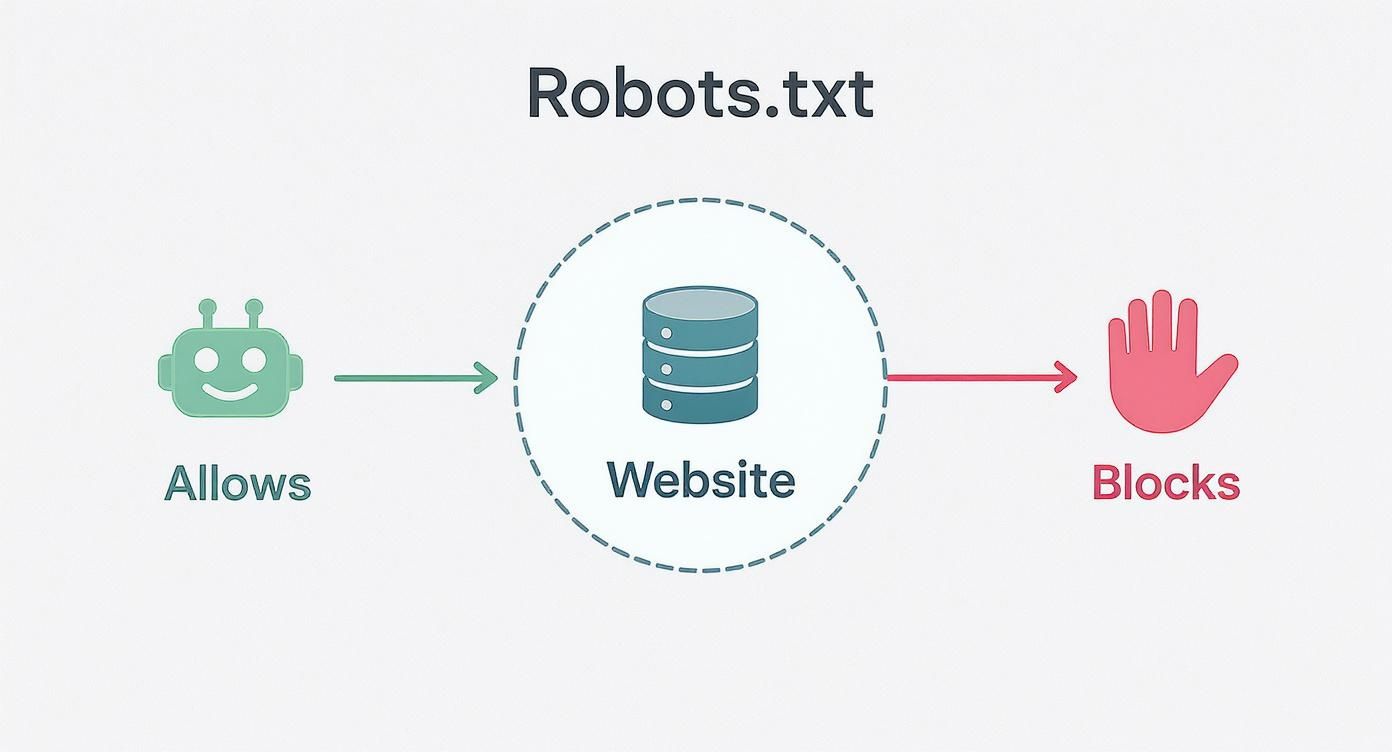
As you can see, the file acts as a central control point, using simple directives to manage crawler activity right from your server.
Decoding the Core Directives
Every robots.txt file is built from a few fundamental commands. Each one has a distinct job, and they often work together to create comprehensive rule sets for different parts of your site.
Let’s take a look at the most common directives and what they actually do.
Common Robots Txt Directives Explained
This table breaks down the most frequently used directives, explaining their functions and showing you the proper syntax.
| Directive | Function | Example Usage |
|---|---|---|
User-agent |
Specifies which crawler the rules apply to. You can target one bot or use * for all. |
User-agent: Googlebot |
Disallow |
Tells the specified bot not to crawl a particular URL path. | Disallow: /admin/ |
Allow |
Creates an exception to a Disallow rule, permitting access to a specific subfolder or file. |
Allow: /media/public-file.pdf |
Sitemap |
Points crawlers to the location of your XML sitemap for easier discovery of important pages. | Sitemap: https://www.yourdomain.com/sitemap.xml |
These four directives are the building blocks you’ll use most often to manage crawler access effectively.
Practical Examples of Robots Txt Rules in Action
Theory is one thing, but seeing these directives in a real-world context makes their function click. Below are a few commented code snippets for common scenarios you might run into.
Example 1: Block a Single Directory for All Bots
This is a classic use case. You have a private area, like an admin login folder, that you don’t want indexed.
This rule applies to every search engine bot
User-agent: *
Prevents bots from crawling the /admin/ directory
Disallow: /admin/
Example 2: Block a Specific Bot From One Folder
Sometimes, you might want to block a specific bot—maybe an aggressive scraper or an SEO tool’s bot—while letting others like Googlebot through.
This rule is only for Google’s main crawler
User-agent: Googlebot
Blocks Googlebot from the /private-files/ directory
Disallow: /private-files/
Example 3: Allow One File Inside a Blocked Directory
This example really shows off the power of the Allow directive. Here, we block an entire media folder but carve out an exception for one specific, important image.
User-agent: *
Block the entire /media/ directory…
Disallow: /media/
…but make an exception for this one important image.
Allow: /media/important-image.jpg
These directives are foundational for guiding search engines, but they’re just one piece of the puzzle. They work alongside other on-page signals and your site’s overall architecture. For instance, while you use robots.txt to manage crawler access, remember that a strong strategy for internal linking is your website’s secret weapon for guiding both users and bots to your most valuable content.
Creating and Placing Your Robots.txt File
Okay, you’ve got the core directives down. Now it’s time to roll up your sleeves and actually create and place your own robots.txt file. The process itself is surprisingly simple, but don’t let that fool you—precision is absolutely critical. This tiny file has a massive impact on your site’s SEO, so getting the creation and placement right is non-negotiable.
First off, making the file is the easy part. You don’t need any fancy software. A basic text editor like Notepad on Windows or TextEdit on a Mac is all you need to get the job done. The single most important rule here is the filename: it must be saved as robots.txt, all lowercase. Any other variation, like Robots.txt or robot.txt, will be completely ignored by search engine crawlers.

Where to Place Your File
Once you’ve created your file, its home is not up for debate. Your robots.txt file must be placed in the root directory of your website, which is just the top-level folder of your domain. Search engine bots are hardwired to look in one specific spot and one spot only: https://www.yourdomain.com/robots.txt.
If you stick it anywhere else, like in a subfolder such as /blog/robots.txt, crawlers won’t find it, and all your carefully crafted instructions will be ignored. Think of it like a welcome mat—it only works if you put it right at the front door, not hidden in a closet.
This single, specific location is a universally recognized web standard. Placing the file correctly ensures that every compliant bot, from Googlebot to Bingbot, can find and follow your instructions before it begins crawling your site.
To get the file where it needs to go, you have a couple of common options:
- Using an FTP Client: If you’re comfortable with File Transfer Protocol (FTP), you can use a client like FileZilla to connect to your server. From there, you just upload the
robots.txtfile directly into the root directory (often calledpublic_htmlorwww). - Hosting Control Panel: Most web hosts provide a control panel like cPanel or Plesk, which usually includes a built-in File Manager. This tool lets you navigate your server’s files right in your browser and upload the file directly.
Simplified Solutions for Popular Platforms
If poking around in server files makes you nervous, you’re in luck. Many popular content management systems (CMS) offer much simpler ways to handle this.
If you’re on a platform like WordPress, top-tier SEO plugins like Yoast SEO or Rank Math have built-in tools that let you create and edit your robots.txt file right from your dashboard.
These plugins take care of all the technical heavy lifting for you, making sure the file is named correctly and placed in the proper root directory automatically. After creating it, you can double-check that everything is working as expected. In fact, exploring these Google Search Console tips from your free SEO toolbox for success is a great next step to learn how to test your file and see exactly what the crawlers are up to.
Avoiding Common Robots.txt Mistakes
Your robots.txt file is a tiny text file with a huge amount of power. A single typo or a rule that’s just a little too broad can have massive consequences for your SEO. Think of it like a traffic cop for your website—get the directions wrong, and you could accidentally make your entire site invisible to search engines.
Understanding the common pitfalls is the first step to making sure your instructions are guiding bots correctly instead of blocking them from your most important pages. These errors usually come down to simple human oversight, but they can absolutely cripple your site’s performance.
The Catastrophic Disallow Slash Command
One of the most dangerous—and surprisingly common—mistakes is the Disallow: / command. That one little forward slash is a universal “keep out” sign. It tells every search engine bot to stay away from every single page on your site.
It’s the digital equivalent of locking your front door, boarding up the windows, and throwing away the key. This single line of text can completely de-index your website, causing your organic traffic to fall off a cliff overnight. Always, always double-check your Disallow directives to be sure they’re specific and targeted.
A correct robots.txt file is a cornerstone of technical SEO. A single error can undo months of hard work, making regular audits essential for maintaining a healthy site. For new sites, this is especially critical.
Forgetting to Allow CSS and JavaScript Files
Another critical error is accidentally blocking the very files that make your website look and function properly. Modern search engines, especially Google, need to “see” your site just like a human visitor does. To do that, they need access to your CSS and JavaScript files to render the page layout, check for mobile-friendliness, and understand the user experience.
If you block these resources, Google might only see a broken, text-only version of your site. That’s a huge red flag for the crawler, and it can lead to significant ranking drops because it can’t confirm that your site is functional or user-friendly.
Make sure you aren’t blocking common directories like these:
- /assets/
- /js/
- /css/
Using Robots.txt for Privacy
This is a big one. Many people mistakenly believe robots.txt can be used to hide sensitive information. It’s absolutely crucial to remember that robots.txt is not a security measure. It’s a set of polite instructions, not an impenetrable wall. Malicious bots and scrapers will often ignore these rules completely.
What’s more, even if a page is disallowed, Google might still find a link to it from another website and index it anyway. The page could then show up in search results with a note saying, “No information is available for this page,” which can draw even more unwanted attention to it.
To properly keep a page out of search results, you have to use a noindex meta tag right in the page’s HTML. For anything truly sensitive, password protection is the only truly secure method. Performing routine technical health checks is a great way to catch these kinds of vulnerabilities early. You can learn more by reviewing these 5 essential technical checks for a new website to ensure your site is secure and properly configured from the start.
Strategic Robots Txt for Better SEO Performance
Think of your robots.txt file as more than just a set of technical rules. It’s actually a strategic tool that can actively boost your site’s SEO performance. When you approach it strategically, you can guide search engine crawlers to focus their limited time and energy exactly where you want them, which leads to better and faster indexing of your most important content.

The main goal here is to manage your website’s crawl budget. Imagine a search engine bot has a finite amount of resources to spend crawling your site on any given day. A well-thought-out robots.txt file makes sure that time isn’t squandered on low-value pages.
Preserving Your Crawl Budget
By telling bots what not to crawl, you’re really just preserving their energy for the pages that actually matter. This means you should be actively blocking pages that have no business showing up in search results. Doing so frees up crawler resources to find and index your valuable blog posts, product pages, and core service offerings.
Common low-value pages to disallow include:
- Faceted Navigation: These are the URLs created by filters (like
/shoes?color=blue&size=10), which can generate thousands of duplicate or thin content pages. - Internal Search Results: Pages generated by your site’s own search function offer zero unique value to search engines.
- Thank-You and Confirmation Pages: While necessary for users, these pages have no place in public search results.
This simple bit of digital housekeeping directs crawlers straight to your most important content first. To get a better handle on this, check out our deep dive on the Google crawl budget, the unsung hero of your website’s SEO.
By blocking these non-essential pages, you’re not just tidying up; you’re creating a more efficient pathway for Googlebot to discover and rank the content that drives your business forward.
Providing a Clear Roadmap with Sitemaps
While blocking pages is crucial, your robots.txt file should also play an active role in helping bots discover your best content. It’s a best practice to include a link to your XML sitemap at the bottom of the file, which acts as a direct invitation to crawlers.
Your sitemap provides a clean, organized list of every important URL you want indexed. This one simple addition makes the whole crawling process incredibly efficient and helps ensure no key pages are accidentally missed.
The Evolving Landscape of Web Crawlers
It’s also important to remember that not all bots play by the rules. The role of robots.txt has gotten more complex with the rise of AI bots that scrape data to train large language models. Some of these bots simply ignore robots.txt instructions, which opens the door to data privacy and intellectual property concerns.
For instance, some AI companies have been accused of using crawlers that mimic real web browsers just to evade detection and access content on sites that explicitly disallowed their bots.
This new reality really underscores the need for a modern, multi-layered site management strategy. Your robots.txt file is just one part of a much larger technical SEO toolkit. To properly implement and monitor your strategy, using specialized SEO tools can be a game-changer. This comprehensive SERanking review explains how such a tool can support your broader SEO efforts.
Answering Your Top Robots.txt Questions
Even after you get the hang of robots.txt, a few tricky questions always seem to pop up. Let’s clear the air and tackle some of the most common points of confusion I see, so you can handle your site’s crawler rules with confidence.
Does Every Single Website Need a Robots.txt File?
Honestly, no. If you’re perfectly happy with search engines crawling and indexing every single page on your site, you can get by without one.
That said, creating a basic file is still a really good idea. An empty file—or one that clearly allows everything—tells search engines that you’ve actually thought about crawler access. It’s not just an oversight. It becomes an absolute must-have the second you have parts of your site you need to hide, like admin login pages or a staging area you’re building out.
How Can I Test My Robots.txt File for Errors?
The best and most reliable way is to use the robots.txt Tester inside Google Search Console. It’s a free tool made specifically for this job.
You just paste your code into the tester and check it against different URLs on your site. It’ll instantly flag any syntax mistakes or logical problems and show you exactly whether a URL is blocked for Googlebot. You should make a habit of testing your file every time you change it. It’s a critical step that prevents a tiny typo from accidentally making your important pages invisible to Google.
Think of the tester as a proofreader for your bot instructions. A quick check can prevent a small typo from causing a major SEO headache down the road.
What’s the Difference Between Robots.txt and a Noindex Tag?
This is easily one of the most important distinctions in technical SEO, and getting it wrong can cause big problems.
A robots.txt file tells search engine crawlers which pages they should not crawl. It’s like putting a “Do Not Enter” sign on a door. You’re asking them to stay out of that section of your website.
But—and this is the key part—if a page you’ve disallowed in robots.txt gets a link from another website, Google might still find and index it without ever visiting the page. It just adds the URL to its index because it knows the page exists from that external link.
A noindex meta tag, on the other hand, is a much stronger command. You place it in the HTML <head> of a specific page, and it explicitly tells search engines not to show that page in search results at all. If you want something kept out of Google’s index, always use a noindex tag. And since robots.txt isn’t a security tool, anything truly sensitive should always be password-protected, too.
At Raven SEO, we turn technical complexities into clear strategies for growth. If you’re ready to improve your site’s visibility and drive more traffic, our team is here to help. Contact us for a no-obligation consultation today!