If you want to speed up your WordPress site, there are three places you absolutely have to start: top-notch hosting, smart caching, and optimizing all your images and assets. Getting these three things right is the bedrock of a faster user experience and better search rankings, which directly feeds your bottom line.
For any Maryland business, a slow website is like having a single, overwhelmed cashier during a weekend rush in Fells Point—it actively turns away people who are ready to pay you.
Why a Slow WordPress Site Costs Your Maryland Business
In a competitive market, your website's speed isn't just a tech metric; it's a direct reflection of your customer service. A clunky, slow-loading site tells potential clients in busy areas like Towson or Canton that you don't value their time. This isn't just an IT headache. It's a real business problem with serious financial consequences.
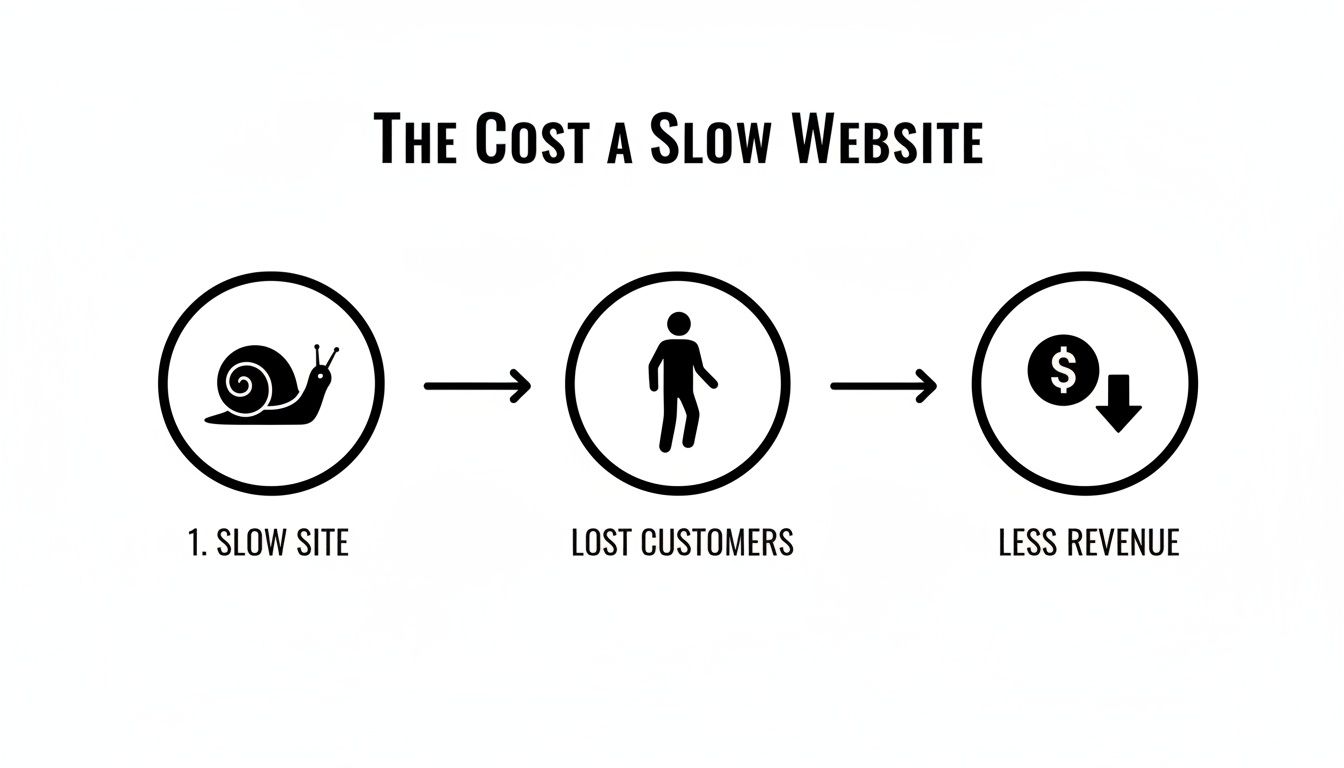
A sluggish site makes visitors leave before they even see what you have to offer. That high bounce rate is a major red flag for Google, signaling a poor user experience that hurts your search rankings and makes you invisible to local customers. For a contractor in Dundalk or a boutique in Annapolis, that means fewer leads, fewer sales, and revenue left on the table.
The Financial Drain of a Few Extra Seconds
Every single second of delay has a real, measurable impact on your ability to win over customers. The gap between a site loading in one second versus four isn't just three seconds—it's often the difference between landing a new client and losing them to a competitor. This performance gap is even more destructive on mobile, where patience runs razor-thin.
Let’s talk about the real-world impact. We’ve put together a table that shows exactly what a few seconds of load time can mean for a local Maryland business.
Impact of Load Time on Your Maryland Business
| Metric | Slow Site (3+ seconds) | Fast Site (Under 2 seconds) | Business Impact |
|---|---|---|---|
| Bounce Rate | High (50%+) | Low (Under 40%) | A fast site keeps users engaged, giving you a chance to make a sale. |
| Conversion Rate | Significantly Lower | Higher | Every second of improvement can boost conversions by up to 7%. |
| SEO Ranking | Penalized by Google | Favored by Google | Speed is a confirmed ranking factor; faster sites rank higher for local terms. |
| Brand Perception | Unprofessional, Untrustworthy | Professional, Reliable | A speedy site builds instant credibility and trust with Maryland customers. |
As you can see, the consequences go far beyond simple frustration. A slow site actively erodes your revenue, damages your brand, and makes it harder for new customers to find you in the first place.
The Mobile Speed Gap Is Hurting Maryland Businesses
The performance divide between desktop and mobile is a critical issue that many businesses miss. Globally, WordPress powers a massive 43.5% of all websites. In 2026, those sites load in an average of 2.5 seconds on desktop but crawl to a painful 13.25 seconds on mobile—a full 4.65 seconds slower than the average web page.
This mobile slowdown hits Maryland small businesses particularly hard. Even in tech-savvy areas like Towson and Canton, 82% of sites hosted on platforms like Hostinger achieve good desktop speeds, but that number plummets to just 47% on mobile. With users abandoning any site that takes more than 3 seconds to load, you're losing customers. This directly impacts your Google Business Profile visibility and your ability to compete in local search.
You can dig into more of this WordPress data by exploring these Hostinger statistics.
At Raven SEO, we've seen firsthand how a slow mobile experience can make a local business invisible on Google Maps. If your site doesn't load quickly for a user searching "bakery near me" on their phone in Baltimore, you might as well not exist.
Ultimately, knowing how to speed up your WordPress site isn't just a technical task; it's a core business strategy. By making performance a priority, you create a better user experience, strengthen your search visibility, and build a more profitable online presence for your Maryland business. If you're serious about this, our guide on local SEO best practices shows how speed fits into the bigger picture of getting found online.
How to Accurately Benchmark Your Website Speed
Before you touch a single line of code or change a single setting, you need to know where you stand. Think of it like a doctor checking your vitals before writing a prescription. You can't fix a slow WordPress site if you don't know what’s actually causing the slowdown. This initial benchmark gives you a clear, data-driven snapshot of your site's current health.
The good news? You don't need a massive budget for this. Powerful, free tools like Google PageSpeed Insights and GTmetrix act like a full diagnostic scan, digging deep to find the bottlenecks that frustrate your customers and tank your search visibility.
For a Maryland business, a sluggish site is especially damaging. For example, a high Time to First Byte (TTFB) often points directly to an underperforming hosting server—a common pain point for companies in the competitive Baltimore-Washington corridor. A slow TTFB means your server is taking far too long just to respond to a visitor's request, leaving them staring at a blank screen before anything even starts to load.
Understanding the Key Metrics
When you run a speed test, you'll get a report card packed with scores, colors, and technical jargon. It can feel a bit overwhelming at first, but a few key metrics tell most of the story. The ones that matter most are Google’s Core Web Vitals.
- Largest Contentful Paint (LCP): This measures how long it takes for the biggest piece of content on your page—usually a hero image or a large text block—to become visible. A slow LCP makes a page feel broken and empty. You're aiming for an LCP under 2.5 seconds.
- Interaction to Next Paint (INP): This new metric assesses how quickly your site responds when someone clicks, taps, or types. A high INP is what makes a page feel laggy and unresponsive.
- Cumulative Layout Shift (CLS): This tracks how much your page's layout unexpectedly moves around while it loads. A high CLS score means elements are jumping all over the place, often causing users to accidentally click on the wrong thing.
If these concepts are new to you, we've got a great guide that explains in plain English what Core Web Vitals are and why they're so critical for user experience.
How to Run a Meaningful Test
Getting trustworthy data requires a bit more than just plugging your URL into a tool one time. You need a consistent process.
First, run multiple tests. Performance can fluctuate, so testing your site at least three times and taking the average gives you a much more reliable baseline.
Next, test more than just your homepage. Analyze your most important pages—think your main service page, a popular blog post, or a key product page. These are often where conversions happen.
Finally, choose a consistent test location. If you're using a tool like GTmetrix, pick a server that's physically closest to your audience. For a Towson-based business, a server in Virginia will provide a far more realistic picture of user experience than one in Vancouver.
These diagnostic tools are your starting point for tackling the specific mobile and desktop performance issues that Google sees on your site.
A slow site directly hits your bottom line. We've seen local businesses in Fells Point and Canton increase their online inquiries by over 20% simply by addressing the performance bottlenecks we found in these initial reports.
Beyond raw speed, it's also vital to see how your site is performing in actual search results. For a practical walkthrough, check out this guide on how to accurately check your website's ranking in Google. Tying your speed improvements to changes in your rankings gives you the full picture of your SEO efforts.
Laying a High-Speed Foundation with Hosting and Caching
Before you even think about a fancy new theme or a suite of plugins, we need to talk about your website's real foundation: the server it lives on. For any Maryland business, your hosting choice is the single most important decision you'll make for site speed. Getting this right—pairing quality hosting with smart caching—is the most powerful move you can make.
Think of it like building a new storefront in Dundalk. You wouldn't pour a weak, undersized foundation and then expect the structure to hold up. In the same way, a cheap, overloaded shared hosting plan will completely undermine every other speed optimization you try to make later on.

Why That Budget Hosting Plan Is Costing You Business
The appeal of a $5-per-month hosting plan is undeniable, but it comes with a steep, hidden cost in lost customers and missed opportunities. These plans almost always use shared hosting, meaning your website is crammed onto a server with hundreds—sometimes thousands—of other sites, all fighting for the same limited resources.
When another site on your server gets a big traffic spike, your site pays the price and slows to a crawl. It’s the digital version of having a neighbor who throws a loud party every night. This "noisy neighbor" effect tanks your Time to First Byte (TTFB), which is a killer for both user experience and your SEO rankings.
Here’s a quick rundown of your main options for WordPress hosting:
- Shared Hosting: The cheapest entry point. It might be okay for a brand-new blog with no traffic, but it quickly becomes a major performance bottleneck for any serious business.
- Virtual Private Server (VPS) Hosting: This is a huge leap forward. A VPS gives you your own dedicated portion of a server’s resources. You're still on a shared physical machine, but you have guaranteed processing power and memory, so you're insulated from other users.
- Dedicated Hosting: The top-tier option. You get an entire physical server all to yourself. This delivers the absolute best performance and security, but it also comes with a much higher price tag.
- Managed WordPress Hosting: A fantastic choice for busy owners. These are specialized services (often using VPS or dedicated servers) that are fine-tuned specifically for WordPress. They handle all the technical heavy lifting like security, backups, and server-level caching for you.
Understanding how your hosting service affects website speed is the first step. It's a choice that directly impacts your bottom line.
Unlocking Speed with the Magic of Caching
Once you have a solid hosting foundation, caching is your next biggest win. Caching is simply the process of creating and storing a temporary copy of your website. When a new visitor arrives, the server can deliver this pre-built, static version of the page instantly, instead of having to run code and query the database to build it from scratch.
This small step dramatically cuts down on the server's workload and gets the page into your user's hands almost immediately. Think of it like a busy restaurant that preps its most popular dishes before the dinner rush so they can be served in minutes, not half an hour.
At Raven SEO, implementing a robust caching strategy is one of the very first things we do for a client. It’s not an exaggeration to say we often see load times cut in half from a single, properly configured caching setup.
There are a few different layers of caching that work together:
- Browser Caching: This tells a visitor's web browser to save files like your logo, stylesheets, and scripts directly on their own computer. The next time they visit, those files are already there and don't need to be downloaded again.
- Server-Side Caching: This happens on your web host's server. It creates the final HTML version of your pages and serves them up directly, completely bypassing the slower process of running WordPress PHP scripts for every single page view.
- Object Caching: This is a more advanced technique that stores the results of common database queries. For a Baltimore law firm with a big directory of case studies, implementing object caching with a tool like Redis can be a game-changer, slashing database load and improving backend speed.
For most businesses, a premium plugin like WP Rocket does an excellent job of managing these caching types. If you’re on a quality managed host like Kinsta or WP Engine, they often have their own incredibly powerful caching solutions built right in.
If you need expert guidance on finding the right high-speed foundation for your Maryland business, explore our web hosting services. We can help you build for speed from the ground up.
Optimizing Images, Scripts, and Other On-Page Assets
If your hosting is the engine of your website, then your images, scripts, and fonts are the cargo. When that cargo is heavy and disorganized, it slows everything down. Optimizing these on-page assets is one of the most direct and satisfying ways to speed up your WordPress site, often delivering some of the biggest and fastest performance wins.
For many Maryland businesses—especially those in visual fields like contracting, e-commerce, or design—images are the single biggest performance killer. It’s not a stretch to say that massive, unoptimized photos can account for more than half of a page's total weight, forcing visitors to sit and wait as your site struggles to deliver the goods.

Trimming the Fat From Your Images
Your first move should be to look beyond old-school file formats like JPEG and PNG. Modern image formats give you far better compression without making your photos look grainy or pixelated.
- WebP: This format, developed by Google, produces images that are typically 25-35% smaller than an equivalent JPEG. It's now widely supported and offers a massive speed boost right out of the box.
- AVIF: As the newest player on the block, AVIF delivers even better compression than WebP. An AVIF file can be up to 50% smaller than a JPEG, making it a seriously powerful tool for performance.
WordPress supports WebP natively now, and a good plugin can automatically convert your entire media library. Another non-negotiable technique is lazy loading. This simply tells the browser not to load an image until a user scrolls down and it's about to enter the screen. This means all the images at the bottom of your page won't slow down the critical initial load, which drastically improves perceived performance.
For a much deeper look into this, check out our guide on how to optimize images for the web.
Taming Render-Blocking Scripts
Images are a huge piece of the puzzle, but they’re not the only one. Your theme, plugins, and third-party tools all load their own JavaScript (JS) and CSS files. When these files are loaded inefficiently, they become "render-blocking"—meaning the browser has to stop everything, download, and process them before it can show the page.
Think of it as a surprise single-lane closure on the Baltimore Beltway during rush hour. Everything just grinds to a halt. The fix is to get smart about how and when these files are loaded.
By deferring non-critical scripts and minifying your code, you’re essentially opening up more lanes for traffic. This lets the most important visual parts of your page load first, which is a huge win for user experience and your Core Web Vitals scores.
Key tactics for script optimization include:
- Deferring JavaScript: This tells the browser to wait until the main page content has loaded before executing a script. It’s perfect for things that aren't needed right away, like a live chat widget or analytics trackers.
- Minifying CSS and JS: Minification is just a fancy word for stripping out all the unnecessary characters from code—like comments, white space, and line breaks—without affecting what it does. This makes the files smaller and faster for the browser to download.
Thankfully, most modern caching plugins like WP Rocket offer simple, one-click toggles to handle these optimizations for you.
To give you a clearer picture, here’s a quick breakdown of the most effective techniques you can apply.
Image & Script Optimization Techniques
This table summarizes the core techniques, what they do, and the kind of impact you can expect.
| Technique | What It Does | Estimated Speed Gain | Recommended Tool/Method |
|---|---|---|---|
| Next-Gen Formats | Converts images to WebP or AVIF for better compression. | 1-2 seconds | ShortPixel or Imagify plugins |
| Lazy Loading | Delays loading images until they are about to be scrolled into view. | 1-3 seconds | Built-in to WordPress core; WP Rocket |
| Defer JavaScript | Postpones loading non-essential JS until after the page renders. | 500ms – 2 seconds | WP Rocket or Perfmatters |
| Minify CSS/JS | Removes unnecessary characters from code files to reduce their size. | 200ms – 800ms | WP Rocket or Autoptimize |
| Asset Unloading | Selectively disables plugins/scripts from loading on certain pages. | 300ms – 1.5 seconds | Perfmatters or Asset CleanUp |
Putting these methods into practice creates a compounding effect, with each one contributing to a significantly faster, smoother user experience.
The Real-World Impact in Maryland
This isn't just a theoretical exercise. Projections for 2026 show unoptimized images are on track to consume a staggering 50-70% of a page's total weight. For e-commerce sites, a standard WooCommerce install can easily add 250–600KB of extra data, inflating Largest Contentful Paint (LCP) by 30-100% and pushing total page requests well past 60.
For professional services firms and startups in Towson, this is a recipe for disaster, especially with Baltimore's small business sector expanding by 12% annually. By focusing on these assets, our clients at Raven SEO have seen their Time to First Byte (TTFB) drop by 300–900ms after implementing better caching, with an additional 200–600ms gain just from converting hero images to WebP or AVIF.
This data highlights a clear truth for Maryland businesses: learning how to speed up your WordPress site by optimizing your assets isn't just a technical task—it's essential for staying competitive in a crowded and growing regional market.
Tidying Up Your Site: Plugins, Themes, and Your Database
Over time, every WordPress site tends to collect a bit of digital dust. Think of it like a garage that hasn't been cleaned out in years—old tools you don't use anymore (plugins), half-finished projects (themes), and boxes of junk you forgot you had (your database) all get in the way.
This digital clutter isn't just a mess. Every active plugin, every line of theme code, and every call to your database adds to your site's workload. For an established Maryland e-commerce store with years of product data or a Canton restaurant with a massive photo gallery, this accumulated bloat can be a serious performance killer.
Conduct a Ruthless Plugin Audit
Not all WordPress plugins are built the same. Some are lean and efficient, but others are resource hogs that can single-handedly drag your site's performance through the mud. A single, poorly-coded plugin can load extra script files or run slow database queries on every page, adding precious seconds to your load time.
The first step is to go through your installed plugins with a critical eye.
- Deactivate and Delete: Be ruthless. If you aren't using a plugin or its function isn't critical anymore, get rid of it.
- Find the Redundancy: It's surprisingly common for sites to have multiple plugins that do the same job, like two different gallery tools or several SEO plugins. Pick the best one and ditch the rest.
- Test for Performance Hits: Use a tool like Query Monitor to see which plugins are making the most database queries or running slowly. Deactivating plugins one by one and re-testing your site speed is a quick way to find the culprits.
A common mistake we see is what we call "plugin creep." A business in Towson adds a plugin for a short-term need, then completely forgets about it. A year later, they have dozens of active plugins, many of which are no longer needed but are still eating up server resources for every single visitor.
Choose a Lightweight, Well-Coded Theme
Your WordPress theme is the backbone of your site's design, but it can also be a massive source of bloat. Many themes come packed with flashy features, clunky page builders, and dozens of built-in scripts. They might look great in the demo, but they often come with a heavy performance tax.
A theme built for speed will always prioritize clean code over unnecessary bells and whistles. When you're looking at themes, focus on:
- Minimalism: Themes like GeneratePress or Astra are known for their tiny footprint and pristine code.
- No Dependencies: The best themes don't need bloated frameworks or a pile of JavaScript libraries just to work.
- Gutenberg-First: Themes designed to work perfectly with the native WordPress block editor are almost always faster than those that rely on heavy, third-party page builders like Elementor or WPBakery.
Switching themes can feel like a big undertaking, but moving from a slow, bloated theme to a lightweight one can deliver one of the single biggest speed boosts you can get.
Optimize Your WordPress Database
The database is the engine running behind the scenes, storing everything from your blog posts and page content to comments and plugin settings. Over the years, this database gets cluttered with old, useless data that slows everything down.
Regular database maintenance is just as important as changing the oil in your car. It’s all about cleaning out the digital gunk that builds up over time.
- Post Revisions: WordPress automatically saves multiple versions of your posts. While helpful, this can lead to hundreds of old revisions bloating your database tables. Limiting revisions to a small number (like 3-5) is a smart move.
- Transients: This is temporary data that plugins and themes cache in the database. Sometimes, they don't get cleared out correctly and just pile up. Periodically clearing expired transients is good housekeeping.
- Old Plugin Data: When you delete a plugin, it sometimes leaves its settings and database tables behind. A good cleanup gets rid of this orphaned data for good.
Many caching plugins, like WP Rocket, come with database optimization tools built-in. For a deeper clean, dedicated plugins like WP-Optimize can handle the job safely. You can also learn more about keeping your site in top shape with our website maintenance plan template.
Advanced Speed Tactics for a Local SEO Edge
Once you’ve nailed the fundamentals, it's time to get an edge. Moving beyond the basics is what separates a fast Maryland website from a blazing-fast one—the kind that creates a seamless experience your competitors just can’t replicate.
One of the most powerful moves you can make is implementing a Content Delivery Network (CDN). A CDN is a network of servers spread across the globe that stores copies of your site's static content, like images, CSS, and JavaScript files. When someone in the DMV visits your site, the CDN serves those files from a server physically close to them, not from your primary web host which might be hundreds of miles away.
This one change does two huge things. First, it slashes latency, making your site load significantly faster for every visitor. Second, it takes a massive load off your main server, allowing it to process dynamic requests more efficiently. This is a direct path to improving your site’s Time to First Byte (TTFB) and overall performance.
Beyond the Basics of Delivery and Compression
A CDN is a game-changer, but to really pull ahead, you need to look at the other modern technologies your server and CDN can offer. These aren't just minor tweaks; they're fundamental upgrades to how the web works.
One of the most important is Brotli compression. For years, Gzip was the standard for shrinking web files. Brotli, developed by Google, is a newer and far more efficient algorithm that can make those files even smaller. Smaller files mean faster download times, and most quality hosting providers and CDNs now support it.
Another crucial upgrade is HTTP/3. As the latest version of the protocol that runs the web, it's built for modern speed, especially on mobile. It handles multiple file requests more efficiently and is more stable on spotty connections—a common issue for users on the go. Making sure your host supports HTTP/3 is a smart way to future-proof your site's speed.
At Raven SEO, we've seen firsthand how these technical wins translate into real business. After we implemented a CDN with HTTP/3 for a local contractor in Towson, their mobile bounce rate plummeted by 30%. The direct result was a clear uptick in qualified leads from local search.
Tying Technical Wins to Local SEO Success
These advanced tactics aren't just about scoring points on a speed test. They have a direct and powerful impact on your local SEO, particularly for mobile users who are often searching with high intent.
A lightning-fast mobile experience sends a massive signal to Google that your site delivers exceptional value. This can dramatically boost your rankings in the local pack and on Google Maps for valuable searches like "best crabs in Baltimore" or "plumber in Annapolis."
Think about this common scenario:
- A potential customer is walking through Canton, searching for a local service on their phone.
- Google's Map Pack shows your business and a competitor. They tap on both.
- Your competitor’s site spins for four seconds. Frustrated, the user hits the back button.
- Your site, powered by a CDN and HTTP/3, loads in under two seconds. The user stays, finds what they need, and becomes a customer.
This is the moment when speed optimization stops being a technical chore and becomes a core part of your customer acquisition strategy. It ensures that when a potential Maryland customer finds you, their first impression is one of professionalism, reliability, and speed.
Common Questions About WordPress Speed Optimization
When we talk with Maryland business owners about their websites, a few key questions about site speed almost always come up. It's a topic filled with technical jargon, so it's natural to have concerns. Let's cut through the noise and give you the straightforward answers you're looking for.
Will changing my WordPress theme affect my website's speed?
Absolutely. Your WordPress theme is the architectural blueprint for your site's front-end. A lightweight, well-coded theme like GeneratePress or Astra can dramatically improve speed by minimizing code bloat and HTTP requests. Conversely, a feature-heavy, poorly optimized theme can be one of the biggest reasons for a slow site, even with good hosting.
Can one slow plugin really affect my entire site?
Without a doubt. A single, poorly written plugin is one of the most common culprits we find. It can drag down your entire site by making inefficient database requests or loading large, clunky scripts on every single page. This is exactly why we consider a regular plugin audit a non-negotiable part of website maintenance. It’s not about having a lot of plugins; it’s about having the right ones.
Is a CDN worth it for a local Maryland business?
Yes, absolutely. Even if nearly all your customers are in areas like Fells Point or Towson, a Content Delivery Network (CDN) delivers serious benefits. It takes the weight of static files—like images and code—off your primary server, allowing it to breathe. This frees up resources so your server can respond to user requests much faster, which directly improves your site’s Time to First Byte (TTFB) for every visitor. On top of that, a CDN adds a great layer of security and helps your site stay online during unexpected traffic surges.
Ready to stop watching potential customers click away from a slow website? The team at Raven SEO focuses on transforming sluggish WordPress sites into high-performance lead generators for businesses across Maryland. Schedule your no-obligation consultation today and discover just how fast your site can really be.