
Embarking on a website redesign is a significant undertaking, often representing a major investment in your business’s future growth. Without a structured plan, this investment is at risk. Projects can derail quickly, leading to budget overruns, missed deadlines, and a final product that fails to meet business objectives. Common pitfalls include catastrophic drops in search engine rankings, broken user pathways that frustrate visitors, and a final design that doesn’t align with your brand or your customers’ needs. A successful relaunch isn’t about luck; it’s the direct result of meticulous, phase-by-phase planning.
This is where a comprehensive website redesign checklist becomes your most valuable asset. It transforms a complex, potentially chaotic process into a manageable, step-by-step roadmap. Following a detailed checklist ensures that no critical detail is overlooked, from initial strategy and user research to technical SEO migration and post-launch analysis. It provides the framework needed to align your team, define clear goals, and execute with precision. Think of your redesign not just as a visual update, but as a core component of your larger business strategy. Understanding broader strategies for building a strong online presence can provide valuable context for your planning, ensuring your new site serves its ultimate purpose.
This guide provides that essential framework. We will walk through 10 critical checkpoints that cover every facet of the redesign process. From conducting a thorough pre-launch audit to planning a seamless technical migration, these steps are designed to help you avoid common disasters and launch a new website that truly performs. By the end of this list, you’ll have an actionable plan to ensure your next website redesign is a resounding success, driving conversions and delivering a tangible return on investment for your Maryland-based business and beyond.
1. Conduct a Website Audit and Competitor Analysis
Before a single design element is conceptualized, the first step in any effective website redesign checklist is a deep dive into your existing site’s performance and the competitive landscape. This dual approach involves a comprehensive audit of your current assets and a thorough analysis of what your competitors are doing right (and wrong). This foundational stage isn’t just about finding problems; it’s about uncovering data-driven opportunities to inform every subsequent decision in the redesign process, from user experience (UX) to content strategy.

Think of Slack’s redesign, which was heavily influenced by analyzing user feedback and competitor offerings to streamline its messaging and user onboarding. Similarly, Airbnb constantly audits its platform, using data to make systematic UX improvements that reduce friction for both hosts and guests. This initial research phase ensures your redesign is based on evidence, not assumptions.
Why It’s a Crucial First Step
A website audit provides a quantitative and qualitative baseline. It tells you which pages drive traffic, where users drop off, what content resonates, and which technical SEO issues are holding you back. Competitor analysis complements this by revealing industry standards, identifying gaps in the market you can fill, and highlighting innovative features that are delighting users. Without this groundwork, a redesign risks repeating past mistakes and failing to connect with your target audience.
Actionable Tips for Your Audit
- Gather Your Tools: Use a combination of tools for a 360-degree view. Google Analytics will reveal user behavior and traffic patterns, Hotjar can provide heatmaps and session recordings, and SEMrush is invaluable for analyzing SEO performance and competitor strategies. For a structured approach, you can learn more about how to conduct a comprehensive website audit.
- Combine Data with Feedback: Don’t just rely on numbers. Collect qualitative feedback through user surveys, customer interviews, or feedback widgets to understand the “why” behind the data.
- Document and Prioritize: Create a detailed report cataloging your findings. Prioritize issues based on their potential impact on user experience and business goals versus the effort required to fix them.
- Analyze Competitor UX and Content: Look beyond keywords. Analyze the user flow, navigation structure, and content quality of at least three top competitors to identify what makes them successful.
2. Define Clear Business Goals and KPIs
Once you’ve audited your current site, the next critical step in your website redesign checklist is to define exactly what success will look like. This means establishing specific, measurable, and achievable business objectives that the redesign will directly support. These key performance indicators (KPIs) move the project from a subjective facelift to a strategic business initiative. Defining goals ensures every design, content, and development decision is purposeful and aligned with driving tangible results, whether that’s increasing conversions, improving user engagement, or boosting lead generation.
This goal-first approach is fundamental to high-performing companies. For example, HubSpot’s redesigns are famously data-driven, often targeting specific increases in demo requests or lead captures. Similarly, e-commerce giant Shopify constantly refines its platform with the clear goal of reducing cart abandonment, using A/B testing and UX improvements to streamline the path to purchase. Clear objectives transform a redesign from an expense into a measurable investment.
Why It’s a Crucial Step
Without clear goals, a redesign is just a guessing game. You have no way to measure if the new site is actually performing better than the old one or if the investment was worthwhile. Setting KPIs provides a North Star for the entire project team, from designers to developers, ensuring everyone is working toward the same outcome. It also creates accountability and a framework for post-launch analysis, allowing you to prove the project’s value and identify areas for future optimization.
Actionable Tips for Setting Goals
- Align Goals with Business Strategy: Your website goals should directly support broader company objectives. If the business goal is to increase market share, a website goal could be to increase organic lead generation by 30%.
- Establish a Baseline: Before you begin, document your current metrics. You can’t measure improvement if you don’t know your starting point. Record your current conversion rate, bounce rate, and average session duration.
- Set SMART Goals: Make your objectives Specific, Measurable, Achievable, Relevant, and Time-bound. For example, instead of “improve user engagement,” a better goal is “Increase average time on key service pages by 15% within three months post-launch.”
- Communicate Clearly: Ensure every stakeholder and team member understands the primary and secondary goals. This shared understanding prevents scope creep and keeps the project focused. For more insight into measuring outcomes, you can learn more about calculating the return on investment of SEO.
3. Create User Personas and Journey Maps
Once you’ve audited your existing site and analyzed the competition, the next step in a strategic website redesign checklist is to shift the focus inward to your audience. This involves creating detailed user personas and journey maps. Personas are semi-fictional representations of your ideal customers based on data and research, while journey maps visualize the path these personas take when interacting with your brand. This process ensures your redesign is built for real people with specific needs, not just for a faceless audience.
Think of how Spotify creates personas for different listeners, from the “casual commuter” to the “music aficionado,” to tailor its recommendations and user interface. Similarly, Mailchimp developed personas for small business owners and freelancers, which directly informed the platform’s intuitive, user-friendly design. These tools transform abstract data into relatable characters, guiding every design and content decision.
Why It’s a Crucial Step for User-Centric Design
Creating personas and journey maps bridges the gap between your business goals and your users’ needs. Personas humanize your target audience, fostering empathy across your design, content, and development teams. Journey maps then reveal critical touchpoints, pain points, and opportunities for improvement along the user’s path. Without this step, you risk designing a website that looks beautiful but fails to solve your users’ core problems, leading to poor engagement and low conversion rates.
Actionable Tips for Your Personas and Maps
- Base on Real Data: Ground your personas in reality. Use insights from your website audit, customer interviews, user surveys, and sales team feedback rather than relying on assumptions. Learn more about how to create effective buyer personas to get started.
- Focus on a Few Key Personas: Avoid overwhelming your team with too many profiles. Start with 3-5 primary personas that represent the majority of your user base.
- Map the Entire Journey: Document the user’s experience from the initial awareness stage through to conversion and long-term advocacy. Identify their thoughts, feelings, and frustrations at each step.
- Make Personas Relatable: Give each persona a name, a photo, and a short bio. Include direct quotes from user interviews and clearly list their primary goals and frustrations to make them memorable for your entire team.
4. Wireframe and Prototype Key Pages
Once you’ve defined your goals and audited your site, the next step in your website redesign checklist is to translate those insights into a functional blueprint. This is where wireframing and prototyping come in. This phase focuses on creating low-fidelity wireframes for critical pages like your homepage, product pages, and contact forms to establish the information architecture, layout, and user flow without the distraction of colors, fonts, or images. These simple schematics evolve into interactive prototypes to test functionality and gather crucial stakeholder feedback before committing to the final design.
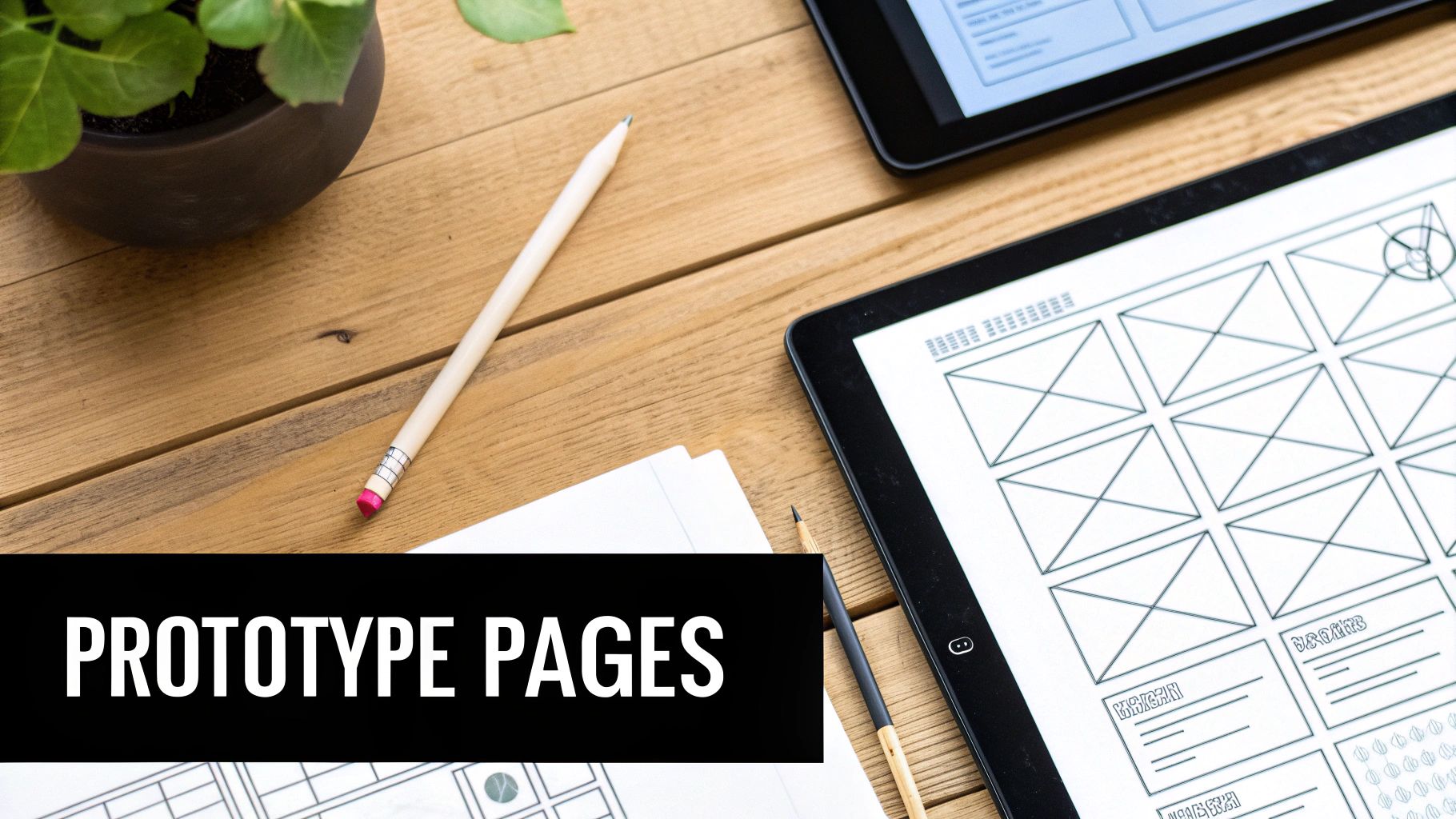
This iterative approach is standard practice for leading tech companies. Airbnb, for example, uses extensive prototyping before launching major platform redesigns to ensure a seamless user journey. Similarly, Asana’s process involves collaborative prototyping with internal teams to refine workflows and features, ensuring the final product is both intuitive and powerful. This step bridges the gap between abstract strategy and tangible design.
Why It’s a Crucial Planning Step
Wireframing saves immense time and resources by forcing you to solve structural and usability problems early. It separates the “bones” of the site from its “skin,” allowing your team to focus solely on layout and user experience without getting sidetracked by aesthetic debates. Prototyping then lets you test these structural decisions with real users, validating your assumptions and catching potential friction points long before a single line of code is written. It ensures the final design is built on a solid, user-centric foundation.
Actionable Tips for Wireframing
- Start Low-Fidelity: Begin with simple pen-and-paper sketches or basic digital tools like Balsamiq. This keeps the focus on structure and flow, not design details.
- Prioritize Key Pages: Concentrate your efforts on the top 5-7 pages that drive the most business value, such as the homepage, service pages, and checkout process.
- Create Desktop and Mobile Versions: From the very beginning, create wireframes for both desktop and mobile to ensure a consistent and optimized experience across all devices. For more guidance on this, you can explore these website design best practices.
- Test and Gather Feedback: Share your wireframes early and often with stakeholders and a small group of target users. Ask them to complete specific tasks to see where they struggle.
5. Prioritize Website Pages and Features
Attempting to redesign an entire website in one go can quickly become overwhelming, leading to delays and compromised quality. A more strategic approach involves prioritizing which pages and features to tackle first based on their business impact, user traffic, and technical complexity. This phased methodology, a core tenet of agile development, ensures that the most critical elements of your website receive immediate attention, delivering value early and allowing for iterative improvements throughout the project.
Think of how major platforms roll out changes. Facebook often targets high-traffic sections like the News Feed or profiles first before overhauling less-visited areas. Similarly, Etsy prioritizes its product pages and checkout flow, as improvements there directly impact revenue. This focused strategy ensures that your redesign efforts are concentrated where they will make the most significant difference to your bottom line and user satisfaction from the outset.
Why It’s a Crucial Prioritization Step
Prioritization transforms a monolithic project into manageable, value-driven phases. It allows your team to focus resources on redesigning high-impact areas like the homepage, key service pages, or the checkout process, which can generate immediate returns and build momentum for the project. This approach also mitigates risk; by launching changes in stages, you can gather real-world user feedback and apply those learnings to subsequent phases, ensuring the final product is more refined and user-centric. Without this step, your website redesign checklist can quickly become an unmanageable list of tasks with no clear direction.
Actionable Tips for Prioritization
- Create a Prioritization Matrix: Plot every page and feature on a matrix with “Business Impact” on one axis and “Effort/Complexity” on the other. Focus first on high-impact, low-effort items (“quick wins”).
- Focus on User Pain Points: Use data from your initial audit to identify where users struggle most. Improving these areas first delivers an immediate enhancement to the user experience. You can read about how a simple navigation wins customers and is often a high-priority area.
- Group Related Elements: Bundle related pages or features into logical phases. For example, redesign all product-related pages (category, product detail, and cart) together to ensure a cohesive user journey.
- Get Stakeholder Buy-In: Clearly document and present your prioritization plan to all stakeholders. Explaining the “why” behind your decisions ensures everyone is aligned and understands the project roadmap.
6. Design with Mobile-First and Responsive Approach
Designing with a mobile-first approach is no longer optional; it’s a fundamental requirement in a modern website redesign checklist. This strategy involves designing the website experience for the smallest screen, typically a mobile phone, and then progressively enhancing the design for larger screens like tablets and desktops. This ensures the core functionality and user experience are optimized for the majority of users, as mobile traffic now frequently surpasses 50% for most websites.

This shift is driven by user behavior and search engine priorities. Google’s mobile-first indexing, which primarily uses the mobile version of a site for ranking, cemented the importance of this approach. Brands like Starbucks emulated the streamlined interface of their successful mobile app for their website redesign, creating a cohesive and user-friendly experience across all platforms that prioritized speed and ease of use.
Why It’s a Crucial Design Principle
A mobile-first strategy forces you to prioritize what truly matters. With limited screen real estate, you must focus on the most critical content, features, and calls to action, which often leads to a cleaner, more efficient design across all devices. This method inherently improves site performance, SEO, and user satisfaction by catering to the on-the-go user who demands speed and simplicity. Neglecting this means risking a significant portion of your audience and your search engine visibility.
Actionable Tips for Your Redesign
- Design Small, Then Scale Up: Begin your design process with a mobile viewport (e.g., 375px width). Perfect the content hierarchy, navigation, and user flow on this small screen before adapting the layout for tablets and desktops.
- Prioritize Touch Interactions: Ensure all interactive elements like buttons and links are large enough for easy tapping. A minimum size of 44×44 pixels is a widely accepted standard to prevent user frustration.
- Test on Real Devices: Browser emulators are helpful, but they don’t fully replicate the experience of using a physical device. Test your design on various real smartphones and tablets to check for performance, responsiveness, and usability issues.
- Understand Responsive Design: To truly embrace a mobile-first strategy, it’s crucial to understand what is mobile responsive design and its implementation. This involves using flexible grids and CSS media queries to ensure your layout fluidly adapts to any screen size.
7. Implement SEO Best Practices and Technical Optimization
A website redesign can be a double-edged sword for search engine visibility. While it offers a chance to build a stronger SEO foundation, it also carries the risk of erasing years of accumulated search equity if not handled carefully. This step in our website redesign checklist focuses on the meticulous process of implementing technical SEO and best practices to ensure your new site doesn’t just look better, but also maintains or improves its ranking, traffic, and authority from day one.
Consider HubSpot, which has mastered the art of redesigning without losing traffic by implementing a robust 301 redirect strategy. Similarly, Moz’s own platform redesigns have always included extensive SEO improvements, from site speed to structured data, ensuring they continue to dominate search results for marketing topics. These examples prove that a successful redesign treats SEO not as an afterthought, but as an integral part of the launch process.
Why It’s a Crucial Pre-Launch Step
Neglecting technical SEO during a redesign is one of the fastest ways to lose organic traffic. Search engines have already indexed your old URLs, and if they suddenly lead to broken “404 Not Found” pages, your rankings will plummet. Proper optimization ensures a seamless transition by telling search engines where old content has moved, preserving link equity, and making sure the new site is fast, mobile-friendly, and easy to crawl. This step protects your existing assets while setting the stage for future growth.
Actionable Tips for Your SEO Implementation
- Map All Your URLs: Before launch, create a comprehensive spreadsheet mapping every old URL to its new equivalent. This document will be the blueprint for your 301 redirect strategy, which is non-negotiable for preserving SEO value.
- Prioritize Page Speed: A slow website is a ranking and conversion killer. Test your new site with tools like Google’s PageSpeed Insights and aim for a load time under 3 seconds. Optimize images, leverage browser caching, and minify code to hit this target.
- Implement Schema Markup: Use structured data (schema markup) to help search engines understand your content better and earn rich snippets in search results. This is especially vital for e-commerce sites, local businesses, and content-heavy platforms.
- Prepare for Post-Launch Monitoring: Once the new site is live, immediately submit your updated XML sitemap to Google Search Console. Set up monitoring for 404 errors and keep a close eye on your organic traffic and keyword rankings to quickly address any issues.
8. Conduct User Testing and Gather Feedback
After the design and development phases, but before the final launch, it’s critical to validate your new website with real people. User testing involves observing actual users as they interact with your redesigned site (or a prototype) to identify usability issues, validate design choices, and gather actionable feedback. This step in your website redesign checklist bridges the gap between your team’s assumptions and genuine user experience, ensuring the final product is intuitive, effective, and meets audience needs.
Think of how Dropbox iteratively tests changes to its file management interface, using feedback to simplify actions and reduce user confusion. Similarly, Spotify conducts extensive user testing before rolling out major updates, ensuring new features or algorithm changes enhance, rather than disrupt, the listening experience. This process allows them to catch critical flaws before they impact millions of users.
Why It’s a Crucial Pre-Launch Step
User testing is your final quality control check from the most important perspective: your customer’s. It reveals navigational dead-ends, confusing calls-to-action, or technical glitches that your internal team might overlook due to their familiarity with the project. Skipping this step is like publishing a book without an editor; you risk launching a website that alienates the very audience you’re trying to attract, undermining the entire redesign investment.
Actionable Tips for User Testing
- Recruit the Right Participants: Find test users who match your target customer personas. Don’t just use internal staff. Aim for 5-8 users per testing round, which is often enough to identify about 85% of major usability problems.
- Test Early and Often: Don’t wait until the end. Test wireframes, prototypes, and the final staging site. Early feedback is cheaper and easier to implement.
- Assign Realistic Tasks: Ask users to complete specific, goal-oriented tasks, such as “Find pricing for our home services” or “Complete the checkout process for this product.” Avoid leading questions.
- Record and Review: Use tools like Lookback or UserTesting to record sessions. Watching user interactions firsthand provides invaluable context that a simple summary can’t capture.
- Prioritize and Act: After each round, create an actionable report. Prioritize feedback based on its frequency and potential impact on business goals, and define clear “launch blockers” for any critical usability issues discovered.
9. Plan Migration Strategy and Cutover Approach
The transition from your old site to the new one is one of the most high-stakes moments in the entire redesign process. A well-defined migration and cutover strategy is the difference between a seamless launch and a chaotic scramble. This plan outlines exactly how and when you will switch from the old platform to the new one, considering everything from data transfer and DNS changes to user communication and potential rollbacks. It is a critical component of any website redesign checklist.
Think about how major platforms manage this. Google often rolls out redesigns like the new Gmail interface in phases, allowing users to opt-in before making it the default. This phased approach minimizes disruption and gathers feedback. Similarly, many e-commerce sites will execute their cutover during a low-traffic window, like early Tuesday morning, to reduce the impact of any unforeseen issues on sales.
Why a Cutover Plan is Crucial
Without a detailed cutover plan, you risk significant downtime, data loss, broken user journeys, and a drop in SEO rankings. A clear strategy ensures every team member knows their role, a precise timeline is followed, and contingency plans are ready to be activated. This proactive planning minimizes business disruption and protects the user experience, ensuring the hard work you’ve put into the redesign pays off from day one. It transforms the launch from a hopeful guess into a controlled, predictable event.
Actionable Tips for Your Migration
- Choose Your Approach: Select the right strategy for your scale. A “Big Bang” cutover (all at once) can work for smaller sites, while a “phased rollout” (by user group or feature) is safer for large, complex platforms.
- Schedule Strategically: Plan your launch during a period of historically low traffic. Avoid peak business hours, major holidays, or marketing campaigns.
- Establish Rollback Triggers: Clearly define what issues would trigger a rollback to the old site. This could be a specific drop in conversion rate, a critical bug, or a server performance threshold. Document the exact rollback procedure.
- Prepare Your Team: Ensure your technical team is on standby 24/7 during the cutover period. Prepare communication templates to inform users of scheduled maintenance or any unexpected issues.
10. Optimize Performance, Accessibility, and Security
Beyond aesthetics and content, a successful redesign must prioritize the core technical pillars that define the user experience: speed, inclusivity, and safety. This step involves a rigorous focus on optimizing the website’s performance for fast loading, ensuring it’s accessible to all users, including those with disabilities, and hardening its security against potential threats. These non-functional requirements are no longer optional extras; they are foundational elements crucial for user satisfaction, legal compliance, and business continuity.
Consider Amazon’s famous finding that a mere 100ms improvement in page load time resulted in a 1% increase in revenue. Similarly, Microsoft’s commitment to accessibility has not only improved its products but also expanded its user base by tapping into a market segment representing 15% of the global population. These examples prove that technical excellence directly translates to better business outcomes and a stronger brand reputation.
Why It’s a Crucial Technical Step
A slow, inaccessible, or insecure website actively harms your business. Poor performance frustrates users and leads to high bounce rates, which negatively impacts SEO rankings. Inaccessibility excludes a significant portion of potential customers and can lead to legal challenges under regulations like the Americans with Disabilities Act (ADA). Security breaches can result in devastating data loss, financial penalties, and a complete erosion of customer trust. Integrating these optimizations into your website redesign checklist is non-negotiable for a modern, professional digital presence.
Actionable Tips for Optimization
- Aim for High Performance Scores: Use tools like Google’s Lighthouse to audit your site. Strive for scores of 90+ across all categories by implementing techniques like lazy loading for images, enabling GZIP compression on your server, and using modern image formats like WebP with PNG fallbacks.
- Prioritize Accessibility (A11y): Test your redesigned site with screen readers and keyboard-only navigation to simulate the experience of users with disabilities. Ensure all content is perceivable, operable, and understandable, following WCAG guidelines.
- Harden Your Security: Implement a Content Security Policy (CSP) to prevent cross-site scripting attacks, ensure your SSL/TLS certificate is active and properly configured, and conduct penetration testing to identify and fix vulnerabilities before they can be exploited.
- Audit Third-Party Scripts: Carefully evaluate every external script or plugin. These can significantly slow down your site and introduce security risks. Remove any that are non-essential to core functionality.
10-Step Website Redesign Checklist Comparison
| Item | Implementation Complexity 🔄 | Resource Requirements ⚡ | Expected Outcomes ⭐ | Ideal Use Cases 💡 | Key Advantages 📊 |
|---|---|---|---|---|---|
| Conduct a Website Audit and Competitor Analysis | Moderate–High; multi-source data synthesis | Analytics & UX tools, analyst time, SEO tools | Baseline metrics, prioritized issues, competitor gaps | Early-stage redesign discovery; risk reduction | Informs strategy, reduces rework, measurable benchmarks |
| Define Clear Business Goals and KPIs | Low–Moderate; stakeholder alignment required | Leadership input, historical data, analytics | Clear targets and success criteria | Any redesign needing ROI and alignment | Keeps project focused; enables objective measurement |
| Create User Personas and Journey Maps | Moderate; requires research and synthesis | User interviews, surveys, analytics, time | Empathy-driven priorities and mapped flows | Products with varied audiences or complex journeys | Prioritizes features; reduces assumption-driven design |
| Wireframe and Prototype Key Pages | Moderate; iterative design and testing | Design tools (Figma/Sketch), UX time, testers | Validated flows, fewer dev reworks | Before visual design and development | Catches structural issues early; faster iteration |
| Prioritize Website Pages and Features | Low–Moderate; decision frameworks (impact vs effort) | Traffic/revenue data, stakeholder workshops | Phased roadmap, faster time to value | Large sites or limited-resources projects | Maximizes ROI; reduces launch risk |
| Design with Mobile-First and Responsive Approach | Moderate; layout and breakpoint planning | Designers, device testing, front-end devs | Better mobile UX, improved SEO and performance | Mobile-heavy audiences or responsive requirements | Future-proof design; improved engagement and SEO |
| Implement SEO Best Practices and Technical Optimization | High; cross-team technical coordination | SEO tools, developers, QA, monitoring | Preserved/improved organic traffic and rankings | Sites dependent on search visibility | Maintains rankings; enables rich results and crawlability |
| Conduct User Testing and Gather Feedback | Moderate–High; test planning and analysis | Participant recruitment, testing platforms, analysts | Usability validation; prioritized fixes pre/post-launch | High-impact UX changes or key conversion flows | Data-driven iterations; fewer post-launch emergencies |
| Plan Migration Strategy and Cutover Approach | High; orchestration across ops/dev/stakeholders | DevOps, monitoring, rollback tooling, runbook | Controlled launch with rollback options | Large or mission-critical sites and e‑commerce | Minimizes disruption; enables rapid recovery |
| Optimize Performance, Accessibility, and Security | High; specialized audits and fixes | Performance tools, a11y testers, security engineers | Faster, accessible, and secure site; compliance | High-traffic, regulated, or conversion-critical sites | Improves UX, SEO, legal protection, and trust |
Launch Your Redesign with Confidence
Embarking on a website redesign is a significant investment of time, resources, and strategic focus. It’s far more than a simple cosmetic update; it’s a fundamental reimagining of your brand’s primary digital touchpoint. Throughout this extensive website redesign checklist, we’ve navigated the critical milestones that separate a successful launch from a costly misstep. By now, you understand that success isn’t accidental. It’s the direct result of a methodical, intentional process that begins long before a single line of code is written or a pixel is placed.
From conducting a thorough website audit and competitor analysis to defining crystal-clear business goals, each preliminary step lays a crucial foundation. You’ve learned the importance of seeing your website through your customers’ eyes by creating detailed user personas and journey maps. This empathy-driven approach ensures the final product isn’t just a platform for your business, but a valuable, intuitive resource for your audience in Baltimore, Maryland, and beyond.
From Blueprint to a Living, Breathing Asset
The journey from concept to reality is paved with strategic decisions. Wireframing key pages, prioritizing features based on impact and effort, and adopting a mobile-first design philosophy are not just industry buzzwords; they are essential disciplines for building a website that performs in the modern digital landscape. A mobile-first approach, for instance, directly addresses the behavior of the majority of today’s users, ensuring a seamless experience that builds trust and encourages conversions, whether on a desktop in an office or a smartphone on the go.
Likewise, we’ve underscored the non-negotiable technical pillars that support a high-performing site:
- Robust SEO Implementation: From keyword mapping and on-page optimization to a meticulously planned 301 redirect strategy, SEO must be woven into the fabric of your redesign, not bolted on as an afterthought.
- Rigorous User Testing: Gathering real-world feedback before launch is your best defense against usability flaws and frustrated visitors. This step validates your design choices and uncovers blind spots you couldn’t see from an internal perspective.
- Airtight Migration and Launch Plan: A well-documented cutover strategy minimizes downtime, protects your hard-earned SEO equity, and ensures a smooth transition that is invisible to your users.
- Performance, Accessibility, and Security: A fast-loading, accessible, and secure website is the standard expectation. Failing in these areas can erode user trust, harm your search rankings, and leave your business vulnerable.
Your Website Redesign Checklist Is a Roadmap, Not Just a To-Do List
Ultimately, this website redesign checklist serves as your strategic roadmap. It’s designed to transform what can feel like an overwhelming project into a series of manageable, actionable steps. By systematically addressing each phase from planning and design to technical execution and launch, you are not just building a new website. You are engineering a powerful business asset designed to attract qualified leads, drive sales, and serve your customers more effectively.
The journey doesn’t conclude at launch. In fact, a new phase begins. Your new website is a living entity, generating valuable data every second. Use tools like Google Analytics and user heatmaps to monitor performance against the KPIs you established at the outset. Analyze user behavior, identify areas for improvement, and continue to iterate. The most successful websites are those that evolve with their audience and the market. With this comprehensive guide, you are now fully equipped to launch your new website with confidence, knowing you’ve built it on a foundation of strategy, data, and user-centric design.
Navigating the complexities of a redesign can be challenging, but you don’t have to do it alone. The expert team at Raven SEO specializes in creating high-performance websites for businesses in the Maryland area, integrating technical SEO and conversion-focused design from day one. If you want a partner to ensure your project is a resounding success, learn more about our web design and development services at Raven SEO.