

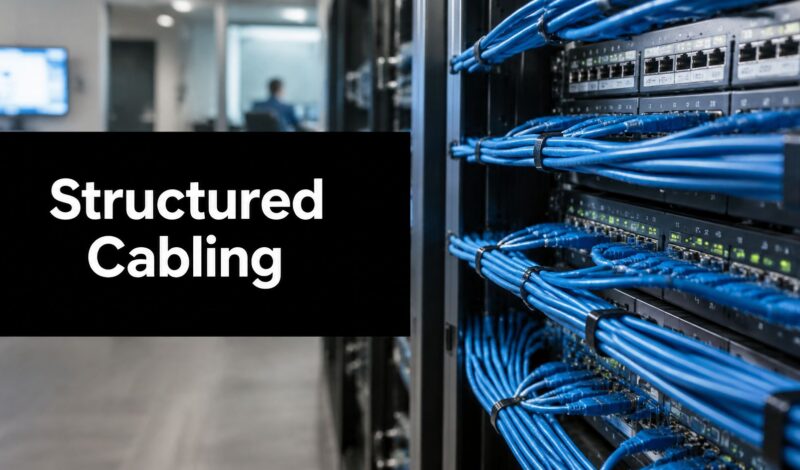
Meta Title: Structured Data Cabling for AI-Ready Businesses | Raven SEO
Meta Description: Learn how structured data cabling improves speed, reliability, and long-term ROI for modern companies. This practical guide from Raven SEO explains standards, installation, and AI-ready infrastructure.
Your team logs into a video call, and someone freezes mid-sentence. A customer tries to pay, and the point-of-sale system hangs. A file upload crawls. Wi-Fi gets blamed. The internet provider gets blamed. Sometimes the underlying problem is closer to home.
For many businesses, the issue isn't the connection coming into the building. It's the network foundation inside the building.
The cables in your walls, ceilings, telecom closets, and server racks determine whether your business runs like a coordinated operation or like a set of disconnected tools fighting each other. When those connections are messy, undersized, or undocumented, every modern system feels unreliable. Phones, access points, cameras, printers, cloud apps, conference rooms, and security systems all start showing symptoms.
That's why structured data cabling matters so much. It brings order to the physical layer of your network. It gives your business a planned pathway for data instead of a patchwork of one-off fixes. And in a world shaped by cloud platforms, analytics, IoT devices, and AI-driven workflows, that physical layer is no longer a back-office detail. It's infrastructure.
The Unseen Foundation of Modern Business
A business can look modern on the surface and still run on a fragile core. New laptops, a polished office, cloud software, and fast internet won't fix a tangled cabling environment behind the scenes. If the physical network is weak, every digital investment sits on shaky ground.
Think about a growing office that started small. One contractor ran a few cables for desks. Later, another vendor added phones. Then security cameras were installed. Then extra access points. Then a conference room display. Over time, the network closet turns into a spaghetti bowl. No one's fully sure what goes where. Moves, adds, and changes become risky.
Why small frustrations usually point to a deeper problem
When people say, “Our internet is inconsistent,” they often mean:
- Video calls drop during client meetings
- Shared files lag when teams collaborate
- POS terminals stall during busy hours
- VoIP calls sound choppy
- New devices get added awkwardly, with another temporary cable run
Those aren't isolated annoyances. They're signs that the building's digital nervous system wasn't designed as a system.
A business can tolerate poor cabling for a while. It can't scale on it.
That's one reason investment in this category keeps growing. The global structured cabling market reached USD 15.13 billion in 2025 and is projected to reach USD 33.41 billion by 2034, fueled by 5G, smart city development, and AI-related infrastructure demands. The same market outlook also notes hyperscaler spending trajectories above USD 1.5 trillion for 2025 to 2027, which reflects how much organized, high-speed network pathways matter in the AI era (Fortune Business Insights on the structured cabling market).
Cabling is a business asset, not just an IT line item
If your website is your digital storefront, your cabling is the building behind it. That's true whether you're running a clinic, retail chain, law office, warehouse, or multi-location service business.
Strong infrastructure supports productivity, uptime, and customer experience. It also makes other digital efforts more effective. A company that invests in growth channels but ignores operational infrastructure creates friction inside the business. The same strategic mindset behind why SEO is crucial for businesses of all sizes applies here. Foundations matter more than surface fixes.
What Is Structured Data Cabling
Structured data cabling is a planned, standardized way to build your network's physical connections. It's not just “putting in some Ethernet lines.” It's designing an organized system that can carry voice, data, video, and connected-device traffic through a repeatable layout.
The easiest way to understand it is to compare it to roads.
Unstructured cabling is like a town built without planning. Roads were added wherever someone needed them. Some are narrow. Some dead-end. Some overlap. If traffic grows, the whole place jams up.
Structured data cabling is like a highway system. You know where the main routes are, where traffic enters, how it branches, and how future lanes can be added.

The six parts that make the system work
According to industry standards, structured cabling is divided into exactly six subsystems: Entrance Facilities (EF), Equipment Room (ER), Backbone Cabling, Telecommunications Room (TR), Horizontal Cabling, and Work Area (WA). That framework creates an organized topology that simplifies installation, troubleshooting, and long-term maintenance (TechTarget's overview of the six components of structured cabling).
Here's what those pieces mean in plain language:
Entrance Facilities
Outside service enters the building. Your provider connection arrives here before it moves deeper into your network.Equipment Room
This is the control room. Switches, servers, patch panels, firewalls, and related hardware typically live here.Backbone Cabling
Think of this as the main highway. It connects core areas such as equipment rooms and telecom rooms.Telecommunications Room
These are the distribution hubs placed around a building or floor. They help route traffic efficiently to users and devices.Horizontal Cabling
These runs go from the telecom room out to offices, desks, access points, cameras, and other endpoints.Work Area
In the Work Area, people and devices connect, such as wall outlets, patch cords, phones, or desktop stations.
Why this structure matters in everyday operations
A structured design makes common tasks easier:
| Situation | Unstructured setup | Structured setup |
|---|---|---|
| New employee desk | Often requires guesswork | Usually a planned patch and activation |
| Fault finding | Slow, manual tracing | Clear paths and labels speed diagnosis |
| Office expansion | Can trigger messy add-ons | Supports planned extension |
| Hardware upgrades | Higher disruption risk | Easier to stage and validate |
That is the value. A structured system isn't just tidy. It makes change less painful.
Practical rule: If your team hesitates to touch the network closet because no one wants to break something, you probably don't have a truly structured system.
Understanding Cabling Standards and Components
Standards sound bureaucratic until something breaks. Then they become the difference between a system that works predictably and one that turns every upgrade into a gamble.
In structured data cabling, standards such as ANSI/TIA-568-C.1 and ISO/IEC 11801 define how the system should be designed so it supports a generic, application-independent topology rather than one-off point-to-point wiring. Globally, ISO/IEC 11801 serves as the benchmark for data, voice, and video services across commercial buildings and supports both copper and fiber-optic cabling (Telco Data on ISO/IEC 11801 structured cabling standards).
Standards protect your future options
A standards-based system gives you something business owners care about more than cable jargon: predictability.
When installers follow standard topology and performance rules, you're less likely to get trapped by a quirky setup that only one vendor understands. You also have a better chance of supporting new hardware later without replacing everything from scratch.
That matters because technology changes faster than buildings do.
Copper vs fiber in practical terms
Most business owners eventually run into the same question: should we use copper, fiber, or both?
Here's the plain-English version.
- Copper is common for endpoint runs to desks, phones, cameras, and access points.
- Fiber is often the better fit for backbone connections, longer runs, and higher-capacity environments.
For many businesses, the answer is a hybrid design rather than an either-or decision.
One key technical threshold is worth understanding. Category 6a cabling is critical for achieving 10 Gbps throughput over 100 meters, while Cat5e is limited to 1 Gbps and its lower 100 MHz bandwidth makes it more vulnerable to latency and packet loss under heavy modern workloads such as high-frequency video and PoE++ (Loughborough University structured cabling standards guide).
Comparison of common network cable categories
| Category | Max Speed | Max Bandwidth | Ideal Use Case |
|---|---|---|---|
| Cat5e | 1 Gbps | 100 MHz | Legacy office connections with light demand |
| Cat6 | Qualitatively suited for many modern office runs | Qualitatively higher than Cat5e | General business networking where future needs are moderate |
| Cat6a | 10 Gbps over 100 meters | 250 MHz | High-performance office networks, PoE++, video-heavy environments |
| Fiber optic | Qualitatively best for very high-speed backbone and long-distance runs | Qualitatively highest capacity path | Backbone links, data centers, AI-ready growth planning |
The real buying question
Don't ask only, “What do we need today?”
Ask:
- What systems will ride this network soon
- How long do we want this installation to last
- Do we expect more video, more devices, more automation, or more cloud traffic
- Will we need stronger backbone capacity than endpoint capacity
Those questions usually lead to a better design conversation than arguing over cable price alone.
The Business Case ROI and Long-Term Benefits
The financial case for structured data cabling is stronger than many owners expect because the return doesn't come from one dramatic event. It comes from fewer interruptions, cleaner upgrades, easier troubleshooting, and less rework over time.
Cheap cabling choices often look smart on bid day. They look expensive when the business grows.

Where the return actually shows up
A good installation helps the business in ways leaders feel quickly:
- Less downtime because faults are easier to isolate
- Less employee friction when everyday apps respond consistently
- Faster changes when teams move desks, add hardware, or open new rooms
- Longer useful life from the original infrastructure
- Better support for revenue systems such as POS, CRM access, VoIP, and connected security
That's why I treat cabling the same way I treat any core business infrastructure decision. The right question isn't “What's the cheapest install?” It's “What minimizes future disruption?”
The false economy of waiting too long
One of the most important blind spots is underinvesting in fiber or hybrid designs because current bandwidth feels “good enough.” A 2025 industry report argues that this is a false economy. It notes that many SMB guides still frame fiber as optional, while rising AI workload traffic makes it essential within 3 to 5 years for many smaller organizations, and by 2026 the future upgrade cost can exceed the initial fiber cost difference (ACIS IT Solutions on data cabling essentials for business owners).
That changes the math.
If you already know you'll add more connected devices, heavier collaboration tools, or AI-supported workflows, delaying the better backbone may create a second project later. That second project often costs more because it happens during active operations.
For business leaders who track performance in every department, the logic is familiar. You don't judge a strategic investment by purchase price alone. You look at operating impact over time, just like teams do when measuring return on marketing investment.
The best cabling decision usually feels slightly oversized on day one and exactly right by year three.
Designing and Installing Your Cabling System
A strong structured data cabling project starts long before the first cable is pulled. The design phase is where most long-term value gets created or destroyed.
Businesses usually focus on locations for desks, access points, cameras, and conference rooms. Those matter. But a reliable design also needs room for growth, clean pathways, manageable closets, and a labeling system someone else can understand later.

Start with capacity, not current headcount
If you design only for the number of people in the building today, you're already behind.
A better plan considers:
- Growth in users across the next few years
- More devices per user, not just more users
- Extra drops for conference rooms, printers, cameras, displays, and access points
- Backbone pathways that can support future upgrades without construction headaches
That's especially important in spaces where operations depend on low-latency connectivity. If you're trying to solve network performance issues, the root cause often turns out to be poor planning, inconsistent cable pathways, or an environment that was expanded without a real design standard.
What business owners should insist on
Even if you hire a professional installer, you should know the essentials.
A clear site plan
You need documented cable routes, outlet locations, rack layouts, and closet strategy before installation starts.Separation from electrical interference
Data cables should be routed with attention to interference risks. This isn't cosmetic. It affects signal quality and reliability.Proper labeling from the beginning
Don't let labeling become a “we'll finish that later” task. Later often never comes.Testing and certification
A professional job includes testing each run and validating that it performs as intended.As-built documentation
Your final network should exist on paper and in digital records, not only inside one technician's memory.
Certification is where professional work separates itself
Many DIY-style jobs look fine from outside the rack. The problem appears later, when links behave inconsistently and nobody can prove whether the cable plant meets spec.
This short video gives a useful visual sense of how professional network installation environments are managed:
A real business installation should leave you with confidence, not mystery. If your project also includes office buildout, relocation, or digital rollout coordination, the same planning discipline matters in adjacent workstreams like website development project management. Good outcomes come from documented processes, not improvisation.
Common Pitfalls and How to Avoid Them
Most cabling mistakes don't look dramatic during installation. They show up later as friction. A new access point underperforms. A move takes too long. A vendor spends hours tracing lines. A switch upgrade exposes weak links. The budget hit comes after the “savings.”
Pitfall one under-specifying the system
A lot of businesses buy for the present and then act surprised when the network ages quickly. If the cabling can't support the applications, devices, or speeds you'll likely need, the cheap choice becomes a short-lived one.
A better approach is to challenge every “good enough” recommendation. Ask whether the design supports your likely business direction, not just your current floor plan.
Pitfall two treating standards as optional
Some vendors treat standards like nice-to-have paperwork. That's risky. A building network is a long-term asset. If it's built outside accepted practice, future troubleshooting and upgrades get harder, not easier.
Ask direct questions:
- Which standards are you designing to
- Will every run be tested
- Will we receive certification results
- How will labels map to outlets, patch panels, and rooms
If the answers are vague, the project probably is too.
Pitfall three creating documentation debt
This is the most overlooked mistake, and it ultimately becomes one of the most expensive.
According to a 2025 BICSI survey, businesses without ANSI/TIA-606 compliant documentation face 30% longer troubleshooting times and 45% higher labor costs for network changes. The same survey found that 72% of network failures stem from poor documentation rather than hardware faults (1 Wire Fiber on questions to ask a structured cabling installer).
That should change how owners think about labeling, diagrams, and digital records. Documentation isn't paperwork for paperwork's sake. It's an operational advantage.
If no one can tell you what a cable does without unplugging it, the business is carrying infrastructure debt.
How to avoid these problems
A practical prevention checklist looks like this:
| Risk | Better move |
|---|---|
| Choosing too-low cable performance | Design for likely future loads, not only current devices |
| Messy closets and mystery patching | Require labeling and final documentation deliverables |
| Vendor shortcuts | Ask for standards, test results, and warranty details |
| Painful office changes | Use a modular, organized topology that supports reconfiguration |
This is the same kind of hidden issue leaders run into elsewhere online and operationally. Small oversights compound. That's why disciplined teams also pay attention to avoidable problems like common SEO mistakes to avoid. Infrastructure rewards precision.
Preparing for Tomorrow with AI-Ready Cabling
AI readiness starts lower in the stack than many companies realize. Before dashboards, copilots, automations, and analytics layers deliver value, your business needs a physical network that can move data quickly and reliably.
That's what makes structured data cabling more than an IT upgrade. It's the physical layer of an AI-ready business.
Why AI and IoT put new pressure on the network
AI-driven operations increase internal traffic in ways that aren't always obvious at first. More cloud synchronization. More video. More connected sensors. More cameras. More edge devices. More systems talking to each other all day.
That doesn't only demand faster internet access. It demands a local infrastructure that can handle constant movement between switches, access points, endpoints, and backbone links without becoming the bottleneck.

The businesses that benefit most
This matters especially for organizations adding:
- Smart security systems
- Access control
- Connected manufacturing or warehouse tools
- High-density wireless
- Video-heavy collaboration spaces
- Analytics platforms that depend on real-time data movement
In those environments, infrastructure planning and spatial planning start to overlap. For teams thinking about facility design and technical coordination together, BIM Heroes insights on data center modeling offer a useful perspective on how physical environments and digital systems interact.
The strategic takeaway
When leaders talk about future-proofing, they usually mean software choice, cloud platforms, or automation strategy. Those matter. But none of them perform well on weak physical infrastructure.
If your business wants to use AI effectively, the first serious question may not be “Which model should we adopt?” It may be “Can our network foundation support the traffic, devices, and uptime those tools require?”
That's why structured data cabling deserves a place in broader digital planning alongside web architecture, data organization, and discoverability. For a related view on how digital systems become machine-readable and future-ready, see structured data strategy.
Frequently Asked Questions about Structured Cabling
How much does structured data cabling cost?
Cost depends on the building layout, number of cable runs, chosen materials, pathway complexity, rack and patch panel needs, labor, testing, and documentation. A small office and a multi-floor facility won't price the same way. The smartest way to evaluate cost is to compare total value, not just install price.
Can a business owner do this as a DIY project?
For a business network, that's usually a bad bet. You need correct design, standards-based installation, proper routing, clean termination, labeling, and performance testing. Without those, you may end up with a system that works inconsistently and costs more to fix later.
How long does installation take?
Timeline depends on scope and site conditions. A simple office project may move quickly. A larger occupied building takes longer because installers must coordinate pathways, minimize disruption, and complete testing and documentation at the end. The best vendors provide a phased schedule before work begins.
Is Wi-Fi enough without structured cabling?
No. Wi-Fi still depends on wired infrastructure behind the scenes. Access points, switches, internet handoff, and many business systems rely on the physical network. Good wireless starts with good cabling.
If your business is planning growth, upgrades, or a more AI-ready digital foundation, Raven SEO can help you think strategically about the systems behind performance. From technical planning to future-ready digital visibility, Raven SEO helps companies build a stronger foundation for sustainable growth.