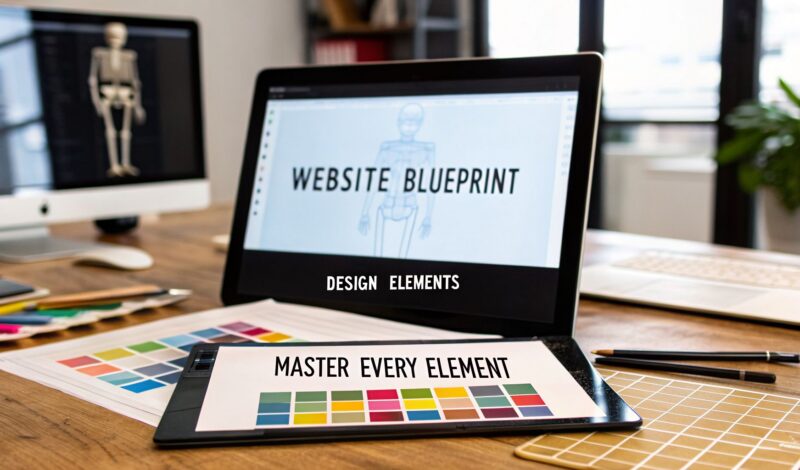
A website design element is any piece you use to build a web page. Think of them as the fundamental building blocks—from the overall layout and color palette right down to the buttons and fonts—that dictate how your site looks, works, and feels to a user.
Why Every Website Design Element Is a Business Tool
Picture your website as your best salesperson, on the clock 24/7. Every button, font choice, and image is part of its pitch to a potential customer. This guide looks past simple aesthetics to show you how each of these design elements is actually a critical business tool that directly impacts your bottom line. We're going to break down the core components that turn casual visitors into paying customers.
This educational mindset is crucial for any Maryland business. In a competitive market, a website can't just look pretty; it has to perform. The right design choices can be the deciding factor between a visitor who immediately clicks away and one who becomes a loyal client.
More Than Just Pretty Pictures
One of the most common mistakes is thinking of design as purely visual. The reality is, every single element on your website, from the navigation bar to the photos you use, plays a strategic role in guiding users toward a specific action. This is the core principle of conversion rate optimization (CRO), which reveals how these elements function as powerful tools for business growth. A well-thought-out layout can lead a customer seamlessly from a product page to checkout, while a poorly placed button can create friction and kill a sale.
Your website is an interactive experience, not a static brochure. Each element should have a purpose, whether it's building trust, simplifying a process, or encouraging a specific action.
The Foundations of Success
A high-performing website is built on a framework of intentional choices, not accidents. For a local service provider in Baltimore or an eCommerce shop in Towson, this means zeroing in on the elements that matter most to their specific audience. A few key components can transform a website from a digital flyer into a true conversion engine:
- Intuitive Layouts: These guide users to important information without making them think.
- Strategic Color Psychology: The right colors can build trust, create a sense of urgency, and reinforce your brand identity.
- A Seamless Mobile Experience: This isn't a bonus feature anymore; it's an absolute requirement for connecting with today's audience. A solid content strategy is the backbone of this, which you can learn more about in our guide on the ROI of content marketing.
Here at Raven SEO, we specialize in turning websites into powerful assets that drive real growth for Maryland businesses. This guide is your blueprint for making that happen.
Building Your Website's Architectural Blueprint
Think of your website’s layout and navigation like the floor plan of a physical store. A great design guides customers effortlessly to what they need, while a confusing one sends them straight to a competitor. Just like a building's blueprint determines its flow and function, your site's structure is the absolute foundation for a good user experience.
This structure really boils down to two core principles: visual hierarchy and intuitive navigation. These aren't just buzzwords; they are the practical tools that tell your visitors where to look and how easily they can move around. For Maryland businesses in a competitive market, a logical user journey is a straight line to more leads and sales.
Directing Attention With Visual Hierarchy
Visual hierarchy is the art of arranging everything on the page to show its order of importance. It’s like a spotlight, drawing the user's eye to the most critical information first—maybe your main service offering or a big "Request a Quote" button.
You can create this effect using a few simple techniques:
- Size and Scale: Bigger elements naturally grab more attention. Your main headline should always be the largest text on the page, followed by subheadings and then body text.
- Color and Contrast: A bright, contrasting button is impossible to miss against a more muted background, making it an obvious call-to-action.
- Whitespace: Don't underestimate the power of empty space. The space around an element is just as important as the element itself. Using it generously makes your content easier to read and draws focus to key sections.
This flowchart shows how your site's design, the user's experience, and your ability to convert visitors are all interconnected business tools.
As you can see, strategic design directly shapes the user experience, which is what ultimately drives conversions and business growth.
Creating Effortless User Journeys
If visual hierarchy is the spotlight, then navigation is the map. Truly intuitive navigation feels so natural that your users don't even have to think about it. The goal is to eliminate frustration and encourage them to explore. A visitor should land on your homepage and know instantly how to find your services, read your blog, or get in touch.
A confused user won't try to figure out your website; they will simply leave. Clear navigation removes friction and builds trust by making information accessible and predictable.
Stick with familiar navigation patterns, like a classic horizontal menu at the top of the page or the well-known "hamburger" menu on mobile devices. Don't forget secondary navigation aids, like breadcrumbs, which show users the path they took to get to their current page (e.g., Home > Services > Web Design). This is incredibly helpful, especially on larger sites with many pages.
To help you get this right, here’s a quick-reference table outlining the core principles.
Core Website Layout And Navigation Principles
| Principle | Impact on User Experience | Best Practice for Maryland SMBs |
|---|---|---|
| Clear Visual Hierarchy | Guides the user's eye to the most important information first, reducing cognitive load. | Make your primary call-to-action (e.g., "Get a Free Estimate") the most prominent button on the page using size and a contrasting color. |
| Intuitive Navigation | Allows users to find what they need quickly and without frustration, building trust. | Use standard navigation labels like "Services," "About Us," and "Contact." Avoid clever or ambiguous terms that might confuse visitors. |
| Consistency | Creates a predictable and reliable experience as users move from page to page. | Keep your main navigation menu and footer identical on every single page of your website. |
| Mobile-First Design | Ensures a seamless experience for the majority of users who browse on smartphones. | Design your navigation for touch-friendly targets on a small screen first, then adapt it for desktop. |
Getting these foundational elements right is the first major step toward building a successful online presence. You can see how these pieces fit into the bigger picture by reading about the stages of web development in our detailed guide.
Making a Powerful First Impression with Visuals
You get one shot at a first impression, and on a website, that happens visually in the blink of an eye. Before a visitor reads a single word of your carefully crafted headline, they’ve already made a snap judgment based on your imagery, colors, and overall aesthetic.
This isn't just about looking pretty. The right visuals tell a story, build immediate trust, and create an emotional connection. For local businesses in communities like Fells Point or Canton, authentic imagery is your best tool for forging a genuine bond long before a customer ever steps through your door.
The Power of Authentic Imagery
Generic stock photos are the fast food of web design—cheap, easy, but ultimately unsatisfying. They scream “we couldn’t be bothered.” Authenticity, on the other hand, is a magnet for trust.
A Baltimore contractor showcasing high-resolution photos of a beautifully finished deck in a local neighborhood provides undeniable proof of their craft. An eCommerce shop in Towson needs crisp, detailed product shots from multiple angles, because that’s the closest a customer can get to holding the item in their hands.
Real photos of your team, your work, and your location transform your business from a faceless entity into a group of real people. This is how you start building a relationship. And if you want those visuals to load lightning-fast, check out our guide on how to optimize images for the web.
Harnessing Color Psychology
Color is another visual powerhouse, working on a subconscious level to shape how visitors feel about your brand. This isn't just about picking your favorites; it's about strategic communication.
Think about it: a law firm in downtown Baltimore will likely lean on a palette of deep blues and grays to project stability, authority, and trustworthiness. Meanwhile, a new boutique in Hampden might use bright, energetic yellows and oranges to feel fun, modern, and exciting.
The right color scheme doesn't just make your site look good—it reinforces your brand's core message and guides users toward specific actions. A thoughtfully chosen palette can build credibility and drive conversions.
Consistency is everything. Your colors should be the same across your website, social media, and any print materials to build strong brand recognition and create a cohesive, professional experience.
Making Visuals Count
Don't just take our word for it—the data is crystal clear. A staggering 59% of users prefer visually rich websites over plain, text-heavy pages. In competitive markets, a visually compelling site is what makes a visitor stick around.
Users spend an average of 5.94 seconds looking at a site's main image, which means your hero section has to grab them instantly. The stakes are incredibly high, as 94% of users distrust sites due to bad design. A poorly chosen image or a chaotic layout can send potential customers running.
At Raven SEO, we specialize in WordPress web design that balances stunning visuals with blazing-fast performance, ensuring your business—whether it's a startup in Towson or an established franchise—makes the right first impression, every single time.
Finding Your Brand's Voice Through Typography
Typography is more than just the fonts you pick—it's the visual voice of your brand. Think of it as your company's accent in written form. It works silently in the background, setting the mood, guiding the reader's eye, and shaping their perception of your business before they’ve even read a full sentence.
Choosing the right fonts is about matching your message. A modern tech startup, for instance, might use a clean, crisp sans-serif font to feel innovative and approachable. In contrast, a financial services firm would likely opt for a classic serif font to convey tradition, stability, and trustworthiness.
Choosing Fonts That Speak Your Brand
Pairing different typefaces is like creating a musical harmony; each font needs to complement the other without creating a jarring conflict. The most common and effective strategy is to combine a strong, attention-grabbing font for your headlines with a simple, highly readable font for your body text. This contrast creates a clear visual hierarchy that makes your content easy to follow.
Here are a few practical tips for getting your font pairing right:
- Stick to a maximum of two or three fonts. Any more, and your design can start to feel cluttered and unprofessional.
- Match the mood. A playful, script-style font works well with a friendly, rounded sans-serif.
- Always check for legibility. Your body text must be effortless to read, especially on smaller screens.
“Typography is the voice of a website. A well-chosen font builds trust and guides eyes where you want them.”
— Jane Doe, Creative Director at Raven SEO
Structuring Text for Maximum Impact
Beyond the specific fonts you choose, the way you structure your text plays a massive role in its effectiveness. A wall of text is intimidating. Proper headings, short paragraphs, and ample white space break up dense content, turning an overwhelming block into an inviting, scannable page.
Use these strategies to instantly improve your text layout:
- Use consistent sizing for your headings (H1, H2, H3) to establish a clear and logical flow for your content.
- Set your line height to around 1.5 times the font size. This simple trick adds breathing room between lines and significantly reduces eye strain.
- Break down complex information into bulleted or numbered lists. This makes processes and key points much easier to digest.
This table breaks down the fundamental personality differences between the two main font categories:
| Font Category | Personality Cue | Ideal Use Case |
|---|---|---|
| Serif | Traditional and Trustworthy | Law firms, financial services |
| Sans Serif | Clean and Modern | Tech startups, blogs, online shops |
Good typography also pays close attention to spacing. Margins give your content room to breathe, while consistent styling for elements like lists helps keep readers engaged and focused on your message.
For more on this, check out our guide: Readability Lists: Your Secret Weapon for Clearer, More Engaging Content That Google Loves.
Next Steps for Your Typography Audit
Take a moment to audit your website’s current typography. You don't need fancy software; your browser's developer tools can show you what fonts, sizes, and spacing you're using.
- Look for clashes. Do your heading fonts feel out of place with your body text?
- Check your mobile experience. Pull up your site on your phone. Is the text still easy to read, or do you have to pinch and zoom?
- Identify outdated styles. Does your font choice still reflect your brand's identity today, or is it a holdover from a previous design?
Ready to sharpen your brand’s voice? Contact Raven SEO. We’ll help you refine your typography and ensure every core website design element is working hard for your business.
Turning Visitors into Customers with CTAs and Forms
A beautiful website that doesn't convert is just an expensive digital billboard. The most critical element for driving business is the one that actually prompts action. This is where compelling Calls-to-Action (CTAs) and user-friendly forms become the bridge between a visitor passively browsing and a customer actively engaging.
Think of a CTA as the clear, direct instruction you give a visitor. It's not a gentle suggestion; it’s a confident nudge, like "Get Your Free Quote Now" or "Schedule a Consultation." These phrases cut through the noise and tell users exactly what to do next. For a Dundalk contractor, a powerful CTA is the difference between a visitor thinking "nice work" and actually picking up the phone.
The Anatomy of an Effective CTA
A high-performing CTA is a perfect marriage of powerful language and strategic design. It absolutely must stand out visually while creating a sense of urgency or value. The goal is to make clicking that button feel like the most logical and beneficial next step for the user.
A great CTA doesn't just ask for a click; it promises a solution. It answers the user's unspoken question: "What's in it for me?"
Color psychology is a huge factor here. It profoundly shapes perception, with studies showing that red buy buttons alone can spike eCommerce sales by 34%. For Maryland businesses, Raven SEO leverages this science to cut through growing online competition. It’s no surprise when you consider that 50% of consumers judge a business by its design and mismatched colors can cause 38% of users to stop engaging altogether. A strategic visual hierarchy, guided by color, can boost CTA conversions by up to 30%, proving the right hue doesn't just look good—it guides action and builds trust.
Designing Forms That People Actually Fill Out
If a CTA is the invitation, then the form is the conversation. And the key to a good conversation is to remove any and all friction.
Only ask for what is absolutely necessary. A Baltimore law firm seeking consultations doesn't need a potential client's entire life story upfront—just a name, email, and a brief message will do.
Here’s how to design a form that encourages submissions instead of exits:
- Keep it Short: The fewer fields, the higher the completion rate. Period.
- Use Clear Labels: Don't make users guess what information you're asking for.
- Provide Reassurance: A simple note that you respect their privacy goes a long way.
Mastering these interactive elements is essential for turning website visitors into genuine leads. You can dive deeper into this topic in our guide on how to optimize landing pages. To take engagement even further, you can explore advanced loyalty gamification strategies, which use smart, interactive design to encourage repeat customer actions.
The Unseen Engine of a Great Website
Behind every website that looks and feels great, there’s a powerful technical engine running in the background. It’s the stuff most users will never notice—until it breaks. These are the non-negotiable foundations that determine whether your site actually succeeds or just sits there looking pretty.
We’re talking about the three pillars of this engine: performance, accessibility, and mobile responsiveness. These aren't just techy checkboxes for your web developer. They are directly tied to your bottom line, maximizing your reach, building user trust, and strengthening your brand's reputation with every single click.
Blazing Fast Performance
In the online world, speed isn't a feature; it's a fundamental requirement. A slow website is more than a minor annoyance—to a user, it’s a broken experience. Every extra second your page takes to load is another chance for a potential customer to give up and head straight to your competitor.
This isn’t just a theory. The data is clear: a delay of just 100 milliseconds in load time can tank conversion rates by a staggering 7%. Think about that. For an ecommerce store or a service-based business, that tiny bit of lag can add up to thousands of dollars in lost revenue over time. Optimizing images, streamlining code, and choosing quality hosting aren't optional upgrades; they're essential.
A fast website feels professional and reliable. It tells the user that you value their time and have invested in providing a quality experience.
Inclusive Design Through Accessibility
Web accessibility means building your site so that everyone can use it, including people with disabilities. This isn't just a moral responsibility; it's a smart business decision that widens your potential audience and can even help you avoid legal headaches down the road.
So, what does an accessible website actually look like?
- Images have alt text: This allows screen readers to describe visuals to users with visual impairments.
- Color contrast is sufficient: Text is easy to read against its background, which is crucial for users with low vision.
- Navigation is keyboard-friendly: People who can't use a mouse can still browse your entire site without hitting a dead end.
When you embrace accessibility, you’re making a clear statement that every potential customer, regardless of their ability, is welcome and valued by your brand.
The Mobile-First Imperative
Mobile responsiveness is no longer a “nice to have”—it’s the price of entry. A staggering 85% of adults now expect a company's mobile website to be just as good as, if not better than, its desktop version. With over 70% of e-commerce sales projected to come from mobile devices, the writing is on the wall.
For Baltimore businesses in neighborhoods like Canton and Towson, where commuters browse on their phones during rush hour, this stat highlights a harsh reality: 8 out of 10 users will abandon content that isn't mobile-friendly almost immediately. At Raven SEO, a leader in local SEO in Maryland, we see this daily with clients like contractors in Dundalk who need their Google Business Profile optimized for on-the-go searches.
Globally, 61% of all website traffic comes from mobile devices, and 76% of US adults now shop on their smartphones. This makes a mobile-first design an absolute must for any business, from a local shop to a regional franchise scaling across the DMV. You can discover more insights on these web design statistics and what they mean for your bottom line.
Your Top Website Design Questions Answered
We get it. Digging into the world of web design can feel like learning a new language. To help Maryland business owners like you make smarter decisions, we’ve put together straightforward answers to the questions we hear most often.
How much does professional website design cost?
The cost of professional website design varies widely, ranging from a few thousand dollars for a basic template-based site to over $25,000 for a complex, custom-built platform. Key factors that influence price include the number of pages, custom features (like e-commerce or user logins), and the level of design detail.
Think of a website as a business investment, not just an expense. The right design can deliver a significant return by generating leads and sales for years to come.
For Maryland businesses, it's about finding a balance between budget and goals. A simple brochure site for a local contractor will cost less than a sophisticated e-commerce store for a regional retailer. The key is to find a partner who understands your specific business needs and can design a solution that provides real value.
Can I design my own website to save money?
Yes, DIY website builders have made it possible for anyone to create a basic site. However, this approach often comes with hidden costs. While you save money upfront, a DIY site can lack the professional polish, performance optimization, and strategic layout needed to convert visitors effectively.
Here are a few things to consider before going the DIY route:
- Time Commitment: Building a high-quality site is a significant time investment.
- Technical SEO: Professional designers ensure your site is built on a solid foundation for search engine visibility.
- Conversion Strategy: An expert knows how to use every website design element to guide users toward a sale.
For many businesses, the long-term value of a professionally designed site far outweighs the initial cost savings of a DIY project.
Ready to transform your website from a digital brochure into a powerful conversion tool? The experts at Raven SEO specialize in creating websites that not only look great but also deliver measurable business results for Maryland companies. Get in touch for a no-obligation consultation today!