In today's competitive market, sending generic email blasts is a surefire way to get ignored. The key to building lasting customer relationships and driving consistent revenue lies in personalization and timing, something impossible to manage manually at scale. This is where email marketing automation strategies come in, transforming your email list from a simple contact database into a dynamic, revenue-generating machine. By setting up intelligent, automated workflows, you can deliver the right message to the right person at the perfect moment, guiding them from prospect to loyal advocate.
This comprehensive guide moves beyond generic advice to provide a detailed roundup of the most effective email marketing automation strategies that businesses, especially in eCommerce and local services, can implement right now. We'll explore powerful workflows designed to nurture leads, recover abandoned carts, re-engage inactive subscribers, and create hyper-personalized experiences that foster loyalty. For those in the professional services sector, remember that to truly succeed with automation, it's essential to understand the foundational B2B email marketing best practices that underpin effective communication.
Each strategy in this listicle is a complete blueprint, detailing the specific goal, necessary triggers, step-by-step setup guidance, and key performance indicators (KPIs) to track for success. Whether you're a Baltimore-based startup looking to generate local leads or an established eCommerce brand aiming for conversion growth, these actionable insights will help you save time, nurture relationships effectively, and significantly boost your return on investment. Let's dive into the automated workflows that will redefine your marketing efforts and unlock new levels of growth.
1. Behavioral Trigger Email Automation
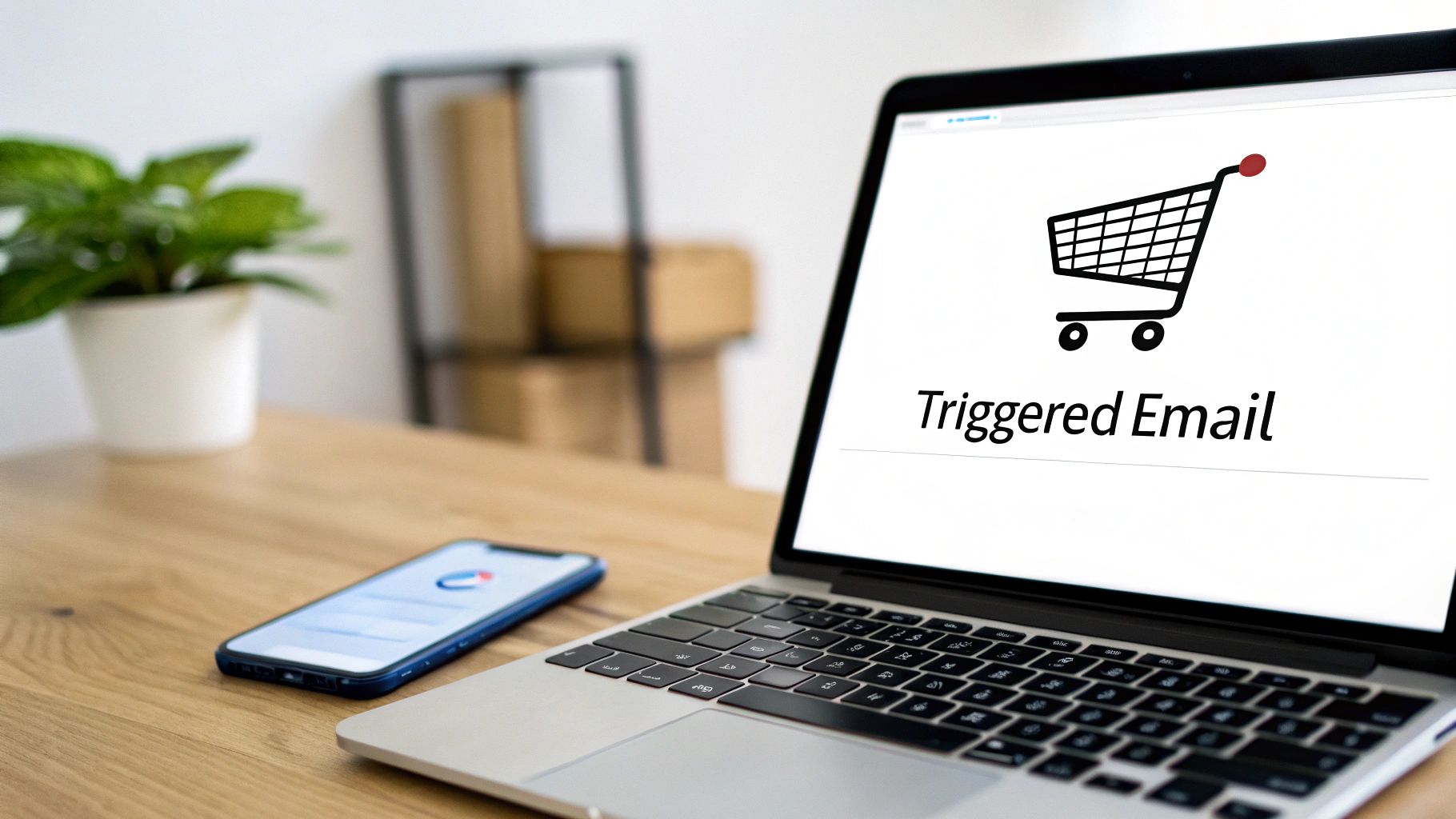
Behavioral trigger email automation is a cornerstone of modern email marketing automation strategies, moving beyond simple, time-based sends. This method involves automatically sending emails in response to specific actions a user takes on your website, app, or with your brand. Instead of a one-size-fits-all message, you deliver a hyper-relevant, timely email that directly corresponds to a user’s demonstrated intent.
Why It Works
This strategy is effective because it capitalizes on moments of high engagement. When a customer views a product, downloads an ebook, or abandons a cart, they are actively thinking about your business. Sending an email at that precise moment feels less like marketing and more like helpful, personalized service, which dramatically increases open rates and conversions.
Key Insight: Behavioral triggers turn your email marketing from a monologue into a dialogue, responding directly to what your audience does, not just who they are.
Actionable Setup and Examples
Setting up behavioral triggers requires an email platform capable of tracking user actions, such as Klaviyo, HubSpot, or ActiveCampaign.
Example 1: The Abandoned Cart Sequence (eCommerce)
- Trigger: A user adds an item to their cart but does not complete the purchase within a set time (e.g., one hour).
- Flow:
- Email 1 (1 hour later): A simple reminder. "Did you forget something? Your items are waiting." Include images of the cart items and a direct link to checkout.
- Email 2 (24 hours later): Address a potential barrier. "Still thinking it over? Read our customer reviews" or offer help via a support link.
- Email 3 (48 hours later): Create urgency. "Your cart is about to expire. Complete your purchase now" or offer a small discount.
Example 2: Content Download Follow-Up (B2B/Services)
- Trigger: A user submits a form to download a guide or whitepaper.
- Flow:
- Email 1 (Immediate): Delivers the requested content.
- Email 2 (3 days later): Offers related content. "Since you liked our guide on SEO, you might find this webinar on local link-building useful."
- Email 3 (7 days later): Transitions to a soft sales pitch. "Ready to put these ideas into action? Let's schedule a free consultation."
Quick Optimization Tips
- Start Small: Begin by automating a single, high-value trigger like cart abandonment before building out more complex workflows.
- Map Touchpoints: Before building, map out the critical customer actions and decision points in your sales funnel.
- Test Frequency: Monitor engagement and unsubscribe rates to find the optimal sending cadence. Sending too many triggered emails can feel intrusive.
- Be Clear: State why the user is receiving the email. For example, "We saw you were looking at…" makes the message feel personal and justified.
2. Lead Nurture Automation Sequences
Lead nurture automation sequences are one of the most powerful email marketing automation strategies for guiding prospects from initial awareness to sales-readiness. This strategy involves a structured series of automated emails designed to deliver valuable, relevant content over a set period. The goal is to build trust, educate leads, and maintain engagement without immediate sales pressure.
Why It Works
Not all leads are ready to buy the moment they subscribe. A nurturing sequence respects this journey by providing value first. By progressively offering helpful information, case studies, and insights, you establish your brand as a credible authority. This builds a strong foundation of trust, so when the lead is ready to make a decision, your business is top-of-mind.
Key Insight: Lead nurturing shifts the focus from an immediate sale to building a long-term relationship. It's about educating and empowering your prospects, turning a cold lead into a warm, qualified opportunity.
Actionable Setup and Examples
Platforms like HubSpot or ActiveCampaign are ideal for creating these sequences, allowing for delays and branching logic. Start by defining your buyer personas and mapping content to each stage of their journey.
Example 1: The SaaS B2B Nurture Flow
- Trigger: A user signs up for a free trial or downloads a "Getting Started" guide.
- Flow:
- Email 1 (Day 1): Welcome and highlight key features. "Here are 3 ways to get the most from your trial."
- Email 2 (Day 4): Share a customer success story or case study relevant to their industry.
- Email 3 (Day 7): Provide an advanced tip or introduce a less-known feature. Offer an ROI calculator.
- Email 4 (Day 10): Trial ending reminder with a soft call-to-action to book a demo or upgrade.
Example 2: The Home Services Education Sequence
- Trigger: A homeowner downloads a "Seasonal Maintenance Checklist."
- Flow:
- Email 1 (Immediate): Delivers the checklist.
- Email 2 (3 days later): "5 Common Mistakes to Avoid When [Performing Maintenance Task]."
- Email 3 (7 days later): "Customer Spotlight: How the Smith Family Saved on Energy Bills."
- Email 4 (12 days later): "Ready to leave it to the pros? Schedule your seasonal tune-up today and get 10% off."
Quick Optimization Tips
- Segment Your Leads: Create different nurture tracks based on the lead source or initial content downloaded.
- Mix Content Types: Combine blog posts, videos, testimonials, and case studies to keep the sequence engaging.
- Use Branching Logic: Send highly engaged users down a faster, more sales-focused path, while less engaged users receive more educational content.
- Define a Goal: Know the clear objective of your sequence. Is it to book a demo, make a purchase, or something else? Every email should move the lead closer to that goal.
3. Segmentation and Personalization Automation
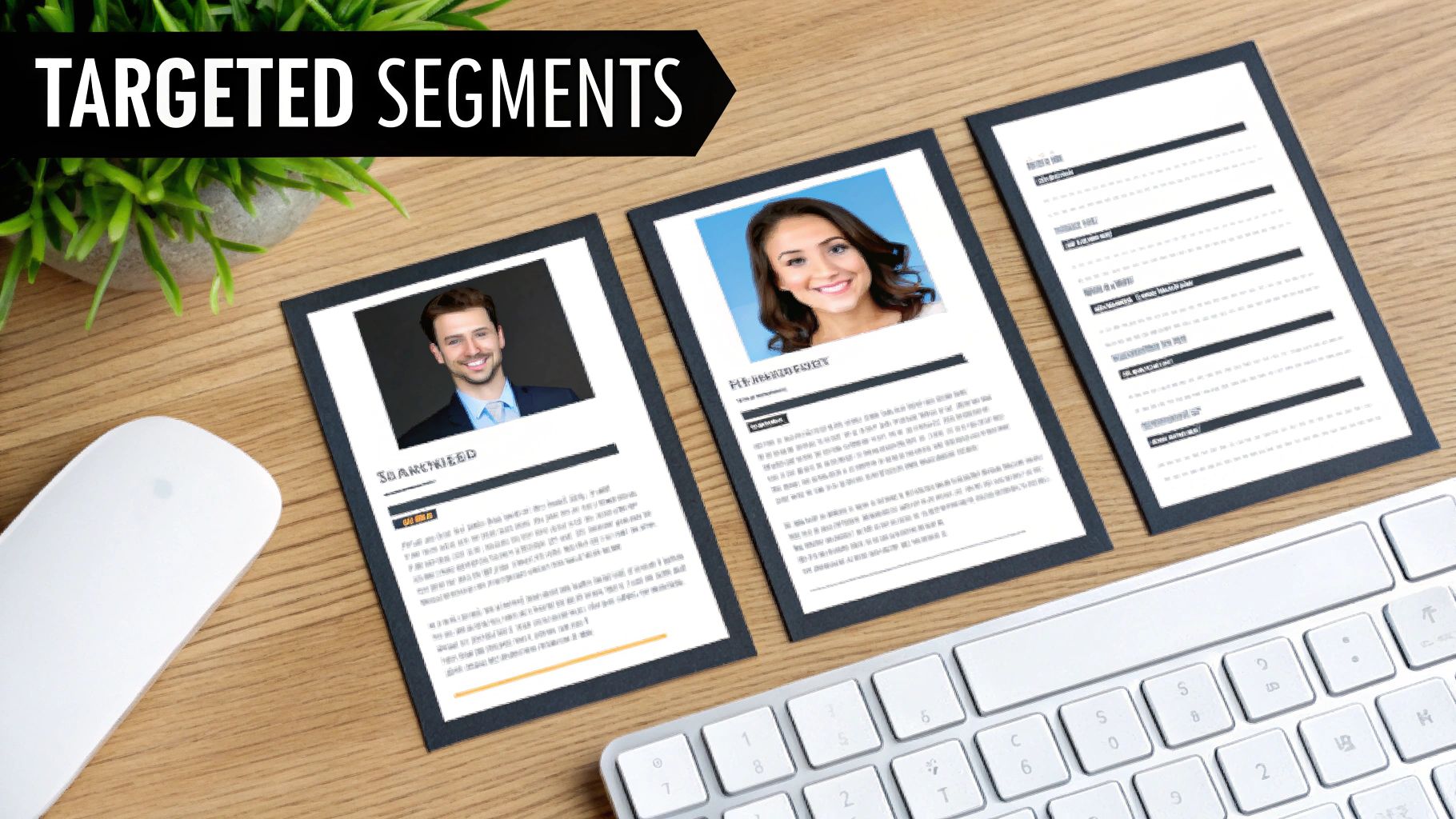
Segmentation and personalization are powerful email marketing automation strategies that move away from generic "email blasts" toward targeted, relevant communication. This approach involves dividing your email list into smaller, distinct groups (segments) based on shared characteristics like demographics, purchase history, or engagement level. You then automate the delivery of personalized content tailored specifically to the interests and needs of each segment.
Why It Works
Sending the same message to everyone guarantees it will be irrelevant to many. Segmentation ensures that subscribers receive content that resonates with them, leading to higher open rates, increased click-through rates, and stronger customer loyalty. When an email speaks directly to a subscriber’s situation, it feels less like an advertisement and more like a valuable, one-on-one conversation.
Key Insight: Personalization isn't just about using a subscriber's first name. True personalization is about delivering the right message to the right person at the right time, which is only possible through effective segmentation.
Actionable Setup and Examples
Most modern email platforms like Klaviyo and Mailchimp have robust segmentation tools built in. The key is to define your segments based on actionable data you've collected.
Example 1: Product Recommendation Engine (eCommerce)
- Segment: Customers who have purchased running shoes in the past 6 months but have not purchased running apparel.
- Flow:
- Email 1 (Automated): "Complete Your Running Kit." Showcase best-selling running shorts, shirts, and socks. Use dynamic blocks to feature items that pair well with their specific shoe model.
- Email 2 (2 weeks later): "Gear Up for Your Next Run." Feature customer testimonials and reviews on running apparel, building social proof.
Example 2: Localized Offers (Multi-location Services)
- Segment: Customers whose service address is within a specific zip code (e.g., Baltimore, MD). This is often built from your CRM data.
- Flow:
- Email 1 (Automated): Send a promotion specific to the Baltimore location. "Exclusive Offer for Our Baltimore Neighbors!"
- Email 2 (Follow-up): Highlight a recent project or positive review from a customer in their specific area to build local trust.
Quick Optimization Tips
- Start Simple: Begin with 3-5 core segments, such as new subscribers, repeat customers, and inactive contacts, before creating more granular groups.
- Use Dynamic Content: Instead of creating dozens of separate emails, use dynamic content blocks that change automatically based on the recipient's segment.
- Collect Zero-Party Data: Use preference centers and surveys to ask subscribers directly about their interests, allowing for hyper-accurate segmentation. Understanding these traits is key when you learn how to create buyer personas for your campaigns.
- Review Regularly: Customer data changes. Review and adjust your segments quarterly to ensure they remain relevant and effective.
4. Ecommerce Automation Workflows
Ecommerce automation workflows are specialized sequences designed to enhance the post-purchase customer journey and drive repeat business for online stores. This strategy moves beyond a single "thank you for your order" email, creating a series of automated touchpoints that build loyalty, gather feedback, and encourage subsequent purchases. It leverages purchase and browsing data to deliver highly relevant content at precisely the right moment.
Why It Works
These workflows are incredibly effective because they engage customers when the brand is top-of-mind: right after a purchase. By providing value through order updates, product tips, review requests, and personalized recommendations, you transform a one-time transaction into a long-term relationship. This continuous engagement significantly increases customer lifetime value (LTV), a critical metric for any ecommerce business.
Key Insight: The most profitable customer is often an existing one. Ecommerce automation nurtures that relationship, turning first-time buyers into loyal brand advocates.
Actionable Setup and Examples
Setting up these workflows requires tight integration between your email platform (like Klaviyo or Shopify Email) and your ecommerce system (Shopify, WooCommerce, etc.). This connection allows purchase data to trigger specific email sequences.
Example 1: The Post-Purchase Nurture & Review Request
- Trigger: A customer completes a purchase.
- Flow:
- Email 1 (Immediate): Order confirmation and thank you. Reassure them of their purchase and set expectations for shipping.
- Email 2 (When Shipped): Shipping confirmation with a tracking link.
- Email 3 (7 days post-delivery): A product review request. "How are you enjoying your new [Product Name]? Share your thoughts!"
Example 2: The Replenishment Reminder (Consumables)
- Trigger: A customer purchases a consumable item (e.g., coffee, skincare, supplements).
- Flow:
- Email 1 (25 days after purchase): A gentle reminder. "Running low? It might be time to restock your favorite [Product Name]." Include a one-click reorder link.
- Email 2 (35 days after purchase): Create slight urgency. "Don't run out! Reorder your [Product Name] today to keep your routine going."
Quick Optimization Tips
- Integrate Your Stack: Ensure your email and ecommerce platforms are deeply connected to share data seamlessly.
- Time Review Requests: Send review requests 5-10 days after delivery, giving customers enough time to experience the product.
- Use Purchase Data: Optimize replenishment reminder timing based on average reorder frequency for specific products.
- Recommend Smartly: Use browse history and past purchases to fuel your product recommendation engine, and be sure to exclude items the customer has already bought. While distinct from cart recovery, you can discover more about user behavior from these abandoned cart email examples.
5. Lead Scoring and Progressive Profiling Automation
Lead scoring and progressive profiling are advanced email marketing automation strategies that qualify leads and gather customer data efficiently. This method automatically assigns point values to subscribers based on their actions and attributes, ranking their sales-readiness. At the same time, progressive profiling gradually collects information over multiple interactions, avoiding long, intimidating initial sign-up forms.
Why It Works
This dual strategy empowers your sales and marketing teams to work in harmony. Lead scoring ensures that the sales team focuses its energy on the most engaged, high-intent prospects, improving efficiency and conversion rates. Progressive profiling enriches your contact data over time without creating friction, allowing for deeper segmentation and more personalized marketing messages as you learn more about your audience.
Key Insight: Lead scoring separates the curious browsers from the serious buyers, while progressive profiling builds a rich customer profile one small, non-intrusive step at a time.
Actionable Setup and Examples
Platforms like HubSpot or Pardot excel at this, allowing you to create rules that add or subtract points and build smart forms.
Example 1: B2B Software Company
- Trigger: A lead interacts with high-value content or signals purchasing intent.
- Flow:
- +10 points: Attends a product demo webinar.
- +15 points: Visits the pricing page twice in one week.
- +25 points: Starts a free trial.
- Sales Alert: Once a lead reaches a score of 50, they are flagged as a "Marketing Qualified Lead" (MQL) and an alert is sent to the sales team for immediate follow-up.
Example 2: Law Firm (Progressive Profiling)
- Trigger: A user returns to the site for different content.
- Flow:
- Interaction 1: Downloads an ebook on "Business Formation Basics." The form asks for Name and Email.
- Interaction 2: Signs up for a webinar on "Trademark Law." The form recognizes the user and now asks for Company Name and Industry.
- Interaction 3: Requests a consultation. The form pre-fills known information and asks for their specific legal need.
Quick Optimization Tips
- Define Your MQL: Work with your sales team to establish a clear, point-based definition of a sales-ready lead.
- Use Negative Scoring: Subtract points for actions that indicate a poor fit, like unsubscribing or visiting the careers page.
- Start Simple: Begin with 3-5 key behaviors that strongly correlate with conversions before building a complex model.
- Keep Forms Short: With progressive profiling, aim to ask only one or two new questions with each form submission to maximize completion rates.
6. Re-engagement and Win-Back Automation
Re-engagement and win-back automation is a critical strategy for maintaining a healthy and profitable email list. This method involves automatically identifying subscribers who have become inactive and sending them a targeted series of emails designed to rekindle their interest. Instead of letting valuable leads go cold, you proactively attempt to bring them back into the fold, recovering otherwise lost revenue.
Why It Works
This strategy is highly cost-effective because it focuses on re-activating individuals who have already shown interest in your brand, which is far cheaper than acquiring new customers. A well-executed win-back campaign can remind lapsed customers why they subscribed in the first place, highlight new value propositions, and clean your list of truly disengaged contacts, improving overall deliverability and engagement metrics.
Key Insight: Win-back campaigns are not just about sales; they are about list hygiene and relationship management. They give subscribers a chance to either re-engage or gracefully opt-out, ensuring you're only marketing to an interested audience.
Actionable Setup and Examples
Setting up a win-back flow requires defining an "inactivity" trigger in your email platform, such as a contact not opening or clicking an email for a set period (e.g., 90 or 180 days).
Example 1: The "We Miss You" Discount (eCommerce)
- Trigger: A customer has not made a purchase or opened an email in 120 days.
- Flow:
- Email 1 (Day 120): A friendly check-in. Subject: "Is it something we said? We miss you!" Offer a compelling, exclusive discount (e.g., 20% off) to entice them back.
- Email 2 (Day 130): Showcase what's new. "A lot has changed since you've been gone." Highlight new best-selling products or positive reviews.
- Email 3 (Day 145): The final offer/last chance. "We're saying goodbye for now." Explain you'll be removing them from the list to respect their inbox but offer a final chance to stay subscribed.
Example 2: The Value-Add Nudge (SaaS)
- Trigger: A user has not logged into their free account in 60 days.
- Flow:
- Email 1 (Day 60): Remind them of the core benefit. "Unlock [Key Feature] to achieve [Primary Goal]."
- Email 2 (Day 70): Offer help or a new feature. "Check out our new update!" or "Want a quick demo to get the most out of your account?"
- Email 3 (Day 85): A warning of account deactivation. "Your account will be deactivated soon. Don't lose your data!" For more inspiration, you can review a variety of powerful email marketing campaign examples to see how others approach this.
Quick Optimization Tips
- Define Inactivity Clearly: Set a specific, realistic timeframe for inactivity based on your business cycle (e.g., 90 days for frequent purchases, 180 days for seasonal ones).
- Lead with Value: Use subject lines that grab attention with an incentive, a question, or a new feature announcement.
- Offer Preference Options: Include a clear link for subscribers to update their email frequency or preferences as an alternative to unsubscribing completely.
- Clean Your List: Be prepared to remove subscribers who do not re-engage after the campaign. This improves your sender reputation and campaign performance.
7. Event-Triggered Email Automation
Event-triggered email automation focuses on sending messages based on specific, date-driven milestones in the customer lifecycle, rather than on-site behaviors. This method leverages important dates like anniversaries, birthdays, or appointment times to deliver timely, personal, and often celebratory communications that strengthen customer relationships and encourage repeat business.
Why It Works
This strategy is powerful because it acknowledges the customer as an individual beyond their transactional history. Emails triggered by personal events feel less like marketing and more like a thoughtful gesture from your brand. It's a simple, yet highly effective, way to build loyalty and keep your business top-of-mind during key moments, turning one-time buyers into long-term advocates.
Key Insight: Event-triggered emails automate relationship-building, allowing you to celebrate and communicate with customers at key lifecycle moments without manual effort.
Actionable Setup and Examples
Setting up event triggers requires collecting date-based information from your customers, such as their birthday upon signup or the date of their first purchase. Platforms like HubSpot and Klaviyo can then use these date properties to launch automated workflows.
Example 1: The Birthday Offer (Restaurant/Retail)
- Trigger: The date is 14 days before a customer's stored birthday.
- Flow:
- Email 1 (14 days before): Send a special offer. "Happy Birthday Month! Celebrate with 20% off your next meal."
- Email 2 (3 days before): A friendly reminder to use the offer. "Your birthday treat is waiting! Don't forget to stop by and celebrate with us."
Example 2: Appointment Confirmation & Reminder (Professional Services)
- Trigger: A client books an appointment or consultation.
- Flow:
- Email 1 (Immediate): Confirmation of the event. "Your appointment is confirmed for October 26th at 2:00 PM. Here are the details." Include an "Add to Calendar" link.
- Email 2 (24 hours before): A simple reminder. "We're looking forward to seeing you tomorrow at 2:00 PM."
- Email 3 (1 day after): A follow-up. "Thank you for your visit. We'd love to hear your feedback."
Quick Optimization Tips
- Map Key Events: Identify all critical customer dates in your business process, from signup anniversaries to warranty expirations.
- Send in Advance: For celebratory emails like birthdays, send the offer 2-3 weeks before the event to give customers ample time to redeem it.
- Automate Transactions: Create an event-triggered email for every core transaction like a purchase, booking, or registration to provide immediate confirmation and build trust.
- Test Triggers: Before going live, thoroughly test your event triggers with different dates to ensure they fire correctly and emails arrive promptly.
8. Email Lifecycle Automation Based on Customer Journey
Email lifecycle automation is a holistic framework that maps your entire customer journey and delivers precisely timed emails for each distinct stage. Instead of focusing on single actions, this strategy considers a user's entire relationship with your brand, from initial awareness and consideration through to purchase, retention, and ultimately, advocacy. The goal is to nurture leads and customers with content that matches their current mindset and moves them smoothly to the next stage.
Why It Works
This strategy excels because it aligns your marketing messages with the natural progression of the customer relationship. A new subscriber in the "awareness" phase needs educational content, not a hard sales pitch. A loyal, repeat customer in the "advocacy" stage will be more receptive to a referral request. By tailoring communication to the journey stage, you build trust, increase relevance, and maximize customer lifetime value.
Key Insight: Journey-based automation treats marketing as a long-term relationship, not a series of isolated transactions. It ensures you're always having the right conversation at the right time.
Actionable Setup and Examples
Implementing this requires CRM and email platforms that can track user progression through defined stages, like HubSpot or Salesforce Marketing Cloud. You'll need to define clear criteria for moving a contact from one stage to the next.
Example 1: The SaaS Customer Journey
- Awareness Trigger: User signs up for a free trial.
- Flow:
- Consideration Stage: A series of onboarding emails highlighting key features and use cases.
- Decision Stage: Emails sent near the trial's end, focusing on the value of upgrading and including a clear call-to-action.
- Retention Stage: Post-purchase, the user receives tips, feature updates, and customer success stories.
Example 2: The Home Services Journey
- Awareness Trigger: A user requests a quote online.
- Flow:
- Consideration Stage: An automated follow-up confirming the request, introducing the company, and sharing customer testimonials.
- Decision Stage: After the job is complete, an email requests a review.
- Advocacy Stage: A few weeks later, a follow-up email offers a discount for referring a friend.
Quick Optimization Tips
- Map the Real Journey: Document how customers actually interact with your business, not an idealized path.
- Define Stage Goals: Each stage (awareness, consideration, etc.) should have its own distinct goal and corresponding email campaign.
- Set Clear Graduation Criteria: Use CRM data and user actions to automatically move contacts between stages (e.g., made first purchase, attended a webinar).
- Find Drop-Off Points: Analyze where users are exiting the journey and build in automated re-engagement campaigns to address those specific points.
9. Dynamic Content and Personalization Automation
Dynamic content takes personalization to the next level within your email marketing automation strategies. Instead of just personalizing a subject line with a name, this method automatically changes specific content blocks inside a single email template based on recipient data, behavior, or preferences. This means one campaign can display different images, offers, product recommendations, or calls-to-action to different segments of your audience, all from a single send.
Why It Works
This strategy is powerful because it delivers true 1-to-1 relevance at scale. Customers receive content that feels uniquely tailored to their interests, location, or past interactions, which significantly boosts engagement and conversion rates. It moves beyond generic messaging to show subscribers you understand their specific needs, building stronger brand loyalty and driving more effective outcomes.
Key Insight: Dynamic content allows you to create a "choose your own adventure" experience within an email, ensuring each subscriber sees the most relevant message for them without you having to build dozens of separate campaigns.
Actionable Setup and Examples
Setting up dynamic content requires an email platform with conditional logic capabilities, such as Klaviyo, HubSpot, or Iterable. You'll define rules based on contact properties or segments to determine which content block a user sees.
Example 1: Location-Based Offers (Local Services)
- Trigger: A monthly newsletter send to your entire list.
- Flow:
- Dynamic Rule: IF
Cityis "Baltimore", SHOW content block with a special for Baltimore-area home services. - Dynamic Rule: IF
Cityis "Annapolis", SHOW content block with a different offer relevant to Annapolis residents. - Fallback: IF
Cityis empty, SHOW a general, non-location-specific offer.
- Dynamic Rule: IF
Example 2: Browsing History Recommendations (eCommerce)
- Trigger: A weekly promotional email.
- Flow:
- Dynamic Rule: IF
Last Viewed Categoryis "Women's Shoes", SHOW a block featuring new arrivals in women's footwear. - Dynamic Rule: IF
Last Viewed Categoryis "Men's Outerwear", SHOW a block of best-selling jackets. - Fallback: If no browsing history exists, SHOW a block with site-wide best-sellers.
- Dynamic Rule: IF
Quick Optimization Tips
- Start Simple: Begin with basic personalization like location or a previously purchased category before building complex, multi-layered logic.
- Use Fallback Content: Always define default content to display if a subscriber’s data doesn't match any of your rules. This prevents blank spaces in your email.
- Test Every Path: Thoroughly preview and test each dynamic variation to ensure the correct content is displayed for each segment.
- Monitor Clicks: Analyze click-through rates on different dynamic blocks to learn which offers and content resonate most with specific audience segments.
10. Multi-Channel Marketing Automation Integration
Email automation is powerful, but it becomes truly transformational when it operates as part of a unified customer communication strategy. Multi-channel marketing automation integration coordinates your email campaigns with other channels like SMS, web push notifications, and social media retargeting. This approach creates a seamless, consistent brand experience, meeting customers where they are most active.
Why It Works
No single channel reaches every customer effectively. By integrating channels, you reinforce your message without being repetitive, respecting user preferences and increasing the likelihood of engagement. An SMS can capture immediate attention for a flash sale, while an email can provide more detailed information, and a social ad can recapture interest later. This synchronized approach boosts conversions by creating multiple, cohesive touchpoints.
Key Insight: This strategy moves beyond just email marketing automation, creating a holistic and customer-centric journey that adapts to user behavior across your entire digital ecosystem.
Actionable Setup and Examples
Platforms like Klaviyo, HubSpot, and Braze excel at this by unifying customer data and enabling cross-channel workflows. You define a primary goal and then orchestrate different channels to work together.
Example 1: The eCommerce Omni-Channel Abandoned Cart
- Trigger: A known customer abandons their shopping cart.
- Flow:
- Channel 1 (Email, 1 hour later): Sends the standard "Did you forget something?" email with cart details.
- Channel 2 (SMS, 24 hours later, if no purchase): Sends a concise text. "Your items at [Store Name] are waiting! We've saved your cart for you. Complete your order: [link]"
- Channel 3 (Social Ad, 48 hours later, if no purchase): The user is added to a custom retargeting audience on Facebook/Instagram, seeing an ad for the exact products they abandoned.
Example 2: Local Service Appointment Reminders
- Trigger: A client books an appointment for a home service.
- Flow:
- Channel 1 (Email, Immediate): Sends a detailed booking confirmation with the date, time, and service details.
- Channel 2 (SMS, 24 hours before): Delivers a quick reminder. "Hi [Name], this is a reminder of your appointment with [Company] tomorrow at [Time]."
- Channel 3 (Email, 1 day after): Follows up with a request for a review or a feedback survey.
Quick Optimization Tips
- Prioritize Email + SMS: This is often the highest-ROI combination to start with before adding more complex channels.
- Offer a Preference Center: Allow users to choose how they hear from you (email, SMS, or both) to increase engagement and reduce unsubscribes.
- Use Sequential Timing: Design flows where channels act as fallbacks. For example, send an SMS only if the initial email is not opened or clicked within 24 hours.
- Track Channel Attribution: Understand which channel is driving the final conversion. Learning more about cross-channel marketing attribution can help you optimize your budget and effort.
Email Marketing Automation: 10-Strategy Comparison
| Automation Type | 🔄 Implementation complexity | ⚡ Resource requirements | 📊 Expected outcomes | Ideal use cases | ⭐ Key advantages / 💡 Tip |
|---|---|---|---|---|---|
| Behavioral Trigger Email Automation | High — real-time tracking + integrations | Strong data infrastructure, analytics, CRM, developer time | Higher open/CTR (≈20–50%), improved conversions and ROI | Ecommerce cart recovery, SaaS onboarding, reminders | ⭐ Highly relevant/timely messaging; 💡 Start with high-value triggers (cart, purchase) |
| Lead Nurture Automation Sequences | Medium–High — sequence design & conditional logic | Content production, marketing automation platform, lead scoring setup | Shorter sales cycles; nurtured leads convert ~47% better | B2B SaaS, professional services, long sales-cycle offerings | ⭐ Builds trust over time; 💡 Map buyer personas and space emails 3–7 days apart |
| Segmentation and Personalization Automation | Medium — segmentation rules and data hygiene | Clean customer data, segmentation tools, occasional dev work | ↑ open rates ~14% (up to 40%+) and much higher CTRs | Retailers, multi-location services, targeted campaigns | ⭐ More relevant sends, fewer unsubscribes; 💡 Start with 3–5 core segments |
| Ecommerce Automation Workflows | Medium — catalog & order integration required | Product catalog sync, recommendation engine, ecommerce platform | ↑ AOV, repeat purchases; improves CLV by ~25–50% | Online retailers: post-purchase flows, replenishment, reviews | ⭐ Drives repeat revenue and reviews; 💡 Sync product data and exclude purchased items |
| Lead Scoring & Progressive Profiling Automation | High — scoring models + progressive forms | CRM integration, analytics, cross-team alignment | Better sales efficiency (≈15–20%), higher conversion rates | B2B software, service providers with sales handoff workflows | ⭐ Prioritizes qualified leads; 💡 Base points on historical conversion data |
| Re-engagement and Win-Back Automation | Low–Medium — rules for inactivity and offers | Segmentation, offer creative, tracking for list hygiene | Often 20–40% re-engagement for targeted cohorts; improves deliverability | Retailers, subscription services, SaaS churn recovery | ⭐ Cost-effective list health improvement; 💡 Define inactivity (90–180 days) and use a 3-email sequence |
| Event-Triggered Email Automation | High — real-time event capture & APIs | Webhooks/APIs, accurate event data, dev resources | Very high open rates (often 50%+); reduces support inquiries | Transactional confirmations, appointment reminders, milestones | ⭐ Extremely timely and actionable; 💡 Map all business events and test triggers thoroughly |
| Email Lifecycle Automation (Customer Journey) | Very high — multi-stage mapping & orchestration | Significant content, multiple integrations, cross-channel tools | Improves conversion 20–30%; creates predictable growth | Complex customer journeys: SaaS trials, onboarding → retention → advocacy | ⭐ Consistent experience across stages; 💡 Document actual journeys and clear graduation criteria |
| Dynamic Content & Personalization Automation | High — conditional logic and data-driven content | Robust customer data platform, template development, QA | ↑ CTRs 50%+ vs generic emails; fewer sends needed overall | Retailers, location-based offers, content recommendation use cases | ⭐ Scales personalization without many campaigns; 💡 Use fallbacks and test all content paths |
| Multi-Channel Marketing Automation Integration | Very high — orchestrating channels & attribution | Multiple platforms (email, SMS, push), unified profiles, governance | Increases conversions ~20–30% via reinforcement; better brand recall | Ecommerce cart flows with SMS, local services combining email+SMS | ⭐ Creates unified experiences across channels; 💡 Start with email+SMS and set channel preference controls |
From Strategy to Implementation: Your Next Steps in Automation
Navigating the landscape of email marketing automation strategies can feel like assembling a complex puzzle. We've explored a comprehensive array of powerful workflows, from behavioral triggers that respond instantly to customer actions to sophisticated lifecycle campaigns that map the entire customer journey. You've seen how to implement lead nurturing sequences, win back dormant subscribers, and leverage dynamic content for hyper-personalization. Each strategy, whether it's an ecommerce-specific abandoned cart recovery or a broader re-engagement campaign, represents a vital piece of a larger, more efficient marketing machine.
The common thread weaving through all these tactics is a shift from manual, one-off broadcasts to an intelligent, automated system that delivers the right message to the right person at precisely the right moment. This isn't just about saving time; it's about fundamentally enhancing the customer experience. By automating responses to specific actions, you create a seamless and responsive dialogue with your audience, building trust and fostering loyalty in a way that generic email blasts simply cannot. The power lies in using data-driven triggers and segmentation to make every interaction feel personal and relevant.
Your Actionable Roadmap to Automation Mastery
Feeling overwhelmed by the possibilities is a common first reaction. The key to success is not to implement all ten strategies at once. Instead, adopt a methodical, step-by-step approach. The goal is to build momentum through incremental wins.
Here’s a practical plan to get started:
- Identify Your Biggest Opportunity: Begin with a diagnostic review of your current marketing efforts. Where are you losing the most potential revenue or engagement? For many Baltimore-area ecommerce businesses, the answer is abandoned carts. For professional service firms, it might be inconsistent lead nurturing. Pinpoint that one area where automation can make the most immediate and significant impact.
- Choose and Master One Strategy: Select the single strategy from this guide that directly addresses your biggest opportunity. Focus all your initial energy on mastering its implementation. Set up the triggers, craft the email copy, define your segments, and establish your key performance indicators (KPIs). For example, if you choose the re-engagement workflow, your primary KPI might be the reactivation rate.
- Measure, Analyze, and Optimize: Automation is not a "set it and forget it" tool. Once your first workflow is live, monitor its performance closely. Are you hitting your KPI targets? A/B test different subject lines, calls to action, and send times. Use the data you gather not just to tweak the workflow, but to gain deeper insights into your customer behavior. This continuous feedback loop is what transforms a good automation strategy into a great one.
- Layer and Expand: After you’ve successfully implemented and optimized your first workflow and can clearly see its return on investment, it's time to expand. Select the next most impactful strategy from the list and begin the process again. By layering new automations onto your existing system, you progressively build a sophisticated and highly effective marketing engine that works for your business around the clock.
The Long-Term Value of Strategic Automation
Mastering these email marketing automation strategies is more than a technical exercise; it's a strategic investment in the sustainable growth of your business. It allows you to scale your communication efforts without sacrificing personalization. For small and medium-sized businesses in Maryland and beyond, this capability is a game-changer, leveling the playing field and enabling you to compete with larger enterprises.
By consistently delivering value and relevant content, you transform your email list from a simple contact database into a powerful community of engaged leads and loyal customers. The data generated by these automated systems provides invaluable intelligence that can inform your product development, sales processes, and overall business strategy. Ultimately, a well-executed automation plan drives conversions, increases customer lifetime value, and builds a resilient brand. The journey starts with a single step, so choose your first workflow and begin building a more efficient, profitable future today.
Ready to turn these powerful email marketing automation strategies into a reality for your business but need expert guidance? The team at Raven SEO specializes in designing and implementing custom automation workflows that drive measurable growth for businesses in Baltimore and across the country. Contact Raven SEO today for a consultation, and let's build an automation engine that delivers results.