
To truly understand your website traffic, you can’t rely on just one tool. You need a few key players working together. For most businesses, this means using Google’s free and powerful suite: Google Analytics 4 (GA4), Google Search Console (GSC), and Google Tag Manager (GTM).
Setting these up correctly is the difference between flying blind and having a clear dashboard for your digital marketing. Think of them as a specialized team; each one has a specific job, and understanding their roles is the first step toward getting clean, actionable data.
Google Search Console: The Scout
Google Search Console (GSC) is your eyes and ears on the ground, specifically within Google’s search results. It’s an educational tool that tells you everything that happens before a user even clicks on your site. GSC is all about your organic search performance, straight from the source.
It’s built to answer critical questions that no other tool can:
- Which search terms are people actually typing to find my site?
- How many times did my site show up in search results (impressions)?
- What’s my click-through rate (CTR) for those searches?
- Are there technical issues (like indexing errors) preventing my pages from showing up in Google?
In short, GSC provides the raw intelligence on how visible you are in search. It’s where you diagnose SEO issues and uncover opportunities.
Google Analytics 4: The Host
Once a visitor clicks a link from Google search (or anywhere else), Google Analytics 4 (GA4) takes over the moment they land on your site. If GSC is the scout, GA4 is the host of the party, observing everything your visitors do from the moment they arrive. Its entire focus is on on-site user behavior.
GA4 is where you go to understand what people are doing on your website. This educational platform provides the story behind the traffic numbers:
- How many people visited today, this week, or this month?
- Which pages are getting the most attention?
- Are people staying and engaging, or are they leaving immediately?
- Where did my visitors come from? Organic search, social media, paid ads?
- Are they taking important actions, like filling out a contact form or buying a product?
This is your mission control for analyzing audience behavior and campaign results. The main dashboard alone gives you a powerful, easy-to-read summary of what’s happening.
This GA4 snapshot helps you spot trends at a glance, from real-time visitor counts to your top traffic channels. To really get your hands dirty with the reports that drive business decisions, check out our deep dive on understanding Google Analytics 4 key reports for data-driven insights.
Google Tag Manager: The Organizer
Finally, we have Google Tag Manager (GTM). This is the brilliant, behind-the-scenes organizer that ensures everything runs smoothly. GTM’s job is to deploy and manage all the small pieces of tracking code (called “tags”) on your website without you ever having to ask a developer to touch the site’s code.
Crucially, GTM is not an analytics tool. It doesn’t have reports or dashboards. It is a tag management system. Its only job is to efficiently send data to other platforms like GA4, Google Ads, or the Meta Pixel.
Using GTM is an absolute best practice. It keeps all your tracking scripts in one tidy container, which can improve your site’s loading speed. More importantly, it empowers you to manage your own tracking, greatly reducing your reliance on developers for marketing tasks and making your entire analytics setup more agile and less prone to errors.
Core Website Traffic Tracking Tools Comparison
To quickly see how these three powerhouses fit together, here’s a simple, easy-to-read breakdown of what each one does best.
| Tool | Primary Purpose | Key Questions It Answers | Best For |
|---|---|---|---|
| Google Search Console | Monitors organic search performance | “How do people find my site on Google?” | SEOs and marketers focused on organic traffic and keyword performance. |
| Google Analytics 4 | Analyzes on-site user behavior | “What do people do once they are on my site?” | Marketers, business owners, and analysts measuring website engagement and conversions. |
| Google Tag Manager | Manages and deploys tracking codes | “How can I easily add tracking without editing code?” | Marketers and analysts who need to manage multiple tracking scripts efficiently. |
Each tool is essential for a different piece of the puzzle. GSC tells you how you’re performing on Google, GA4 tells you what users do on your site, and GTM is the engine that connects it all seamlessly. Using them together gives you a complete, 360-degree view of your website’s performance.
Setting Up Your Digital Analytics Foundation
Alright, you’ve picked your tools. Now it’s time to roll up our sleeves and get them working. This part is about more than just flipping a switch; we’re building the foundation for every piece of data you’ll collect. A clean, thoughtful setup from day one is the only way to prevent the classic “garbage in, garbage out” problem that plagues so many businesses.
First up is creating your Google Analytics 4 property. Think of this as the central hub for understanding everything that happens on your site. Once you create the property, GA4 will give you a unique tracking ID and a small snippet of code. The best, most scalable way to get this code onto your website is by using Google Tag Manager (GTM).
Implementing Tracking with Google Tag Manager
Instead of asking a developer to hard-code the GA4 script onto every page (which is slow and clunky), GTM acts as a handy container. You install the GTM code just once. From that point forward, you can add, edit, or remove any tracking tags—like the one for GA4—through GTM’s simple, easy-to-use interface. Trust me, this approach not only keeps your site running faster but also puts you in control of your analytics without needing to call a developer for every tiny change.
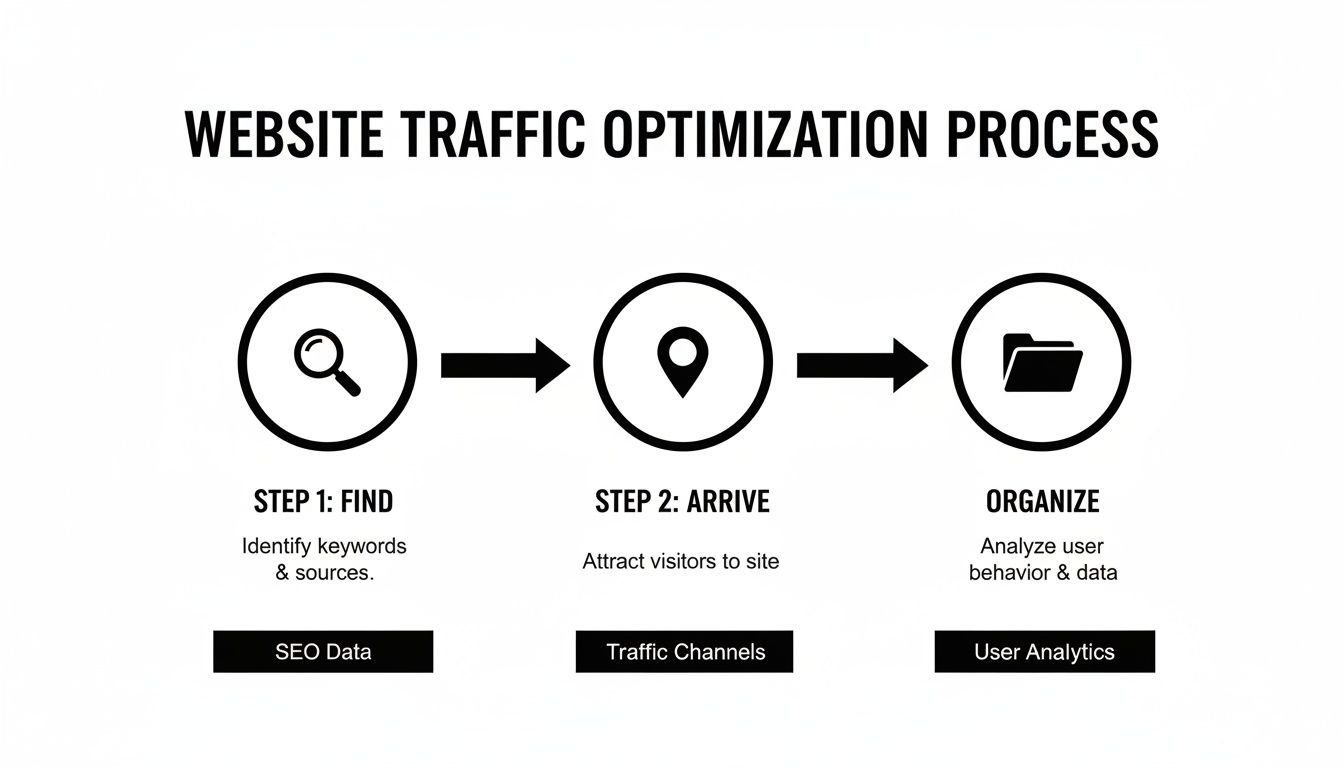
This process is your command center for deploying all your tracking codes. It keeps your setup organized and efficient right from the start.
Next, you absolutely need to connect Google Search Console. This is where you’ll see how your site actually performs in Google’s search results. Verifying your website with GSC is a quick process that proves you own the site. For a step-by-step guide, you can read our guide on how to set up Google Search Console.
Linking GSC to your GA4 property is non-negotiable. It allows precious data to flow between the platforms, giving you the full story of a user’s journey—from the search query they typed into Google all the way to the actions they take on your site.
Ensuring Data Integrity From Day One
A basic setup is fine, but a clean setup is where the magic happens. There are two initial configurations you need to nail down to ensure the data you track is accurate and actually useful for making business decisions. Getting these right is a fundamental part of learning how to track website traffic effectively.
- Filter Internal Traffic: Let’s be real—your team, your developers, and you are all visiting your own site. A lot. These visits aren’t from your target audience and will inflate traffic numbers and skew engagement metrics. GA4 has a built-in feature to define and filter out IP addresses from your internal team, keeping your data pure.
- Enable Google Signals: This is a powerful feature in GA4 that aggregates data from users who are signed into their Google accounts and have Ads Personalization turned on. Enabling Google Signals unlocks anonymized demographic and interest data and helps GA4 stitch together user journeys across different devices.
Key Takeaway: The initial setup isn’t just a technical to-do list; it’s a strategic move. By filtering internal traffic and enabling Google Signals, you’re choosing to prioritize data quality. This decision will pay off immensely when you start analyzing reports and making critical decisions based on what you see.
In a world with over 1.09 billion websites as of 2025 and 252,000 new sites created every week, the competition is fierce. It’s interesting to note that even with all the ways people find content, direct traffic is still the biggest source for most sites, making up 58% of visits, with organic search coming in at 29%. This data just drives home why having a rock-solid analytics foundation is so critical for standing out.
Tracking What Truly Matters for Your Business
Okay, you’ve got your analytics tools plugged in. That’s a great start, but it’s only half the job. Raw data is just a bunch of numbers—noise, really. It only becomes useful when you connect it directly to what you’re trying to achieve as a business. Now we pivot from the “how” of setup to the “why” of strategy, focusing on tracking website traffic in a way that actually helps you make smart decisions.

The first question you have to answer is a simple one: “What does a win look like for my website?”
The answer is going to be different for everyone. An e-commerce brand wants sales. A local plumber needs quote requests. A blogger wants to see an engaged readership. These goals are the bedrock of your Key Performance Indicators (KPIs).
Defining Your Key Performance Indicators
A KPI is simply a measurable value that shows how well you’re hitting your main business objectives. Please, don’t fall into the trap of obsessing over “vanity metrics” like total pageviews without any context. You need to zero in on the numbers that actually correlate with growth.
Here are a few real-world examples for different types of businesses:
- For a Service-Based Business (like a local contractor): Your primary goal is generating leads. Your most important KPIs would be form submissions for quotes, clicks on your phone number (especially from mobile users), and maybe downloads of a detailed case study.
- For an E-commerce Store: It’s all about revenue. Key KPIs will include completed purchases, add to cart actions, average order value (AOV), and your overall e-commerce conversion rate.
- For a Content Creator or Blog: Success means building an audience. You’ll want to track KPIs like newsletter sign-ups, scroll depth (how far people are actually reading your articles), and engaged sessions that last beyond a few seconds.
These are the concrete actions you’ll turn into trackable events inside Google Analytics 4. Instead of just knowing you had 1,000 visitors, you’ll see that you generated 50 qualified leads. Now that’s a number you can build a business on.
Demystifying UTM Parameters
Once you know what you’re tracking, the next piece of the puzzle is understanding where those results are coming from. Is your email newsletter outperforming your social media posts? Is that one specific Facebook ad campaign knocking it out of the park? Answering these questions is practically impossible without using UTM parameters.
UTM parameters are just simple tags you add to the end of a URL to feed Google Analytics specific details about where the click came from. When someone clicks a link with UTM tags, that data flows right into your GA4 reports, giving you crystal-clear attribution.
Key Takeaway: A consistent UTM strategy is non-negotiable for serious marketing. It’s the difference between guessing which campaigns are working and knowing with certainty where to invest your time and budget for the best return.
A standard UTM-tagged URL has five potential parameters, but there are three you absolutely must use:
- utm_source: Identifies the platform sending the traffic (e.g.,
google,facebook,newsletter). - utm_medium: Identifies the type of marketing (e.g.,
cpcfor paid ads,social,email). - utm_campaign: Identifies the specific campaign (e.g.,
spring_sale,q4_promo).
For example, a link in your May newsletter promoting a spring sale might look like this: https://yourwebsite.com?utm_source=newsletter&utm_medium=email&utm_campaign=may_spring_sale.
By applying this structure to every single link you share in your campaigns, you’ll unlock detailed performance breakdowns in your GA4 Traffic Acquisition report. This lets you measure ROI with incredible precision and start to understand the complex journey your customers take. If you want to go deeper on how different channels work together, this a guide to cross-channel marketing attribution is a great resource for connecting the dots.
Turning Traffic Data Into Actionable Insights
Alright, you’ve got the tracking in place and the data is starting to roll in. This is where the real fun begins. Collecting numbers is one thing, but the true value lies in finding the story hidden inside them. This is the moment you graduate from simply watching traffic to using that data to make smarter, faster decisions that actually grow your business.
Your data is always trying to tell you something. Sometimes it’s a whisper, hinting that a new social media post is working. Other times it’s screaming that your checkout page is a confusing mess. Learning to listen is what separates businesses that thrive from those that just tread water.
Navigating Key GA4 Reports
Google Analytics 4 is a beast, packed with dozens of reports. Don’t feel like you need to master all of them overnight. To get started, you just need to focus on a few core reports that give you the biggest bang for your buck in understanding your audience.
The two reports you’ll live in at the beginning are:
- Traffic Acquisition: This answers the most basic question: “Where are my visitors coming from?” It breaks down your traffic by channel (Organic Search, Social, Direct, etc.) and drills down into the specific sources driving that traffic.
- Engagement » Pages and screens: This one answers the next logical question: “What are they doing once they get here?” It shows you which pages are most popular, which ones hold attention the longest, and where people are actually interacting with your site.
When you start cross-referencing these two reports, you connect the dots between how people find you and what they do afterward. That’s where the magic happens.
Key Takeaway: Don’t get lost in the sea of data. Start by focusing on the Traffic Acquisition and Engagement reports. They provide a powerful one-two punch, showing you which marketing channels deliver the most engaged audience and which content resonates most deeply with them.
For example, you might notice that your Organic Search traffic has an average engagement time of 2 minutes, while traffic from a paid social ad is only sticking around for 15 seconds. That’s a crystal-clear signal that your SEO content is attracting a much more qualified audience, and it’s time to double down on that strategy.
Uncovering Meaningful Patterns
The goal isn’t just to look at the numbers; it’s to spot the patterns, anomalies, and opportunities hiding in plain sight. This is less about being a data scientist and more about being a detective. You have to constantly ask “why?” and dig deeper to understand the human behavior behind the clicks.
To put this in perspective, consider the sheer scale of the platforms we rely on. In 2023, google.com received roughly 168.67 billion visits, with a massive 83.64% of that traffic coming from mobile devices. Google also drove about 63.41% of all web referral traffic, showing just how critical search is for discovery.
Let’s walk through a real-world scenario to see how this plays out.
Scenario: You check your analytics and see a huge spike in traffic coming from your company’s Instagram page this month. On the surface, it looks like a massive win. Your social media manager is probably ready for a victory lap.
But then you start digging.
- First, you open the Traffic Acquisition report. Sure enough, Instagram is sending you thousands of new visitors. Check.
- Next, you head over to the Engagement report and filter for traffic from that specific source. The average engagement time for these visitors? A dismal 5 seconds.
- Even worse, you look at your key conversion events, like form submissions. The conversion rate from all that Instagram traffic is 0%.
The insight here is powerful: Your Instagram content is great at getting clicks, but it’s attracting the wrong audience or setting the wrong expectations. People arrive, realize your site isn’t what they thought it would be, and bounce immediately.
From Observation to Strategic Action
Armed with that crucial piece of information, you can stop wasting time and money on a strategy that isn’t working and pivot to something better. Instead of just pushing for more clicks, you can now make a truly data-informed decision.
Your next steps might include:
- Refining Your Messaging: Tweak your Instagram bio and post captions to be more specific about what users will find when they click through.
- Optimizing the Landing Page: Make sure the page linked from your social posts is directly relevant to the content and has a clear, compelling call to action.
- Testing Different Content: Maybe your current content is attracting curiosity-seekers, not buyers. Experiment with posts that speak to a more purchase-intent audience.
This process moves you from simply observing traffic to making strategic changes that boost your bottom line. And as you get more comfortable, you can move beyond historical reporting. Advanced techniques like predictive analytics for business growth can help you forecast future trends and make proactive decisions based on your data.
Creating Custom Reports and Visual Dashboards
Standard reports in Google Analytics are a solid starting point, but let’s be honest, they only give you a sliver of the full picture. If you want to truly understand your website traffic, you have to move beyond the defaults and build dashboards that put your most important KPIs front and center.
This is how you turn a mess of scattered data points into a clear, actionable story you can understand at a glance.
A good dashboard pulls everything together into one cohesive view, making it so much easier to spot trends, celebrate wins, and share insights with your team without anyone’s eyes glazing over.
Answering Your Unique Business Questions in GA4
Think of the ‘Explore’ section in Google Analytics 4 as your personal data sandbox. This is where you go to answer the specific, nuanced questions that default reports just can’t handle. It’s all about building a report from scratch, choosing your own dimensions, metrics, and visualization styles.
For example, a standard report might show you your top pages. Fine. But in ‘Explore,’ you could build a custom funnel report to see the exact journey users take from a popular blog post to a product page and, finally, to checkout. This immediately shows you where people are dropping off.
Leveling Up with Google Looker Studio
While GA4’s ‘Explore’ reports are fantastic for deep-dive analysis, Google Looker Studio (formerly Data Studio) is the undisputed champion for creating dynamic, shareable, and visually sharp dashboards. Best of all, it’s a free tool that connects seamlessly with your GA4 and Google Search Console accounts.
This is where you can finally stop flipping between tabs. Instead of checking GSC for keyword rankings and then jumping over to GA4 for user engagement, you can display both side-by-side.
Key Takeaway: A dashboard’s job isn’t just to display data; it’s to drive decisions. A well-designed dashboard should immediately tell you if you’re hitting your goals, highlighting what’s working and what needs attention, all without needing a manual.
It’s also crucial to remember who is looking at these reports and how. As of 2025, mobile devices account for roughly 63.8% of global website traffic, a massive leap from just 35% back in 2015. This means your dashboards and reports need to be mobile-friendly, because chances are, your team is checking in on the go.
Building Your One-Page Traffic Dashboard
Getting started with a comprehensive dashboard doesn’t have to be some overly complicated project. You can begin with a simple one-page overview in Looker Studio that combines your most critical metrics. This single view makes tracking progress and sharing insights a breeze.
Here’s a straightforward structure you can build:
- Top-Level KPIs: Put the big numbers right at the top. Use scorecards to show total Users, Sessions, Engaged Sessions, and key Conversions for your selected date range.
- Traffic Acquisition Overview: Add a pie chart or bar chart showing the breakdown of your traffic by Session default channel group (e.g., Organic Search, Direct, Social).
- Top Performing Pages: A simple table listing your top 5-10 pages by Views and Average Engagement Time shows what content is actually connecting with your audience.
- GSC Performance Snapshot: Pull in data from Google Search Console. Add scorecards for total Clicks and Impressions, along with a table showing your top-performing search queries.
This one-page view provides a powerful, at-a-glance snapshot of your website’s health. By connecting these different data sources, you start to see the complete story of your marketing efforts. For more advanced ideas on bringing all your insights into one place, learn about building a custom SEO dashboard.
And to really connect these metrics back to your big-picture strategy, check out our guide on https://raven-seo.com/how-to-measure-digital-marketing-success/.
Answering Your Top Website Traffic Questions
As you start digging into your website analytics, a few questions always seem to surface. It’s totally normal. Getting these fundamentals right is the key to interpreting your data with confidence and avoiding common pitfalls.
Let’s clear up some of the most frequent questions we hear from clients in an educational, easy-to-read way.
What Is the Difference Between Users and Sessions?
This is a big one, and the distinction is crucial. Think of a user as a unique person visiting your site. Analytics identifies them with a cookie in their browser. A session, on the other hand, is a single visit that person makes. It’s the container for everything they do during that visit—viewing pages, clicking buttons, and triggering events—before they leave.
So, if someone visits your website in the morning and comes back that afternoon, you’ll see one user and two sessions. This simple difference helps you distinguish between the size of your audience (users) and how frequently they engage with you (sessions).
How Can I Track Traffic From Specific Marketing Campaigns?
The absolute best way to do this is with UTM parameters. These are just simple tags you tack onto the end of your URLs for things like email campaigns, social media ads, or QR codes. When someone clicks that link, Google Analytics automatically reads the tags and categorizes the traffic for you.
This gives you crystal-clear visibility into which specific campaigns are driving traffic and, more importantly, conversions. Honestly, if you’re serious about measuring marketing ROI, using UTMs is non-negotiable.
Key Insight: Consistent UTM tagging is the only truly reliable way to know which of your marketing efforts are actually working. Without it, you’re flying blind and just guessing at what drives results.
Why Is My Direct Traffic So High?
Seeing a huge chunk of your traffic labeled as “Direct” can be baffling. While it does include people who type your URL straight into their browser or use a bookmark, “Direct” is also GA4’s catch-all bucket for any traffic where the source is unknown.
This can happen for a lot of reasons—clicks from a PDF, links shared in certain mobile apps, or marketing campaigns that weren’t properly tagged with UTMs. The best way to shrink that ambiguous “Direct” traffic is to be relentlessly disciplined with your UTM strategy across every single channel. If you’re seeing odd gaps in your reports, you can learn more about why traffic and user acquisition data are not in your GA4 reports section and how to troubleshoot it.
What Privacy Issues Should I Consider?
This isn’t just a box to check; it’s a legal and ethical must-do. When you track website traffic, you have to be transparent and comply with regulations like GDPR and CCPA. Earning your visitors’ trust is paramount.
Here are the essentials you need to have in place:
- A Clear Privacy Policy: Write a straightforward policy explaining what data you collect and why.
- A Cookie Consent Banner: Give users genuine control over whether they are tracked or not.
- IP Anonymization: Enable this feature in Google Analytics to help protect individual user identities.
Building a loyal audience starts with respecting their privacy from day one.
Ready to stop guessing and start making data-driven decisions? The team at Raven SEO specializes in setting up robust analytics and turning traffic data into actionable growth strategies. Get in touch for a no-obligation consultation today!