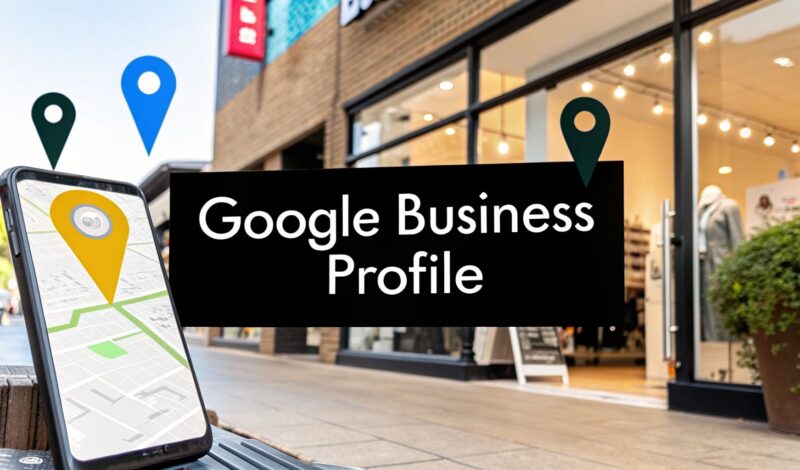
Your Google Business Profile is your company’s digital storefront on Google Search and Maps. Think of it as the free, dynamic business card that shows up when customers are looking for you—or someone just like you—with "near me" searches. This powerful tool is your welcome mat, providing customers with the essential info they need before they even click through to your website.
Your Digital Welcome Mat On Google
Imagine this: a potential customer in Maryland is searching for a "cafe in Fells Point" or a "contractor in Canton." That informative panel that instantly pops up on the right side of their Google search? That's your Google Business Profile (GBP).
But it's so much more than a static business listing. It’s an interactive hub where you can manage how your business appears online, communicate directly with customers, and highlight what makes you the right choice. For many local businesses, it has become their single most critical marketing asset.

To help you get a clearer picture, here's a quick, educational breakdown of what makes up a Google Business Profile and why each part is so important.
Google Business Profile At a Glance
| Component | What It Is | Why It Matters for Your Business |
|---|---|---|
| Business Name, Address, Phone (NAP) | The core contact details for your business. | This is the foundation of local SEO. Consistency here builds trust with Google and customers. |
| Business Hours | Your operating hours, including special holiday hours. | It's one of the first things customers look for. Accurate hours prevent frustration and lost sales. |
| Photos & Videos | Visuals of your storefront, team, products, and services. | They provide a real-world look at your business, making you more appealing than competitors without them. |
| Customer Reviews | Ratings and written feedback from your customers. | Reviews are powerful social proof that heavily influence both customer decisions and your search ranking. |
| Google Posts | Mini-updates about offers, events, or news. | These act like free, temporary ads directly on your profile, catching the eye of active searchers. |
| Q&A Section | A space where anyone can ask questions and you can answer. | This allows you to address common concerns proactively and showcase your expertise. |
Each of these components works together to create a comprehensive, trustworthy snapshot of your business right where your customers are looking.
Why It Is A Local SEO Cornerstone
A great-looking profile is one thing, but your GBP is really about getting found. It's a foundational piece of local search engine optimization (SEO) that directly controls your visibility in the most valuable online spaces.
Here's where it makes the biggest difference:
- Google's Local Pack: This is that coveted box of three business listings you see at the top of local search results. A well-tended GBP is your ticket to getting featured here.
- Google Maps: When people search for directions or businesses in their area, it's your profile that determines if and how you appear. A complete profile gets more views.
- Customer Trust: Up-to-date info, fresh photos, and positive reviews work together to build instant credibility, making customers more likely to choose you.
To really get the most out of your digital welcome mat, it helps to understand the link between local SEO for HVAC contractors and GBP optimization. The principles are universal and show just how a strong profile drives real-world business.
Google has made it crystal clear: your profile is the central hub for all your business information on its platform. This is more true than ever, as we explain in our guide on the shutdown of Google Business Profile websites, which pushes all focus back to the core profile itself.
For any business in a competitive market like the Baltimore-Washington metro area, mastering this tool isn't just a good idea anymore. It's absolutely essential for survival and growth.
The Journey From Google My Business To Today
If you’ve been in business for a few years, the name ‘Google My Business’ (or GMB) probably rings a bell. Many entrepreneurs are still getting used to the new name, Google Business Profile, but it’s crucial to know this isn’t a brand-new product. Think of it as the next evolution of what GMB started—a more integrated and powerful version.
The biggest shift wasn't just the name change. Google moved profile management directly into Google Search and Google Maps. This was a smart, deliberate move to make updates faster and more intuitive for busy business owners.
Think of it like this: Instead of having to log into a separate dashboard, a Dundalk business owner can now just search for their own company on Google. An editing panel appears right there on the search results page. You can update your hours, add a photo from a recent job, or respond to a new review on the fly.
A More Direct Experience
This transition streamlined the whole process. The goal was to remove extra steps and make managing your online presence as easy as doing a quick search. All the valuable features you remember from GMB are still there—they’re just easier to get to and built right into the platforms your customers use every day.
This evolution from a separate tool to a built-in feature shows where Google is heading: real-time, seamless interactions between businesses and customers. As you’ll see, this direct management approach is the key to using all the modern features Google is rolling out. To see what’s next, you can explore how Google Maps embraces AI and visuals and what it means for your business.
This change clears up a major point of confusion for many business owners, reassuring them that all the effort they put into their GMB listing was not wasted. In fact, those same assets are now even more powerful within the Google Business Profile framework.
Features That Turn Searches Into Customers
Knowing that Google Business Profile is the next step up from Google My Business is just the beginning. The real magic is in its features. These aren't just for displaying information—they're designed to actively pull in potential customers and walk them toward a purchase.
Think of your profile less like a static business card and more like a dynamic sales tool working for you around the clock. These features are what transform your listing from a simple entry into an interactive engine for customer engagement, turning passive searchers into active, paying customers.

Showcase Your Business With Rich Media
For many customers, your profile’s photo and video galleries are their first real look inside your business. A profile packed with high-quality, relevant images feels trustworthy and professional. One without any visuals? Not so much. People want to see what they’re getting into.
Here’s how you can make your visuals do the heavy lifting:
- Show Your Work: A contractor can upload compelling before-and-after photos of a recent renovation.
- Introduce Your Team: A law firm can add professional headshots to build trust and put a human face to their practice.
- Display Your Ambiance: A Baltimore restaurant needs to post photos of its dining room, patio, and signature dishes to make potential diners hungry.
These visuals offer tangible proof of your quality and give customers the confidence they need to take the next step.
Keep Customers Informed With Google Posts
The Google Posts feature is like having a mini-blog or social media feed right on your profile. These updates show up directly in your listing and are perfect for grabbing the attention of someone actively searching for what you offer.
For example, a Baltimore restaurant could create a Post announcing a week-long crab special, complete with a mouth-watering photo and a "Book Now" button. That timely offer could easily be the deciding factor for a customer choosing where to eat dinner. By regularly posting updates, you keep your profile fresh and active, which both customers and Google love to see.
Clicking through to a website from a Google Business Profile? For the average business, it's a solid 4%-7% of total profile views turning into clicks. But B2B services like Maryland's professional practices and contractors can see rates as high as 10%-12%, proving GBP is a goldmine for service pros in Baltimore's bustling scenes. These benchmarks show how optimized profiles funnel viewers straight to your site. You can find out more about these Google Business Profile benchmarks from WebFX.
Address Inquiries With The Q&A Feature
The Q&A section is one of the most powerful yet underused features on the platform. It allows anyone to ask a question about your business, and more importantly, it lets you answer it publicly. This is your chance to get ahead of common concerns and show off your expertise.
A Towson law firm, for instance, could use the Q&A to answer frequently asked questions like, "Do you offer free consultations?" or "What areas of law do you specialize in?" By seeding your own Q&A with these common queries, you provide instant value and save potential clients a phone call.
Better yet, these interactions contribute valuable, keyword-rich content to your profile. Making sure this information is structured correctly can give it an even bigger boost—you might be interested in our guide on how schema markup enhances your website's search visibility.
Why Reviews Are Your Strongest SEO Asset
If there’s one part of your Google Business Profile that acts as a powerful magnet for both customers and search engines, it’s your customer reviews. They are so much more than just social proof; they are a direct and massive ranking factor for local SEO. Reviews tell Google exactly how much trust your business has earned from real people.
Think of each positive review as a vote of confidence. When a customer leaves a 5-star rating, they aren't just telling other people you're great; they're sending a strong signal to Google's algorithm that you are a legitimate, high-quality local business. This digital word-of-mouth is priceless, especially in a competitive market.
Build Trust With Customers and Google
Reviews build a bridge of trust before a customer ever picks up the phone or walks through your door. A steady stream of authentic feedback shows that you are an active, engaged business that genuinely cares about the customer experience. It's this constant accumulation of positive sentiment that helps you climb the local pack rankings and stand out from competitors who let their profiles gather dust.
To make reviews work for you, you need a proactive—but ethical—strategy. Here are a few ways to encourage more feedback:
- Ask at the Right Time: The best time to ask for a review is right after a successful project or a great service interaction, when the customer's satisfaction is at its peak.
- Make It Easy: Give customers a direct link to your GBP review section. You can send it via email or text message, or even put a QR code on your receipts and business cards.
- Never Offer Incentives: Google's policies strictly forbid offering money or gifts in exchange for reviews. The only way to do this right is to earn them authentically through excellent service.
Responding to All Feedback Professionally
Getting reviews is only half the battle. How you handle them is just as important. Responding to both positive and negative feedback shows that you are listening and that you value what your customers have to say. A professional response to a negative review can even turn a bad situation into a public display of excellent customer service.
Businesses dominating the top three spots in Google search results boast over 200 Google reviews on average. Profiles with that review volume often appear in the local pack's prime real estate. Furthermore, a staggering 75% of these top-ranking businesses have fully completed descriptions, blending local keywords like 'Fells Point plumber' with rich photos that can boost direction requests by 45%. You can explore more about these powerful Google Business Profile statistics on Blogging Wizard.
A thoughtful thank-you for a positive review reinforces that good experience. A calm, solution-oriented reply to a negative one shows accountability. This level of engagement is a cornerstone of modern reputation management. In fact, these principles extend far beyond just Google. For a deeper dive, you can learn more about reputation management on social media in our dedicated guide.
Ultimately, mastering your reviews is about building a strong reputation that both humans and algorithms can see and appreciate. It's a continuous effort, but one that pays massive dividends in visibility, credibility, and new customers. By actively managing this part of your profile, you create a powerful asset that works for you 24/7.
How To Optimize Your Profile For Local Dominance
Just claiming your Google Business Profile isn’t enough to get noticed. You have to actively optimize it to compete and win. Think of it like tuning a high-performance engine. A basic setup gets you on the road, but the real magic—the part that helps you pull ahead of everyone else—comes from careful, continuous optimization.
This process is about turning your simple listing into a customer-generating machine. The goal is to give Google so much clear, consistent, and valuable information that its algorithm can't help but show your business to people who are ready to buy. These are the details that separate businesses on page one from everyone else.
Nail Your Core Information
The entire foundation of a winning profile is built on accuracy and consistency. Your business Name, Address, and Phone Number (NAP) must be absolutely identical everywhere it appears online. A tiny variation, like listing "St." in one place and "Street" in another, can confuse Google and chip away at its trust in your data.
Once your NAP is rock-solid, turn your attention to your business categories. This is one of the single most important optimizations you can make.
- Primary Category: Choose the one category that best describes the core of your business. Be specific. “Plumber” is far better than “Home Services.”
- Secondary Categories: Now, add other relevant categories that cover everything else you do. A plumber might also add “Water Heater Installation” or “Drain Cleaning Service.”
Google Business Profile isn't just another listing; it's the world's biggest online directory, with over 18 million active profiles in the US alone. And the best ones don't just exist—they thrive, snagging 7x more clicks and fueling the AI Overviews that now dominate 'near me' searches. Nailing your primary category is a massive ranking factor.
Advance Your Profile With Rich Content
With the fundamentals locked in, it's time to add layers of rich, engaging content. Start by writing a compelling business description. You'll want to naturally weave in keywords people would actually use to find you, like "emergency plumber in Canton" or "family-owned cafe in Fells Point."
This is where you start building the kind of trust that underpins your entire strategy, especially with reviews.

As you can see, earning customer trust is what directly fuels positive reviews, and those reviews are what boost your potential to rank higher.
Your optimization efforts should always aim to build trust. Every photo you upload, every review you respond to, and every product you list contributes to a profile that looks more credible and authoritative to both customers and Google.
Make sure you enable features like Messaging, which lets customers contact you straight from your profile. Use the Products feature to highlight specific items or services, complete with their own photos and descriptions.
To really solidify your presence, it helps to understand how local optimization fits into the bigger picture. Reading through a comprehensive guide to SEO for lawyers can offer invaluable strategies that apply across industries. And for a more focused approach on dominating the map itself, check out our guide on how to rank higher on Google Maps.
Partner With Raven SEO To Master Your Local Presence
You’ve got the 'what' and the 'why' of Google Business Profile down. You understand that your profile is non-negotiable, reviews are your lifeblood, and optimization is the name of the game. But the most important piece of the puzzle is the 'how'—turning all that knowledge into a reliable stream of new customers walking through your door.
That's where we come in.
At Raven SEO, we don't just talk about local search; we live and breathe it. We build concrete, actionable roadmaps for Maryland businesses that are ready to finally take control of their online presence. We partner with companies just like yours to make Google Business Profile their #1 source of new leads.
Your Local SEO Partner
Our team specializes in creating and rolling out strategies that deliver results you can actually see and measure. We get the unique challenges and opportunities that come with operating in Baltimore, Dundalk, and everywhere in between.
We zero in on the actions that truly move the needle:
- Advanced GBP Optimization: We go way beyond the basics, using every last feature and tactic to make sure your profile doesn't just show up—it stands out.
- Proactive Review Generation: We help you build a simple, repeatable system to consistently earn positive reviews, turning your happy customers into your most powerful marketing asset.
- Full-Scale Local SEO: We weave your GBP into a complete local search strategy, making sure your entire digital footprint works together to pull in more customers.
Don't let your business just blend into the background. A properly managed Google Business Profile is a powerful engine for growth, and we have the keys to start it.
Ready to see how a perfectly tuned profile can transform your business?
Let’s talk. Book a no-obligation consultation with Raven SEO today, and we'll show you exactly how we can make Google your most valuable source of customers. Let's build your local dominance, together.
Your Top Google Business Profile Questions, Answered
As you start wrapping your head around what Google Business Profile can do, a few questions always pop up. We hear them all the time. This section is designed to give you quick, straightforward answers so you can navigate the platform with confidence and make this essential tool work for you.
Is Google Business Profile Really Free?
Yes, it is 100% free to create and manage your Google Business Profile. Every core feature—from managing your business info and responding to reviews to showing up in local searches on Google and Maps—is available at absolutely no cost. It’s genuinely one of the most powerful free marketing tools out there for any business.
Of course, you can always choose to pay for Google Ads to give your profile an extra visibility boost, but the fundamental ability to manage your local presence and connect with customers is completely free.
How Often Should I Update My Profile?
Consistency is your best friend here. Regular updates signal to Google that your business is active, open, and relevant. As a good rule of thumb, plan on checking in on your profile at least once a week.
Here’s a simple schedule to get you started:
- Weekly: Make it a habit to respond to all new reviews and answer any customer questions that have come in.
- Weekly: Publish a new Google Post to share updates, offers, or news. This keeps your profile looking fresh and active.
- Immediately: The second any core information changes—like your hours, phone number, or address—update your profile right away.
Think of your profile as a living, breathing part of your business, not a "set it and forget it" task. Regular activity tells Google's algorithm you're engaged and open for business, which can absolutely influence your rankings over time.
Can I Have a Profile Without a Physical Address?
Absolutely. This is a very common scenario for what Google calls Service Area Businesses (SABs)—think plumbers, mobile dog groomers, or consultants who travel directly to their clients.
If you don't have a storefront or office where customers can walk in, you can set up your profile to hide your physical address. Instead, you'll define a specific service area by listing the cities, zip codes, or general region you cover. This way, your business will still appear in local search results for customers within that area, but your home or private address stays confidential.
Managing a Google Business Profile effectively takes time and a bit of expertise. At Raven SEO, we handle all the complexities so you can stay focused on what you do best: running your business. Book a no-obligation consultation today and let us turn your profile into a powerful customer acquisition engine.