A website design cost calculator can spit out a number in seconds, but that number is only as good as the information you feed it. A simple brochure site might land in the $1,000-$3,000 range, but a complex e-commerce platform with all the bells and whistles can soar past $10,000 without breaking a sweat. The real secret is defining your needs before you ever touch a calculator.
What to Know Before Using a Cost Calculator
Before you can get a meaningful estimate from any website design cost calculator, you need a solid blueprint for what your website has to do. Think of the calculator as a tool, not a crystal ball. Jumping in without a plan is like asking a home builder for a quote without deciding how many bedrooms you need.
First things first: what is your website’s primary job? Is it a digital storefront designed to drive online sales? Maybe it’s a lead generation machine for a service business, focused on capturing contact info. Or perhaps it’s a portfolio to show off your creative work. Each of these goals requires a completely different set of features, which is what really drives the cost up or down.

Defining Your Must-Have Features
Start by making a list of every single feature your site absolutely needs to function. Go through the entire user journey in your head—from the moment someone lands on your homepage to the second they become a customer. This simple exercise is the best way to figure out if you need a basic site or a much more complex web application.
Here are some of the most common features to get you thinking:
- Contact Forms: An absolute must for lead generation.
- Payment Gateways: Non-negotiable for any e-commerce site.
- Appointment Scheduling: Critical for service businesses like consultants or salons.
- Blog or Content Hub: Essential for SEO and showing you know your stuff.
- Customer Accounts: Needed for repeat business, memberships, or saved carts.
By creating a concrete list of requirements, you build your best defense against scope creep and surprise expenses. It transforms a vague idea into a tangible project plan that any calculator or developer can understand.
This detailed planning isn’t just busywork—it’s crucial. For example, industry data for 2025 shows massive cost differences based on complexity. A simple site with a few pages could run you $1,000 to $3,000, while a mid-range business site lands between $3,000 and $7,000. Custom platforms with unique features? They start at $10,000 and go up from there. You can see a deeper breakdown of how features affect pricing in this guide to website development costs.
Doing this homework upfront also makes it much easier to perform the 5 essential technical checks for a new website later on.
What Really Drives Website Costs?
Ever get a quote for a website and wonder why one is $2,000 while another, with a similar page count, comes in at $20,000? The answer isn’t arbitrary. It boils down to a few core factors that dramatically swing the final price.
Getting a handle on these drivers is the key to using any website cost calculator effectively. It helps you see which inputs are actually moving the needle on your estimate.
The first major driver is design complexity. A website built from a pre-made template is always going to be the more affordable route. It’s faster and more straightforward. But a fully custom design, built from the ground up, offers unique branding and a user experience tailored specifically for your audience. That requires a ton more design and development hours, and the price reflects that.
Next up is functionality. A simple five-page brochure site with a basic contact form is a completely different beast from a sprawling e-commerce platform. Once you start adding features like payment gateways, customer accounts, and inventory management, you’re layering on development work that naturally increases the budget.
Even within e-commerce, the specific extensions you need can be a big factor. For example, understanding the different types of WooCommerce plugin choices is a good way to get a realistic handle on your potential costs.
Your Choice of Partner Matters
Who you hire to actually build the site also shapes the price tag in a big way. A freelancer might charge less than a full-service agency, but an agency often brings a whole team to the table—specialists in strategy, design, and development. Your choice really depends on how complex your project is and what your budget looks like.
Grasping these cost drivers empowers you to use a calculator more intelligently. You’ll know exactly which levers—like custom design, e-commerce, or agency support—are adjusting the final estimate.
Website cost calculators in 2025 are essential tools for businesses trying to plan their budgets accurately by baking in these influencing factors. They help demystify the whole process by quickly translating your project requirements into an estimated cost, letting you prioritize features based on what gives you the most bang for your buck.
And finally, don’t forget the ongoing costs. The initial build is just the beginning. You’ll also need to budget for essentials like reliable web hosting services and regular maintenance to keep your site secure, updated, and running like a well-oiled machine.
How to Get a Realistic Estimate from Any Calculator
Alright, let’s put this into a real-world context. Imagine a local bakery, “Sweet Bites,” wants to finally take their business online with a proper ordering system. They’ve been all-local for years, but now it’s time to grow. Before they even think about talking to a web design agency, they need a realistic budget, so they find a website design cost calculator.
Here’s where a lot of people go wrong. Just plugging in random numbers won’t get you anywhere useful. The bakery owner needs to translate her vision into the specific inputs the calculator asks for. This means taking a moment to think through each option and how it lines up with her actual business goals.
Translating Needs into Calculator Inputs
The first step is to carefully select the right options. Let’s walk through how Sweet Bites would do this:
- Design Complexity: The bakery has a charming, rustic brand. They want that reflected online with a unique look, but they don’t need wild animations or anything too fancy. They’d choose “Custom Design” to stand out from the generic templates, but they’d steer clear of options like “highly interactive” to keep the budget in check.
- Page Count: They map out the absolute essentials: Home, About Us, Menu/Products, Online Ordering, Blog, and Contact. That’s six core pages. With that in mind, they’d select a range like “6-10 pages.”
- E-commerce Functionality: This is the big one—the whole reason for the new site. They need customers to browse cakes, add them to a cart, and pay securely online. This means they absolutely have to select “E-commerce capabilities,” a feature that our own research shows can easily add over $12,000 to a project.
- SEO Features: To get found by locals searching for “bakeries near me,” they need a solid SEO foundation right from the start. They’d select an option for “Basic SEO Setup” to make sure the site is optimized from day one.
A calculator is a powerful starting point, but its output is only as good as your inputs. Be specific and honest about what you need versus what would be nice to have. This clarity is your best tool for managing your budget.
Once they submit these details, the calculator might spit out an estimate somewhere in the $8,000 – $15,000 range. Now, this number isn’t a final quote carved in stone. It’s a realistic ballpark figure that sets expectations.
If this initial number is way over their budget, Sweet Bites can now make informed decisions instead of just guessing. They might go back and consider starting with a simpler, template-based design or maybe launch without the blog to reduce the initial page count and cost. This back-and-forth process helps them find that sweet spot between their dream website and their financial reality, turning a vague idea into a truly actionable plan.
How Website Features Impact Your Final Cost
It’s crucial to understand that not all features are created equal. The complexity behind each requirement is what really drives the final price tag. A simple “contact form” is a world away from a multi-step booking system with payment integration.
This table breaks down how the complexity of common website features can drastically shift your cost estimate from the lower end to the higher end of a given range.
| Feature/Requirement | Low Complexity (Lower Cost) | High Complexity (Higher Cost) |
|---|---|---|
| Design & UI/UX | Template-based design with minor brand customizations. | Fully custom, branded design with extensive user research and wireframing. |
| E-commerce | Basic setup with a few dozen products and standard payment gateways (Stripe, PayPal). | Thousands of products, custom shipping rules, inventory sync, and subscription options. |
| Page Count | 5-10 static pages with simple layouts (Home, About, Services, Contact). | 25+ pages including dynamic content, resource libraries, and multiple service pages. |
| Custom Features | Standard contact forms, basic blog setup. | Integrated booking system, customer login portal, or a custom pricing calculator. |
| Content Management | Basic CMS setup allowing for simple text and image edits. | A highly customized CMS backend with complex user roles and content approval workflows. |
| Third-Party Integrations | Simple integrations like embedding a Google Map or Mailchimp signup form. | Complex API integrations with a CRM, ERP, or marketing automation software. |
As you can see, the details matter immensely. Being clear about the depth of each feature you need is the key to getting a cost estimate you can actually rely on. This clarity will not only help you budget but will also make your first conversation with a web design agency far more productive.
Breaking Down Real-World Website Budgets
A number from a website design cost calculator is a great starting point, but let’s be honest—it’s just a number. To make it mean something, you have to understand what that budget actually gets you in the real world. Let’s pull back the curtain and see how costs really break down for different projects, from a simple artist portfolio to a full-blown e-commerce machine.
For a basic portfolio site, say for a photographer or artist, the budget is almost entirely front-loaded into UX/UI design and front-end development. The whole point is visual impact. You’re investing in a stunning, responsive gallery that makes their work pop. The back-end needs are usually tiny—maybe a simple contact form—which keeps the overall cost down.
Now, pivot to a small business website designed for lead generation. The focus shifts completely. While good design is still important, a bigger slice of the budget pie goes straight to back-end coding. We’re talking custom forms that integrate with a CRM, a user-friendly CMS for the client to update, and other features that make the site a functional business tool. The investment here is about function over pure form.
This infographic gives you a great visual of how different core components—design, number of pages, and adding e-commerce—stack up and drive your total cost.
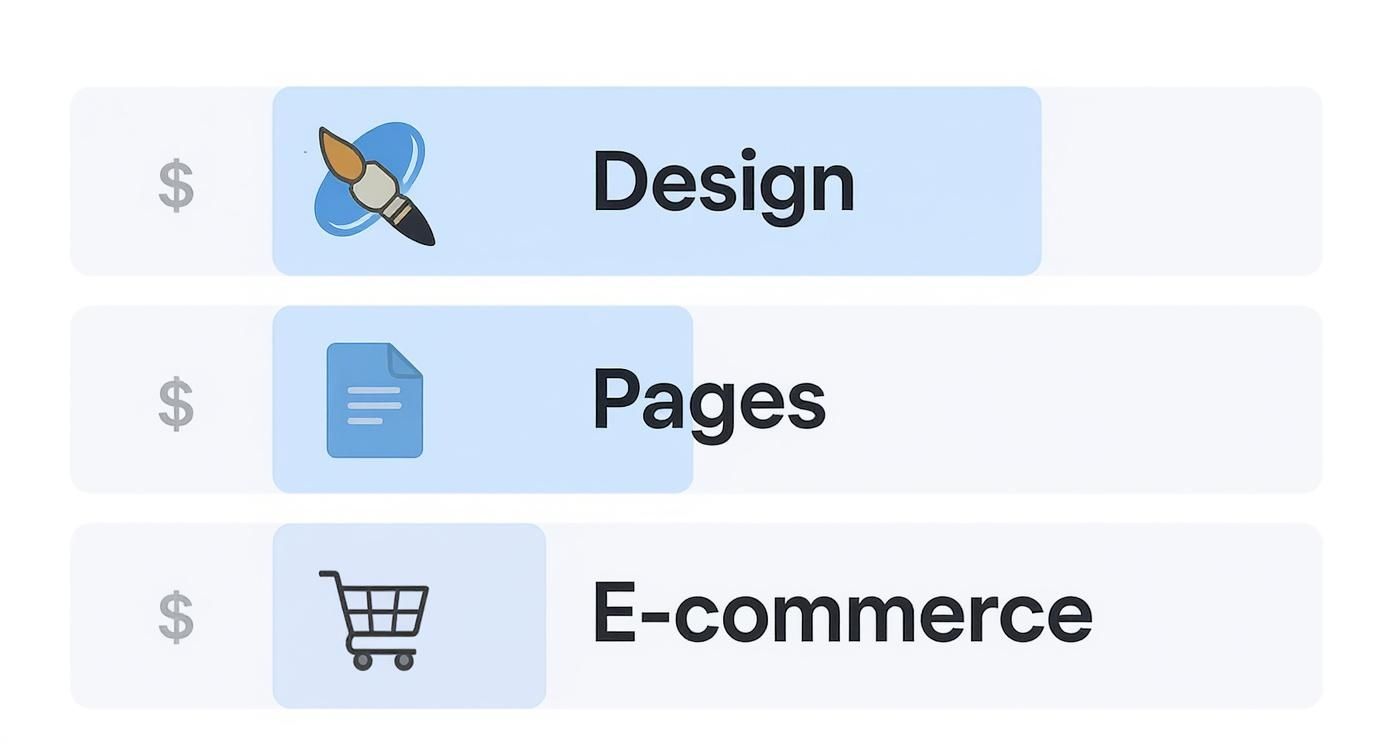
As you can see, bolting on e-commerce is the single biggest cost driver, and for good reason. The complexity skyrockets.
The E-commerce Cost Breakdown
When you step into the world of e-commerce, the budget allocation changes dramatically. A massive portion of your investment funnels into heavy-duty back-end development. This isn’t just a shopping cart; it’s payment gateways, inventory management systems, secure customer accounts, and layers of security.
Quality assurance (QA) testing also becomes a much bigger line item because every single part of the checkout process has to be absolutely flawless. A single bug can cost thousands in lost sales. For a more detailed look, check out our guide on e-commerce website development cost.
Seeing these real-world breakdowns helps you set realistic expectations. It clarifies why a “simple” request can have a big budget impact and helps you justify the investment to stakeholders.
Industry reports from 2025 back this up, showing a massive range. A simple landing page might start around $1,000, while complex enterprise platforms can easily top $120,000. An average e-commerce site, for instance, often lands around $60,000 and can take a solid 1,000 hours to build out properly due to all the moving parts. This kind of transparency is exactly what you need to plan effectively and avoid surprises.
Planning for Hidden and Ongoing Website Costs
Getting your website live is a huge milestone, but it’s really just the beginning of the journey. One of the most common—and costly—budgeting mistakes I see is treating a website like a one-and-done purchase. A basic cost calculator rarely touches on the recurring expenses that are essential to keeping your site secure, functional, and actually helping your business grow.
Think of it this way: you wouldn’t buy a new car and then never put gas in it or get an oil change. Your website needs that same continuous care to keep it running smoothly and safely. The initial build is your down payment; what comes next is the cost of ownership.
Key Ongoing Expenses
These aren’t optional add-ons; they are non-negotiable costs for the long-term health of your online presence. They keep your digital doors open long after the initial development work is finished.
- Domain Name: This is your website’s address on the internet. Expect to renew it annually for around $15-$20.
- Web Hosting: This is the service that keeps your site online and accessible to visitors. Costs can swing wildly from $50 to over $350 per month, depending on your traffic and performance needs.
- SSL Certificate: This little certificate enables the secure “https” in your URL. It’s crucial for security and trust. Often, it’s bundled with hosting, but it can be a separate annual expense.
- Premium Plugins & Licenses: Many of the cool features on modern websites rely on premium software. These almost always require yearly renewals to get critical security patches and feature updates.
Don’t let your initial investment go to waste by skimping on upkeep. Proactive maintenance is always, always cheaper than cleaning up the mess after a hack or a site crash.
Beyond just keeping the lights on, you should also factor in the cost of proactive security and growth. This is where professional web maintenance services come in, handling all the crucial software updates and security monitoring that protect your investment. Ignoring these areas is a recipe for performance issues or, worse, a security breach that could cost you far more in the long run.
Common Questions About Website Design Costs
Getting a straight answer on website costs can feel like pulling teeth. To help you move forward with confidence, we’ve pulled together some of the most common questions we hear from clients trying to navigate their budgets.
How Accurate Are Online Cost Calculators?
Think of a website design cost calculator as a strategic planning tool, not a rock-solid quote. Its accuracy is only as good as the information you feed it. If you’re thorough and honest about your needs, a good calculator can give you a surprisingly useful ballpark figure.
But it can’t read your mind. It won’t know about that tricky third-party software you need to integrate or the highly specific design flourish you’ve been dreaming of. The calculator’s estimate is your starting point—a fantastic way to set a realistic budget range before you even start talking to an agency.
Why Do Quotes from Agencies Vary So Much?
It’s not uncommon to see quotes ranging from $5,000 to $50,000 for what looks like the same project on the surface. That huge gap usually comes down to three things: team size, experience level, and the depth of their process.
- Freelancers: Typically have the lowest overhead, making them a great fit for smaller, more straightforward projects.
- Small Agencies: Strike a nice balance between deep expertise and cost, often with a tight-knit, focused team.
- Veteran Agencies: Bring a full crew of specialists—strategists, designers, developers—and a battle-tested process. They command a higher price but significantly reduce the risk on complex builds.
An agency with a higher price tag is likely factoring in time for deep strategic planning, custom development work, and rigorous quality assurance. All of that extra work contributes to a more reliable and effective final product.
The biggest mistake you can make is choosing a partner based on price alone. A cheap website that doesn’t hit your business goals or breaks down six months later is infinitely more expensive in the long run.
Ultimately, a higher quote often points to a more comprehensive and strategic approach. It’s also a good idea to know what can go wrong in the process. Reading up on the 10 common web design mistakes and how to avoid them will help you better evaluate the quality and foresight behind any quote you receive.
Ready to turn your vision into a reality with a clear, strategic plan? The team at Raven SEO specializes in building high-performance websites that are perfectly aligned with your business goals. Schedule a no-obligation consultation today and let’s create a practical roadmap for your project.